


This article is more than 1 year old
Buy Smarter: what you need to know about... SSDs
Speed up your laptop

Smarter Memory The solid state drive (SSD) is like a fast hard disk drive (HDD) with no moving parts. Many SSDs can be used as direct replacements for mechanical hard drives, although usually with a capacity restriction.
They are better suited to notebooks, netbooks and Ultrabooks because capacities in these tend to be lower than in desktop PCs, where storage can easily run into terabytes. Even in desktops, though, there is good reason to fit an SSD alongside mechanical storage.
The lower cost of SSDs is the reason they are fitted as standard in some portable devices, such as the Apple MacBook Air and in many rivals on the PC side, but not, usually, in new PCs.
They can be retro-fitted, though, so this guide looks at buying for both replacement and supplementation.
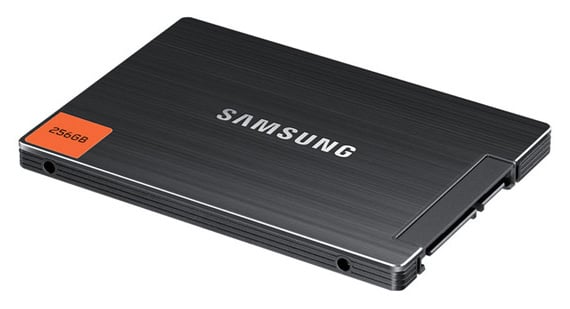
SSDs are faster, less noisy and more robust than hard drives
An SSD is an array of Flash storage chips combined with a sophisticated controller, so it acts like a hard drive. It can perform random and sequential reads and writes like an HDD, but at much higher speed because the data transfer is not governed by the speed at which each bit can be moved through a read/write head to or from the surface of a spinning disk platter.
Instead, the data is stored in much the same way as on a USB drive or memory card, but with a more intelligent controller distributing and buffering it.
Good things about SSDs
SSDs have several advantages over HDDs, particularly when it comes to access time, transfer rate, robustness, power consumption and noise level.
The access time, which is the time before data starts to flow, is typically about 0.1ms for an SSD compared with 5ms-10ms for a hard drive.
The transfer rate of an SSD is between 100MBps and 500MBps, depending on the model, while a typical hard drive comes in at the lower end of this range. If you combine the access time and transfer rate, you will see a noticeable storage speed improvement when using an SSD.
SSDs were originally developed for military use, which demanded toughness
Since there are no moving parts in an SSD, it is considerably more robust than an HDD with its spinning disks and floating heads. SSDs were originally developed for military use, which demanded this kind of toughness.
The lack of moving parts also means that an SSD is completely silent. Modern hard drives are also pretty quiet, but you can still hear them in operation.
Portable devices also benefit from an SSD's lower power consumption, which is about half that of a comparable hard drive.
 Biting the hand that feeds IT

