The Register® — Biting the hand that feeds IT

Feeds
80%
Hauppauge MyTV 2 Go

Hauppauge MyTV 2Go

Freeview on the move

  • print
  • alert

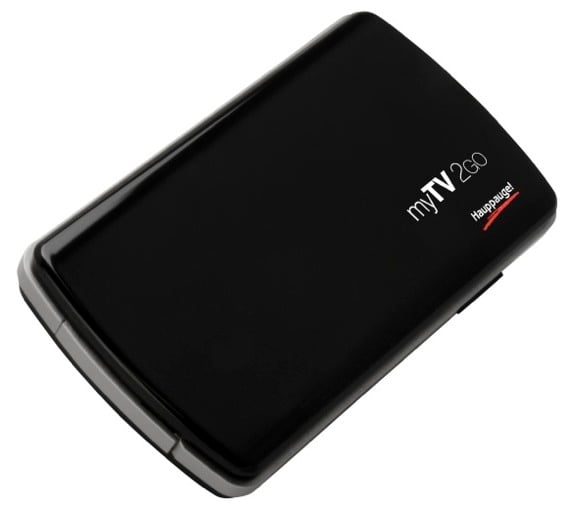
Accessory of the Week There’s no shortage of TV tuners for either Macs or PCs. But Hauppauge’s MyTV 2Go is different in that it allows you to connect to it over Wi-Fi from an iPhone or an iPad, as well as a computer.
Hauppauge MyTV 2 Go

In addition to freeing you from having an extra device plugged into the iPad, it also means you have much more freedom over placing the tuner in order to get the best reception. The unit itself is small enough to easily slip in a pocket, so carrying it with you to, say, watch TV on a train, shouldn’t be a problem.

Set up is straightforward too. Charge it from a powered USB port, download the free app, and then select the device from Settings/Wi-Fi, or the equivalent on Mac or PC. The app will then find the tuner automatically and start scanning for channels.
Hauppauge MyTV 2 Go

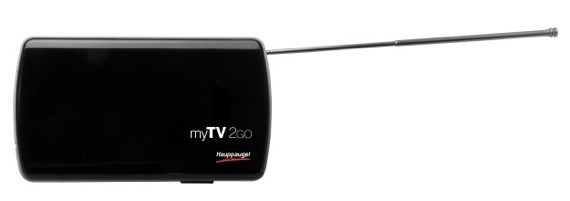
I found that it was able, with the antenna extended, to find most Freeview channels, even in areas where reception wasn’t particularly good. By default, you connect to the tuner peer-to-peer, which is useful if you’re away from home. But you can also add it to your home Wi-Fi network.

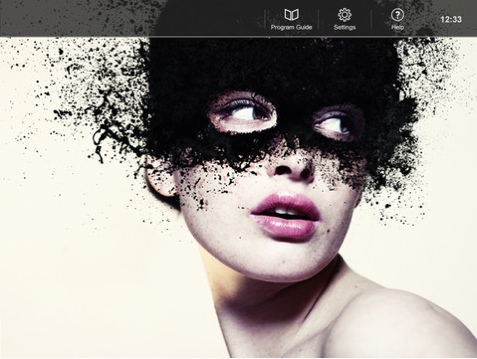
The app, Fuugo TV, is basic but well thought out. For example, when watching a channel, tap the screen to display information about the current programme, or swipe left or right to change channels.
Fuugo TV

The included Mac/ Windows application is less impressive because it insists in hogging the whole screen. That’s fine if you want to watch from the sofa. But not so good if you want to watch TV in a window while you work.
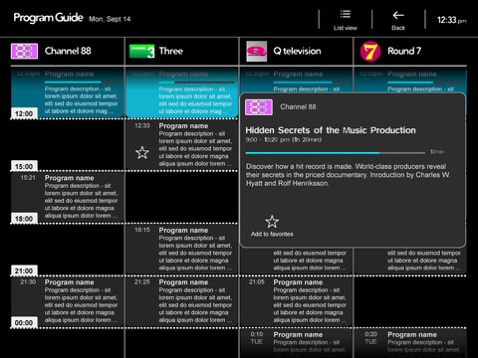
Fuugo TV

All in all, the flexibility of the MyTV 2Go, and the ease of set-up makes it an excellent choice for watching TV on multiple devices. And it's slightly cheaper than the identical - hardware, anyway - EyeTV Tivizen from Elgato. ®

More Accessory of the Week Winners

iLuv Vibro
Classic II
Belkin YourType
Folio
IK Multimedia
iRig Mic Cast
Knomo Folio Teufel Air

Hauppauge

Expect blue screens and promises of a working driver "real soon"..

1
0

Re: USB TV tuners

good luck plugging a usb tv tuner into an ipad

1
0

Some confusion

Just to clear up a few confusions here, it's a wireless device, so no need for plugging physically into an Iphone/ipad, no, it can't tune DVB-t2 channels, just DVB-T. For differences to TVCatchup website, well, the MyTV 2GO doesnt need a internet connection, its a self contained freeview tuner, so no streaming across the net <and the dataplan charges and connection issues that come with it>, you can't record from TVCatchup, (which does not have the full freeview channel list) you can also pause and record live tv with the MyTV 2GO.

Android support is something that is being evaluated at the moment.

0
0

Wot no MythTV?

Not checked this myself as yet but... does this work with (any) Linux flavours? Link to my Android Nexus S? Tuner for MythTV on my netBook (R)? *

* yes netBook seems odd but how about a combined MythTV frontend/backend on your netBook and this device as the tuner component?

0
0
Anonymous Coward

So what does this offer that the TVCatchup website doesn't?

No impact on your monthly bandwidth allowance?

0
0

More from The Register

 breaking news
Apple cored: Samsung sells 10 million Galaxy S4 in a month
Beware of South Koreans bearing Android
Microsoft reveals Xbox One, the console that can read your heartbeat
Upgrades Live service – and no always-on requirement
US boffin builds 32-way Raspberry Pi cluster
Beowulf cluster built for the price of a single PC
Euro PC shipments plummet into bottomless pit of DOOOOM
11th quarter of decline, 20pc drop on last year - Gartner
STROKE this mouse to make apps POP, says Microsoft
Windows 8 Start button comes to Redmond's rodents
Is the next-gen console war already One?
Microsoft’s new Xbox - and more
Nintendo throws flaming legal barrel at YouTubing fans
All your walk-through vid revenue are belong to us

Hands on with Hyper-V 3.0 and virtual machine movement

Our award-winning Regcasts have teamed up with training provider QA for the deepest of deep dives into Hyper-V, including a live demo.

Understand VM movement - just click to play, or go here for a bigger version.