


This article is more than 1 year old
Dijit
Remote control app plus Griffin Beacon IR blaster

Android App of the Week It’s two-for-one this week as I take a look at the Dijit remote control app and Griffin Technologies' Beacon accessory, which connects to your phone over Bluetooth and then operates your home entertainment kit.
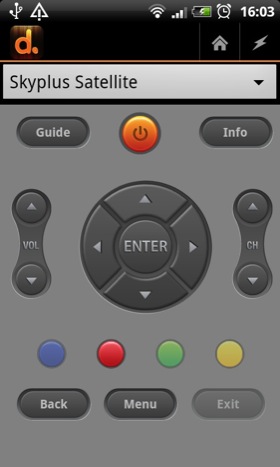
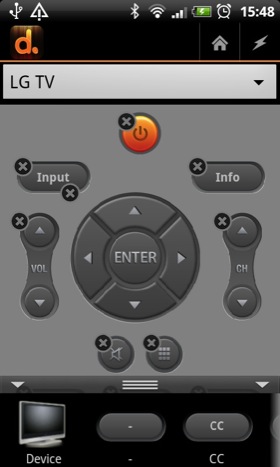
Devices get basic layouts, such as this one for a Sky+ box (left) but you can rearrange the controls (right)
First, the Beacon’s firmware has recently been updated and I strongly urge you to install the new package with the Griffin Utility before you even think about installing Dijit. It makes the connection between the app and the Beacon far more reliable.
Once you’ve popped the four supplied AA batteries into the Beacon, paired it with your phone, updated the firmware, and downloaded Dijit and connected the app to the Beacon, you are good to go.
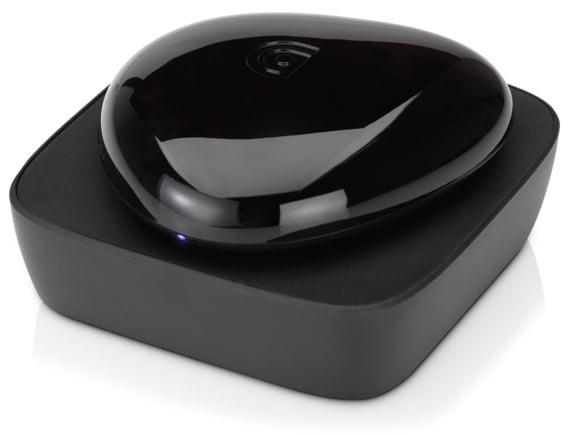
Griffin's Beacon IR blaster
The first time setup procedure asks you add a TV, satellite or cable box and an AV receiver. You can add or delete devices at any time from the main menu, so you don’t need to worry about skipping anything.
The selection wizard contains 200,000 devices and is very straightforward. You just scroll down the list until you find an on/off button that works then select that remote configuration. Once done, each device gets its own screen, selectable from a drop-down menu.
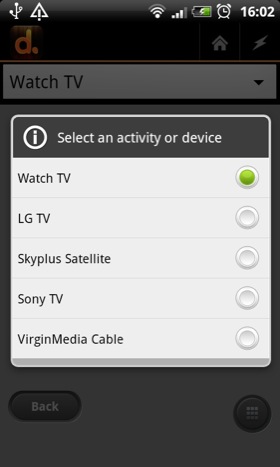
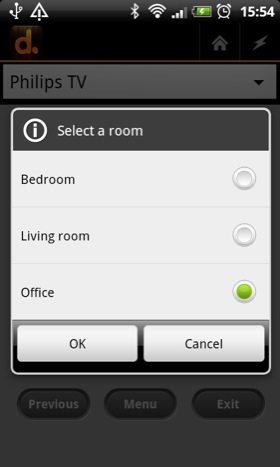
Store multiple devices (left) and assign them to different rooms (right)
Finding the right settings for Sony and LG tellies, a Marantz receiver and a Sky+ box was a piece of cake, and all the controls worked exactly as they should. But when I tried to set up an aged NTL-branded Virgin Media box, the buttons worked haphazardly.
Even setting up specific buttons to grab control codes from the Virgin remote didn’t solve the problem, suggesting it was an issue between the Beacon and the box rather than a problem with Dijit.
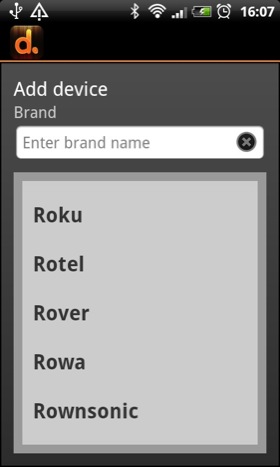
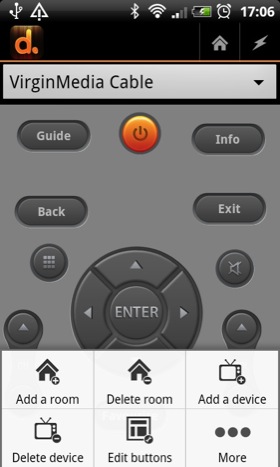
Some 200,000 devices have been pre-programmed in (left), all easily managed through the main menu (right)
Having the code-learning facility and the option to call a button anything you like makes Dijit extremely flexible and means you can make it work with just about anything under the sun even if the manufacturer - like Kogan - isn’t listed in the wizard.
The primary screen is called Watch TV and the idea is that you populate it with the most oft-used controls for your most oft-used devices. As an example, I settled on a Watch screen built around the Sky+ Info, Channels and navpad controls as well as my TV’s volume and on/off buttons for both.
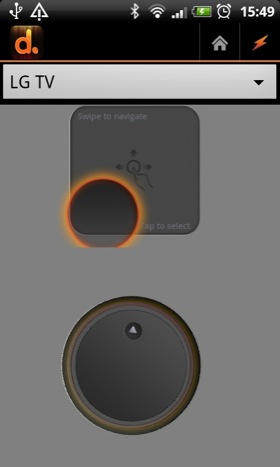
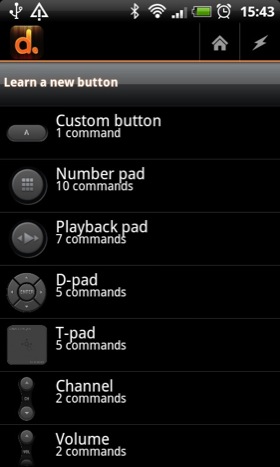
Add the controls you want. The app learns control codes from your old remotes
Buttons can be added, removed and repositioned on each screen as you prefer and you get two screens per device that you can swipe between. Devices can also be grouped by the room they live in. Most buttons look and perform exactly as you'd expect them to though the swipe-and-tap trackpad takes some practice to master.
The only irritation I encountered was with Sky+. A single tap on the navpad always resulted in the screen indicator jumping two places rather than one in the chosen direction.
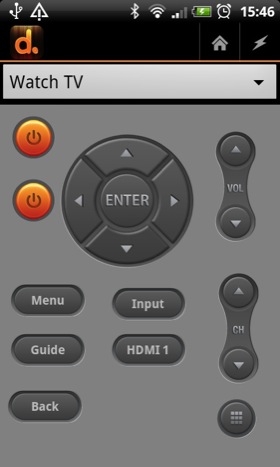
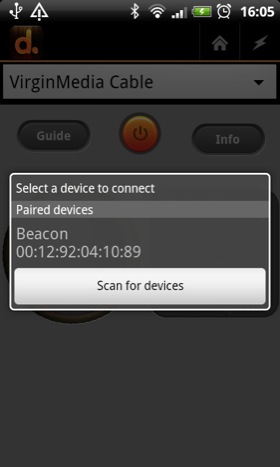
I put multiple device controls on one page for easy access
More structural drawbacks are that only users in North America get the built-in TV guide, the app is a sizeable 12MB but can’t be moved onto your SD card, you need to be running Android 2.3.7 or higher, and the iOS version of Dijit is prettier to look at.
Of course, if you own an Android device with an built-in IR transmitter like the Motorola Xoom 2 - but let’s face it, few do - you don’t need the Beacon at all. ®
Size 12.2MB
Apps2SD No
We make our choice of the best Android smartphone and tablet downloads every Tuesday. If you think there's an app we should be considering, please let us know.
More Android App of the Week Winners |
||||
 N7Player N7Player |
 TuneIn TuneIn
Radio Pro |
 iOnRoad iOnRoad |
 Ten Android Games Ten Android Games |
 AirDroid AirDroid |

 Biting the hand that feeds IT

