


This article is more than 1 year old
Apple iPhoto
Touch up your snaps. Literally

iOS App of the Week Apple’s iPhoto has a relatively modest set of editing tools but – as you might expect from Apple – wraps them up in an attractive and easy-to-use interface that leaves most other photo-editing apps looking positively antiquated.
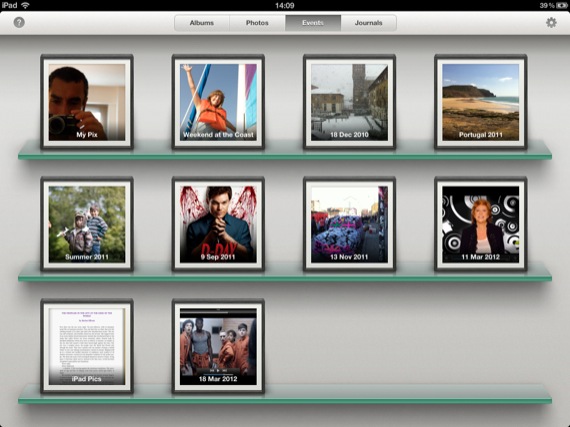
Collate your photos in albums on the iPhoto bookshelf
The app is only available on the iPhone 4/4S, iPad 2 and the new iPad, with essentially the same interface on both types of device. It starts by presenting you with a simple bookshelf interface similar to that of iBooks and iTunes U. This allows you to quickly browse all the photos on your camera roll, as well as snaps imported from a Mac or PC using iTunes, or from a camera hooked up using Apple's Camera Connection Kit.
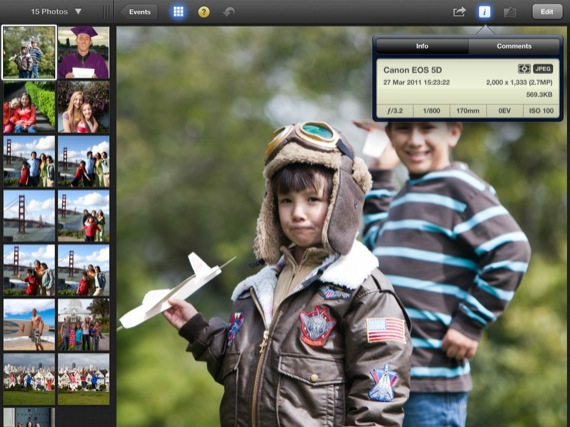
You can hide the left-hand preview pane to give your picture more room
Once that’s done you can just tap on a photo to enter the app’s editing mode. This displays a large view of your photo, with the primary tools running along the bottom of the screen and a panel running down the left-hand side that shows thumbnails of other photos. You can also hide this panel and display your current photo at full-screen size if you prefer.
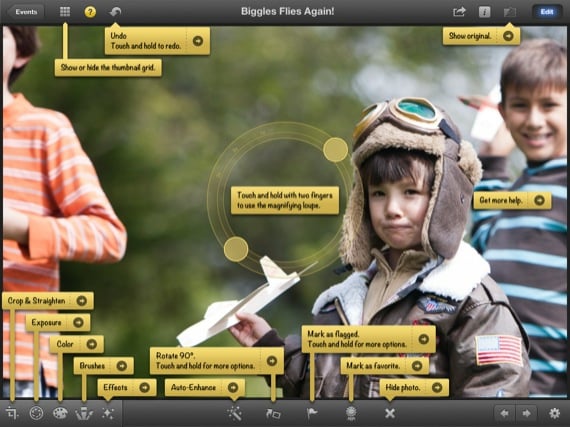
There's plenty of help if you need it
The editing tools are actually quite run-of-the-mill - you can forget the layers and selection tools of Adobe's Photoshop Touch – and focus on retouching tools that can quickly enhance the appearance of your pictures. Thankfully, though, it doesn’t limit the resolution of your photos the way Photoshop Touch does.
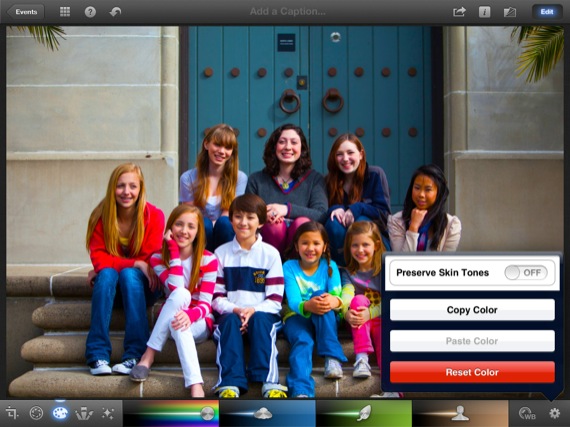
Tweak the colours
There are crop and rotate tools, along with simple slider controls for adjusting brightness, contrast and colour settings. These allow you to make quick global adjustments to the entire photo, but they also provide more precise options as well, perhaps just adjusting only the skintones or shadows in a photo. All these tools are quick and easy to use, thanks to the app’s streamlined interface and on-screen help system.
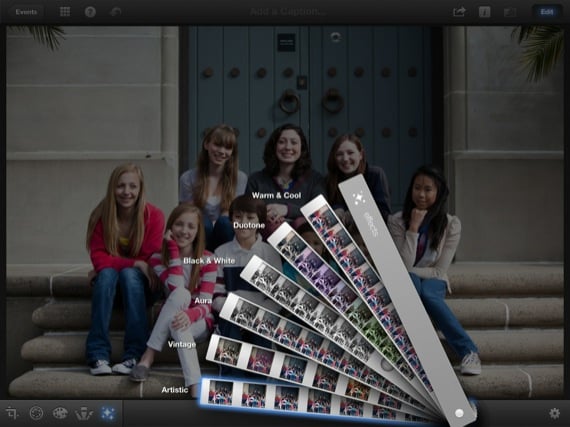
Apply some effects filters
There’s also a small selection of filter effects, as well as brush effects that you can paint onto your image with your finger. One typical Apple touch is the ability to create a "journal" – a kind of digital scrapbook that you can then publish on the web using Apple's iCloud service, or transfer it to a computer with iTunes.
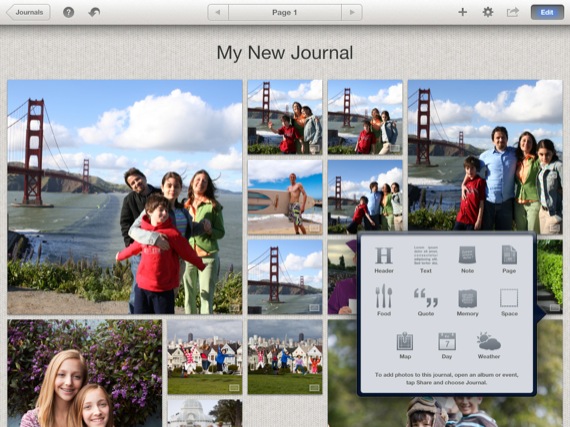
Save snaps as part of a themed journal

Admittedly, there are dozens of photo-editing apps that provide similar retouching tools, and you could argue that iPhoto ought to be free on iOS devices – as it is with all Macs. However, the sheer slickness of the app’s interface merits the three quid, less-than-the-price-of-a-pint asking price and makes it an excellent addition to your armoury of iOS photo apps. ®
We make our selection of the best iPhone, iPod and iPad downloads every Thursday. It you think there's an app we should be considering, please let us know.
More iOS App of the Week Winners |
||||
 Adobe Adobe
Photoshop Touch |
 Poynt Poynt |
 Ten iOS Games Ten iOS Games |
 Grid Lens Grid Lens |
 Red Cross Red Cross
First Aid |

 Biting the hand that feeds IT

