


This article is more than 1 year old
Archos 35 Home Connect
Net savvy Android clock radio, anyone?

Review After having built a DECT home phone around the Android operating system doing the same for the humble bedside clock-radio probably seemed like a logical move for Archos so here we have the 35 Home Connect.
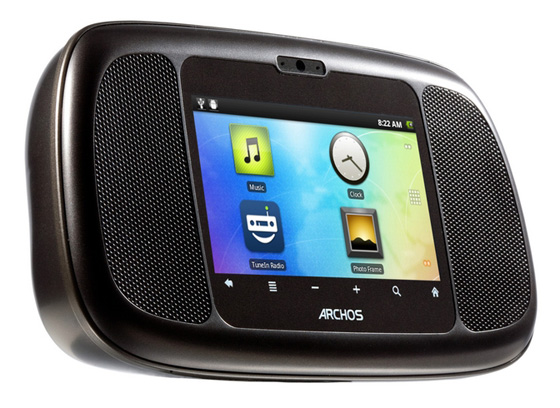
Beside manner: Archos' 35 Home Connect
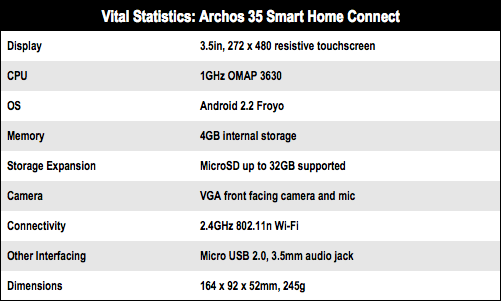
The basic components are much the same in the Smart Home Phone reviewed recently, so you get a 3.5in 272 x 480 screen, a 1GHz TI 3630 CPU and 802.11n Wi-Fi but no Bluetooth or GPS. The shell is clearly made of the same gloss grey plastic but like the phone it feels well made.
Much the same? Yes, but there is one big difference, the Home Connect will play Flash video, something I couldn’t coax the Home Phone into doing despite an apparently identical technical specification. Flash playback wasn’t always wholly smooth or consistent but I got through an hour-long episode of The Crusades using the iPlayer app with only a couple of stalls.
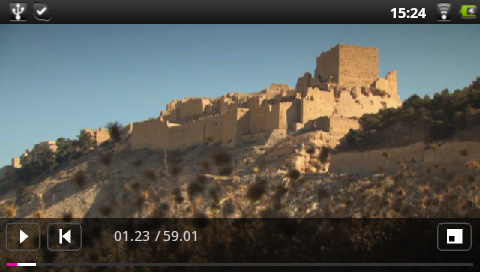
Flash support enables BBC iPlayer viewing among other things
Like the 35 Smart Home Phone the Home Connect uses a resistive rather than capacitive screen, but it’s a much better implementation and could almost fool you into thinking it is capacitive. It makes me wonder if the touch screen on my review Smart Home Phone was a one-off dud.
I’ve no idea what sort of power the two speakers that flank the screen develop but they sound very nice with punchy bass and no hint of vocal sibilance. They deliver plenty of volume too. Certainly waking up to the Home Connect is a far more aurally satisfying experience than to the noise made by the speaker of a smartphone.
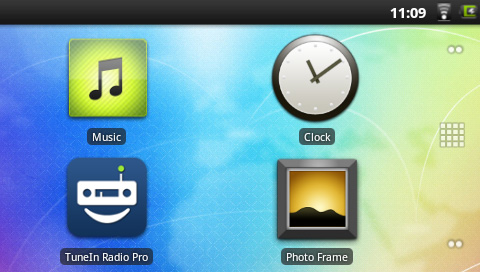
Homescreen with big icons
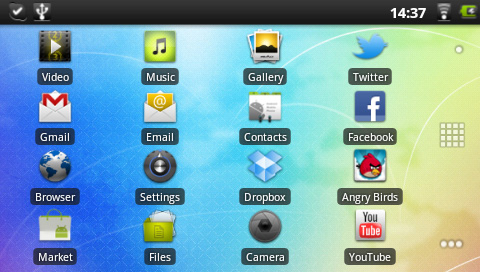
Apps
Below the screen you will find touch controls for the volume as well as the usual four Android system buttons. The buttons are not back-lit but they should be - ideally to match the subtle green clock that is the default standby display - and some sort of rocker control on top for the volume would have made sense too.
 Biting the hand that feeds IT

