
WHSmith Kobo Vox e-reader
Can’t wait for the Kindle Fire?
Requirements Checklist for Choosing a Cloud Backup and Recovery Service Provider
Review So you’ve been tempted by an e-book reader but the brouhaha surrounding the Amazon Kindle Fire launch in the States has confused you. A colour screen must be better, right? But will it ever come to the UK? If you really can’t wait, rival e-book reader manufacturer has stolen a march on Amazon and released a gadget that looks just like the Fire.
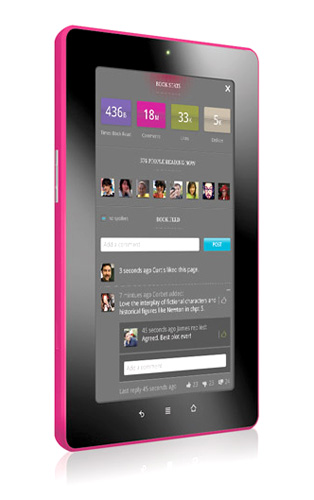
The Android alternative: Kobo's Vox
Well, though no date has been set, the Fire looks like it’ll arrive in the UK in early 2012. And colour screens? If you’re planning to read your e-books on a beach in sunshine, through sunglasses, e-ink screens like the basic Kindle, Sony Reader or Kobo Touch beat colour displays hands down. But if you plan to look at graphic novels or photo books, the colour screen has a lot to offer.

Practical positioning: power switch on top
For the Fire this includes a huge range of video titles but Kobo’s aims are more modest: not a fully-fledged tablet, this is an e-book reader with a few extras. From the front it looks just like a Fire but flip it over and you’ll see the familiar quilted, textured back like the Kobo Touch. It feels great, so the reader sits comfortably in the hand. Not everyone will care for the look, mind.
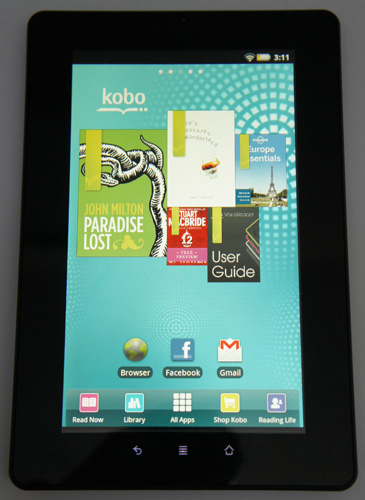
Homescreen
The power button is on the top edge of the Vox, unlike on the Kindle Fire and regular Kindle where users have noted that the position on the bottom edge makes accidental switch-off too easy. The home page is similar to on the monochrome Kobo Touch, dominated by the Kobo mosaic of five recently read books. Touch one to launch that title.
Next page: Library music
COMMENTS
Not really a "reader"
I'm beginning to think that e-book readers needs some sort of standard definition to seperate them from low-end tablets. How about something like:
e-ink screens or similar non-backlit technology (colour optional, if and when)
light weight for long periods of use
looong battery life
really, really easy to use for non-techies
and, most importantly, as little, obvious, geeky, technology stuff as possible.
The idea is to have something as easy to read as a book, with as little as possible to distract you or get in the way. Anything else is a tablet.
"Surely most people who want one of these have a phone that'll provide a mobile WiFi hotspot for them..."
Except NO they don't - firstly not everyone buying a tablet has an iPhone or recent Android that will do it and many handsets (especially supplied by mobile operators) have the 'hotspot' feature disabled unless you pay extra for it.
Then if you assume you do - you may only have a fairly small data allowance (perhaps 250-500-1000Mb per month) which may be insufficient - data plans for iPads / tablets often come with 1-3-unlimited usage.
Then of course it kills your phone battery while you are using it. Then it's less 'convenient' than having 3G on the device.
Of course you could have a phone that does support it - do have a massive data plan on the phone and not mind your phone battery running flat - but that is not MOST people.
This has the same (but not quite as bad) problem
In it's not a official Google recognised device and therefore no Android Market.
At least they offer GetJar, which is better than what Kindle offer, and of course I suspect you can load the Kindle e-reader app, which means you have the luxury of both EPUB and Amazon's locked in format (surprised that this "review" doesn't mention that rather important point).
Personally, I think tablets are for tablet things, and e-readers should be for reading, so these kind of devices are poor at both. Get an e-ink reader like the Koko touch, Sony Reader, Nook, or even dare I say it, a Kindle for reading books, and get a recent tablet for everything else.

IT infrastructure monitoring strategies
What you need to know about cloud backup
Enabling efficient data center monitoring
Agentless Backup is Not a Myth
Top 10 SIEM Implementer’s Checklist