


This article is more than 1 year old
Dermandar Panorama
360-degree photography made easy

iOS App of the Week There are quite a few apps that can be used to stitch together a series of overlapping photos in order to create a single, wide-angle panoramic picture.
These apps all use clever algorithms to try to line up elements within the photos in order to create a seamless overlap, but even the smartest software can’t do much to help if your photos are just too far out of alignment.
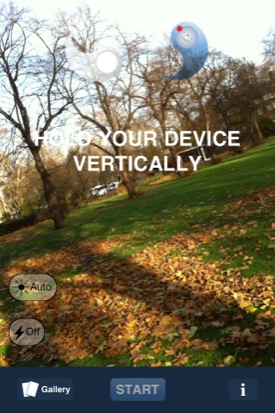
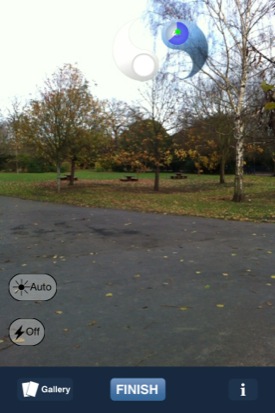
Hold your phone vertically (left) and wait for the Yin-Yang symbol to guide you (right)
Dermandar Panorama cleverly pre-empts that problem by using the iPhone’s built-in gyroscope to help you auto-align your photos as you take them. That makes it much easier to get good results when the photos are subsequently stitched together.
When you launch the app, it starts by telling you to hold the camera vertically upright – you can’t take photos with the iPhone held in horizontal landscape mode. Once the iPhone is properly upright you’ll see the scene in front of you with the two halves of a Yin-Yang symbol displayed at the top of the screen.
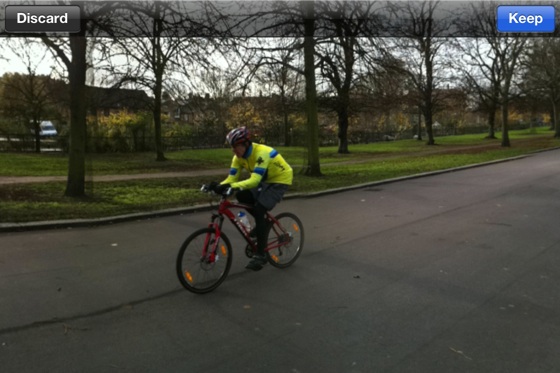
Preview your panorama
You hit the Start button to take the first photo, and then as you start to turn right or left. the iPhone the Yin-Yang symbols start to move closer together, indicating how far you need to move in order to line up the next shot.
When the two symbols touch, the app automatically takes the next photo for you, and a little icon within the Yang symbol indicates the total horizontal angle that you’ve covered so far.
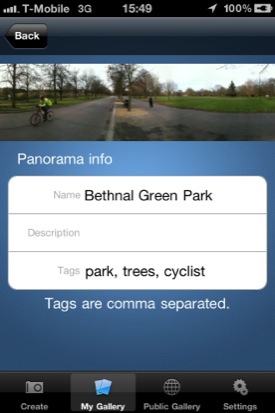
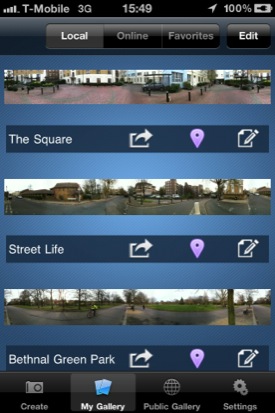
Prepare your pic for uploading (left) to your preferred public gallery (right)
It’s that on-screen feedback that makes Dermandar Panorama stand out from its rivals, and it only took me a few minutes of practice before I was able to get some really good shots that covered a complete 360° sweep.
You can preview the completed panorama within the app before deciding if you want to save it permanently, and then upload your photos to Facebook, Twitter or the public galleries on Dermandar’s own website.
Sample Panoramas


Click either sample for a full-size version

If you’re new to panoramic photography then it’s probably a good idea to start with one of the many free panorama apps, such as Microsoft’s Photosynth. However, Dermander Panorama is well worth £1.49 if you’re a keen photographer and want to get some really good panoramic shots with the minimum of effort. ®
We make our selection of the best iOS smartphone and tablet downloads every Thursday. It you think there's an app we should be considering, please let us know.
More iOS App of the Week Winners |
||||
 KitchenPad KitchenPad |
 08 Wizard 08 Wizard |
 Hailo Hailo |
 Coach's Eye Coach's Eye |
 Instapaper 4 Instapaper 4 |

 Biting the hand that feeds IT

