


This article is more than 1 year old
K-9
Power user email

Android App of the Week With its focus on the Gmail app, the Android stock e-mail client is a bit of a red-headed stepchild. It works well enough but it clearly doesn’t feel the love of its creators. That leaves a gap in the Market for a good e-mail client and luckily Android has one: K-9.
Being a true open source community project - you can download the source code here - K-9 unapologetically puts function before presentation. So while this may not be the prettiest e-mail client you’ll ever see, it’s one of the most powerful and adaptable.
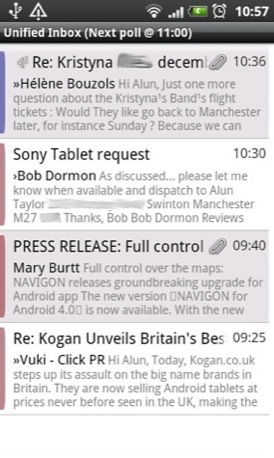
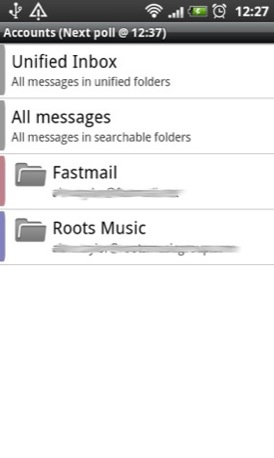
In the main view all the text on show can be resized (left) while the main account view is simple and clear (right)
K-9 supports IMAP, POP3 and Exchange 2003/2007. It also does IMAP IDLE push messaging, but it also gives the user full control over push and polling message retrieval behaviour. Configuration options can be set for each account and even each folder.
There’s an equally high level of control on offer for notifications, including the option to have a separate alert tone for each account and set a quiet time during which the app keeps schtum when e-mail arrives.
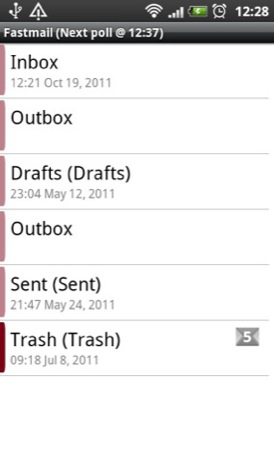
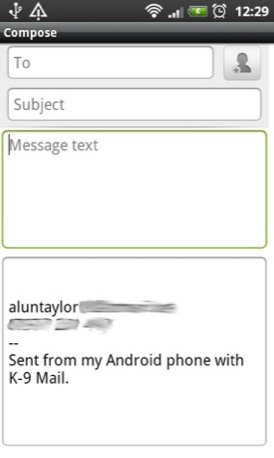
In the IMAP folder view, see as many or as few as you want (left) while the mail view is simple and spacious (right)
If you want all your mail in one place, there’s a unified inbox, and you can set either that or the individual account view as the default home page. Each account can also be assigned a colour-coded bar but that and the light/dark theme is as far as the eye candy goes.
Of more use are the options to change the size of every - and I do mean every - piece of text on display from e-mail body copy to the address of the sender, the date, the title and the time - or you can hide certain fields completely.
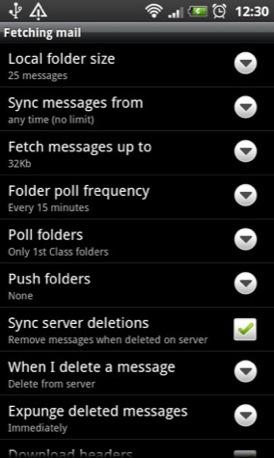
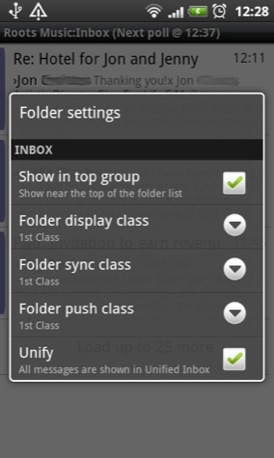
Fetch mail configuration options (left) and folder view and sync options (right)
There’s also a built-in search engine, an option to store mail on your SD card, and you can even assign unique signatures to each account.
To be honest, this only scrapes the surface of K-9's features and adaptability. And that brings me on to its two failings. Firstly, K-9 could really do with a user guide and, secondly, some sort of export/import settings facility.
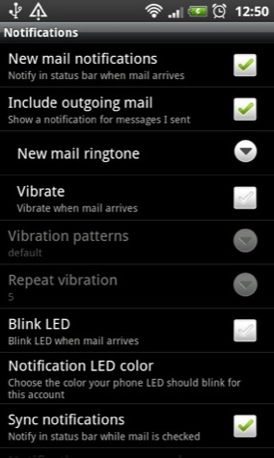
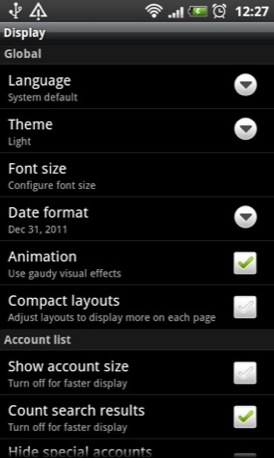
Notification settings (left) and global options for a little eye candy (right)

Why? Quite simply the app is so malleable it’s easy to forget how you have set it up which can be a time-consuming pain in the backside when it comes to setting it up on a new handset.
K-9 is completely free and unblemished by any advertising. If you want to get ahead of the curve the developer has posted several beta versions more advanced than that in the Market. ®
Size 7.5MB
App2SD No

We make our choice of the best Android smartphone and tablet downloads every Tuesday. If you think there's an app we should be considering, please let us know.
More Android App of the Week Winners |
||||
 My Council My Council
Services |
 Viz Viz
Profanisaurus |
 SanDisk SanDisk
Memory Zone |
 HeyTell HeyTell |
 Elixir 2 Elixir 2 |

 Biting the hand that feeds IT

