


This article is more than 1 year old
RIM BlackBerry Torch 9810
Leading light?

Application form
As for movie viewing, the video player will stretch the image to fit the screen – you’ll lose some of the edging, but it doesn’t look too distorted and is often worth it for the sake of a more close-up view.
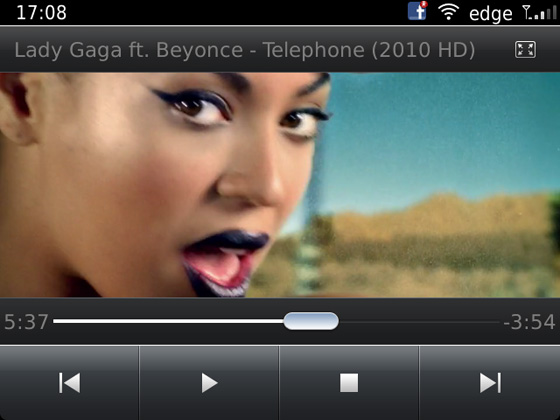
Video player
The music player includes a link to Amazon’s Music Store (89p per track, on average) and a hub for music-related apps, as well as a 12-setting equaliser. As with other BlackBerrys, there’s no FM radio, but there is 8GB of storage on tap, plus the ability to add another 32GB using a microSD card.
There’s a full version of Documents To Go on board and you can add more apps from BlackBerry AppWorld, which may look a tad anaemic compared to the rude health of Android’s Market or Apple’s App Store, but at least covers the basics. So you’ll find a fair few productivity-related apps and the most popular social networking accoutrements along with a few games. But if you’re an app addict, BB isn’t the way to go at the moment.
The BlackBerry Desktop Software takes a while to fire up but allows you to sync your media as well as your messages and contacts. It’s fairly basic fare, with a workmanlike interface, but gets the job done without fuss – HD videos that can take a few minutes with some phones, only took a few seconds here.
The battery stayed the course, delivering a little over a day of consistent use. And if you're inclined to use this handset as a phone from time to time, the call quality proved to be respectable, with voices rendered well by the on-board loudspeaker.
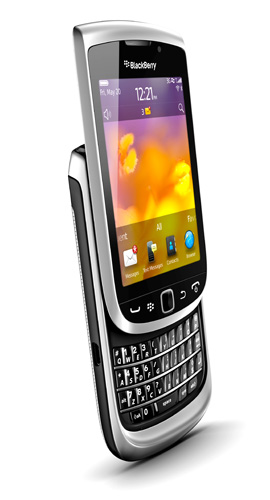
Some useful enhancements on-board, but not exactly innovative
Verdict
The Torch 9810's Qwerty keyboard is fine, so there are no surprises there for dyed-in-the-wool BB Messenger fans. Moreover, those already sold on the platform will find the Torch delivers the best of both worlds with its upgraded higher res display being a decent size for browsing, watching movies and gaming too. Indeed, this combination, along with a fairly nifty performance may well win RIM some new friends along the way. ®
More Qwerty Smartphone Reviews |
||||
 Sony Ericsson Sony Ericsson
Xperia Mini Pro |
 HTC HTC
ChaCha |
 RIM RIM
BlackBerry Bold 9900 |
 Nokia Nokia
E6 |
 HTC HTC
7 Pro |
 Biting the hand that feeds IT

