


This article is more than 1 year old
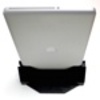
Byte-dock MacBook Pro port replicator
What's up, dock?

Geek Treat of the Week Apple dallied with dockable laptops in 1992, with the first PowerBook Duo, but by 1997 the idea had fallen out of favour. Owners of laptop Macs have had to hook and un-hook cables themselves ever since.
No longer. Enter Techne's Byte-dock - yes, it's a naff name - a new line of docking stations for unibody MacBook Pros of all sizes.
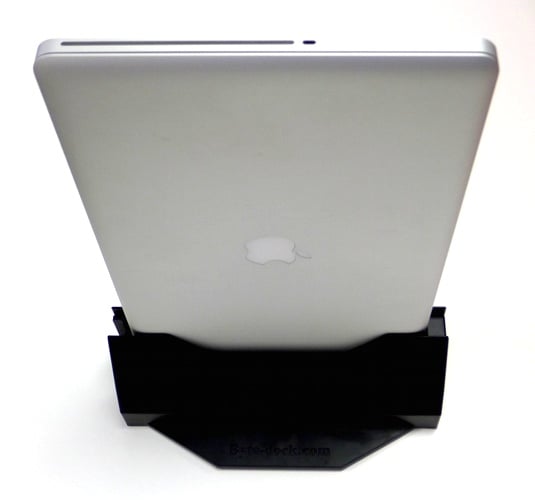
The closed MacBook slides down into the top of the Byte-dock where it connects smoothly to USB, audio, Ethernet, Firewire, Mini DisplayPort jacks. All you have to do is hook up the cables that you'd normally connect to the laptop to the ports on the sides of the dock.
The grip's not excessively tight, but the dock clasps the computer sufficiently that you'll need two hands to lift the MacBook out: one hand to hold down the dock, the other to grasp the laptop.
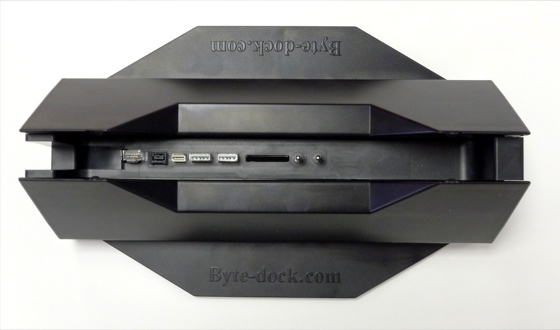
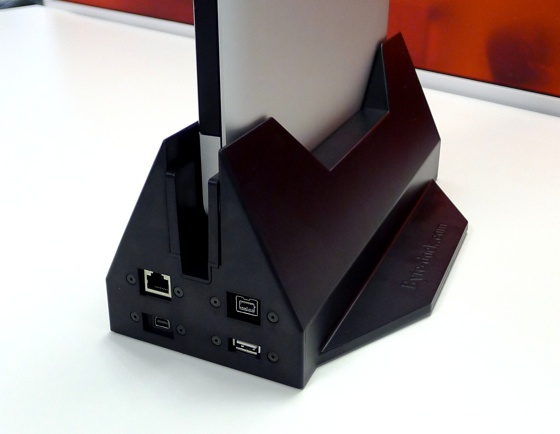
The replicated connectors appear on each end of the Byte-dock: Ethernet, Firewire, Mini DP and a USB on one end, a second USB and the 3.5mm audio sockets on the other.
There's no power pass-through - presumably because Apple wants too much money for a MagSafe licence - so you'll have to connect the power before you dock the machine.
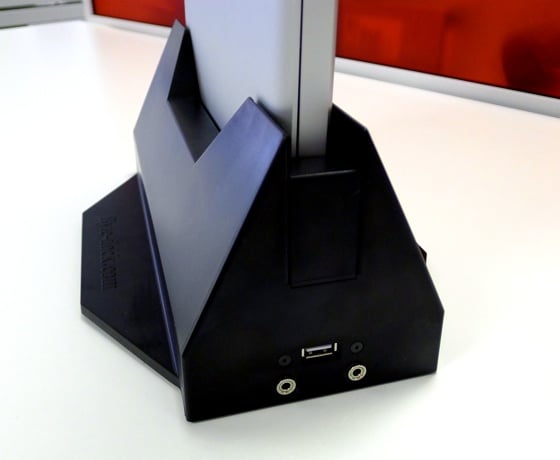
There's not a lot Techne can do about that other than coughing up whatever Apple wants, but it missed a trick by simply replicating existing ports and not building in a USB hub for extra connectivity. You do get a bundled HDMI-Mini DP cable though.
A clever design feature is a slot so that SD cards inserted into your Mac don't prevent the computer and connectors from latching correctly. But if you want to swap cards, you'll have to undock the MacBook first.
How useful this is depends on what devices, if any, you regularly hook up to your notebook when it's on your desk. If you set down your computer in your office and immmediately wire it to a monitor, a keyboard and a mouse, you'll find this a handy accessory.
While the dock is solid enough, it's not what you'd call polished. That, coupled with its nice-to-have-not-essential utility, puts well on the wrong side of £100 for me. But this is a column for treats, and if you're sick of re-connecting cables every day, you may well be willing to give it a go. ®
Geek Treat of the Week is published every Monday. Got a handy gadget in mind you'd like us to consider? Please let us know
More Geek Treats |
||||
 M-Audio M-Audio
Keystation Mini 32 |
 Logitech Logitech
Touch Lapdesk N600 |
 Osun Osun
MushRoom Green Zero |
 Audio Pro WF100 Audio Pro WF100
wireless streamer |
 Mobee Mobee
Magic Charger |
 Biting the hand that feeds IT

