


This article is more than 1 year old
Fujitsu Stylistic Q550 Windows 7 tablet
Oak Trail Atom-powered fondleslab, anyone?

Review Fujitsu is pitching its latest Windows 7 tablet directly at the enterprise and business markets. That’s a wise move because Windows in its current form is never going to hold a candle to iOS and Android Honeycomb in terms of consumer usability. It also means Fujitsu can load the Q550 down with tricks and treats and not worry too much about the impact on the price.
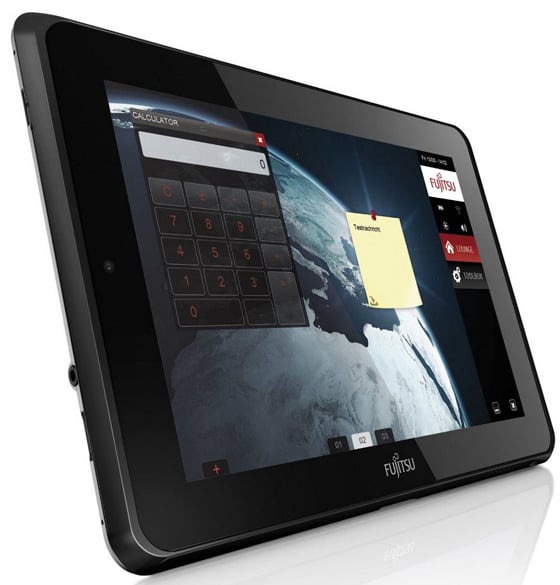
The business in hand: Fujitsu's Stylistic Q550 Windows 7 tablet
For your 800 quid you get a 10.1in 1280 x 800 IPS multitouch screen, a 62GB SSD, a 3G modem, an Intel Atom 1.5GHz CPU with 2GB of RAM, Windows 7 Professional 32-bit and some other less expected goodies that I’ll come to later.
It’s not a bad looking box of tricks either. It’s more smart than stylish, and despite the all-plastic case it feels very solid. Indeed it should weighing in at 860g with the optional 4-cell battery. Check the sides and you will only find one USB socket to accompany the HDMI port and an SD card slot that will completely swallow said card.
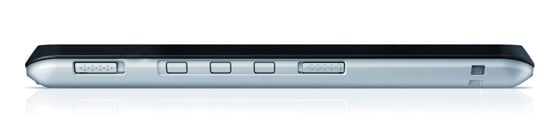
Dedicated buttons avoid fiddly touchscreen tasks
Tucked away around the back there is a smartcard reader and fingerprint scanner to secure those corporate secrets ...or your pr0n stash. There is also a docking port at the bottom but the charging cradle it is intended to dock with is an optional extra. It will set you back around £40 but it does come with four extra USB ports.
The is no wired connectivity on-board, but you do get Bluetooth 3.0 and the Ralink 802.11n Wi-Fi card will work at 5GHz as well as 2.4GHz. Equipped with two microphones, as well as front and back cameras, it makes a more than decent communications device.
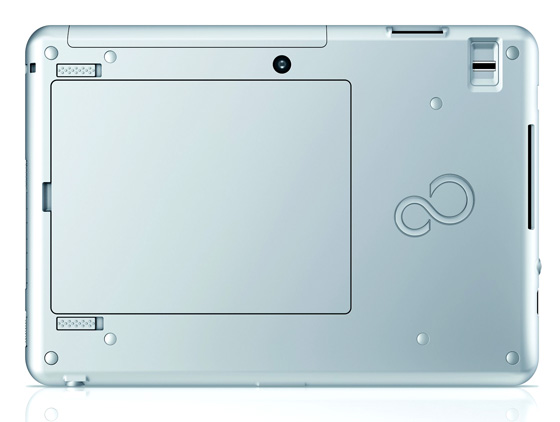
The battery can swapped out - note the Smartcard reader on the right
A selection of physical buttons are marshalled down the right hand side - power, keyboard launch/enter, screen rotate, wireless enabler and CTR ALT DEL screen lock. Having that amount control at your fingertips is a good thing, but the buttons are on the small side and their actions a bit nebulous, so using them isn’t as easy as it should be.
 Biting the hand that feeds IT

