


This article is more than 1 year old
Apple Mac OS X 10.7 Lion Part One
The mane event?

Review There was a time when I’d be excited about the launch of a new version of Apple’s Mac operating system. I’d count the days leading up to the launch with the same fervour as opening the windows on a yuletide advent calendar.
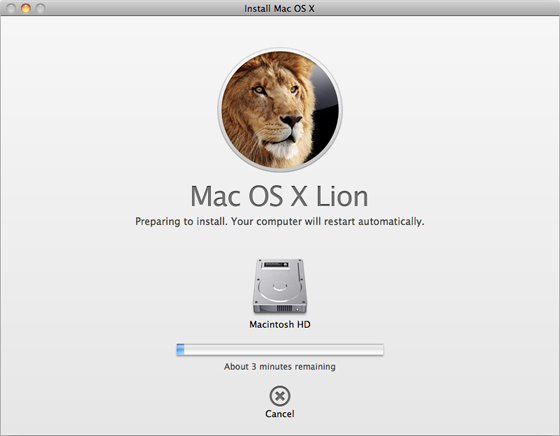
Installing the big cat
The day of arrival was never a disappointment. The drama of it all – breaking open the wholly unnecessary white box, wasting half a day on the installation, playing with animated onscreen bits that pop up or slide about, copying files from drive to drive simply to watch the new progress bars – was worth the trouble of half my old software not working properly any more.
But at some point, I became a humourless old git who finds these upgrades tiresome. And I can pinpoint exactly when this change occurred. It was this week, while I was testing OS X Lion immediately prior to, during and after its launch.
For the best all-round upgrade experience, I installed Mac OS X Lion on two Intel Core i7-based computers: a borrowed 17in 2.2GHz MacBook Pro notebook and my own 27in 2.8GHz iMac desktop machine.
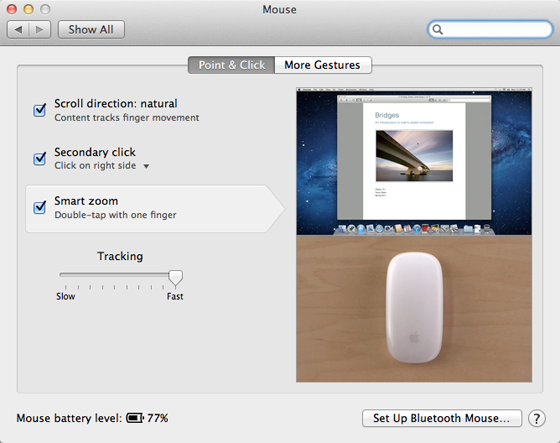
Meaningless gestures: Double-tap to zoom? Not on my Mac, it doesn’t
After manually installing the operating system over a clean copy of OS X Snow Leopard on the MacBook Pro, things were looking good. Apple has taken some clever ideas from its iOS 4 operating system for phones and tablets and reworked them for its big computers, and these are just the ticket for notebooks. In particular, the expanded variety of multi-touch trackpad gestures are very welcome, such as sliding different numbers of fingers left and right to flit back and forth between web pages, workspaces or full-screen apps feels empowering.
A three-fingered upward flick opens the new Mission Control view of all your running programs. A three-fingered downward flick opens Exposé to sort out windows in the current program. Spring open your fingers to make all the windows fly away, revealing the Desktop. Scrunch your fingers together to call up the new LaunchPad view of the programs installed on your computer. It’s marvellous stuff and helps make up for the difficulty in navigating a computer using a trackpad.
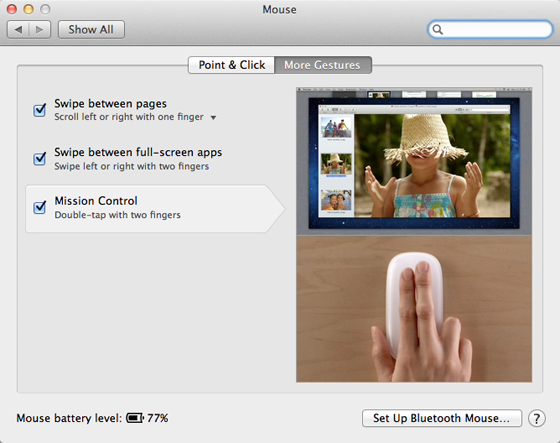
Mission Control does not appear with a two-fingered double-tap, despite what it says here
By the way, do you like the new Mouse Battery Level? Yesterday, it read ‘100%’
However, on turning to my sedentary iMac, I discover that most of these clever tricks are unavailable for the multi-touch MagicMouse. Some that are supposed to, don’t: no end of double-tapping with two fingers would persuade Mission Control to show its face [it works for us, Ali - Ed]. There’s even a gesture that I couldn’t get working on either computer. According to the Mouse and TrackPad System Preferences, I ought to be able to double-click on a window to zoom in, like you would on an iPhone or iPad. The problem is that double-clicking already has a function: it selects things such as text, and insists on doing so without fail.
 Biting the hand that feeds IT

