
Quick Office
Take your work away
iOS App of the Week DataViz’ Documents To Go is perhaps the most popular office suite for the iPhone and iPad. I don’t, count Apple’s Pages, Numbers and Keynote as a ‘suite’ as you have to buy each one separately.
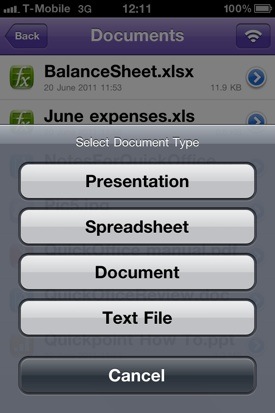
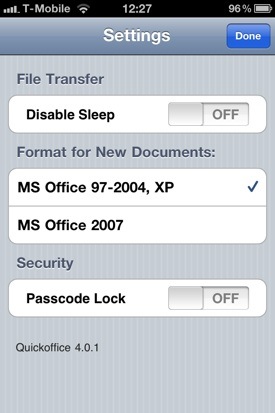
Quick Office lets you create any kind of office document out of the box
However, I found myself dipping into the recently-updated QuickOffice on a weekend trip to France and discovered that it works well for creating and editing documents on the move.
Apart from anything else, the QuickOffice range is cheaper than Documents To Go, as the standard £2.99 version now adds the ability to create and edit PowerPoint presentations in addition to Word and Excel documents.
In contrast, Documents To Go starts at £5.99 but only lets you edit Word and Excel documents. If you need to create presentations too then you’ll have to stump up a tenner for the Premium version.
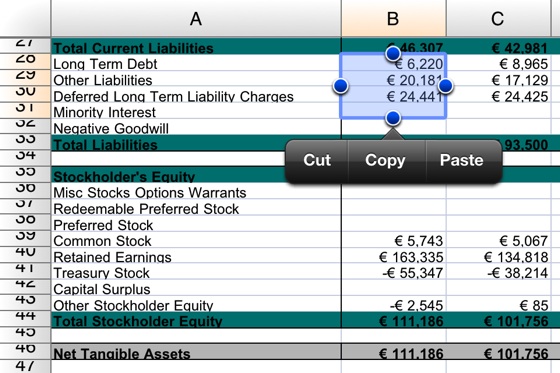
Spreadsheet editing works well
I also found QuickOffice’s interface a little tidier and more efficient to work with than DataViz' app. The row of icons that runs along the bottom of the screen functions like the ‘ribbon’ in Microsoft Office, providing a consistent interface across the separate wordprocessing, spreadsheet and presentations modules.
Next page: Price fighter
COMMENTS
Limited tho
I have this on my iPad and whilst good it's quite limited by ios' lack of a usable file system.
You either have to rely fully on a cloud storage such as dropbox or spent tedious time switching between
Email and office.
Take this prime example :
Edit a word file recieved in an email.
Now try to send it back on a direct reply (you cant)
Because of Ios' stupid paradigm you are reduced to mailing it from quickoffice or dropbox to your own email then forwarding from there after tweaking the title to match the original email chain.
It's ludicrous and all because some idiots who should know better wanted to take away the best way we have had to share data locally - namely a file system.
Sadly of little use to me like all things not M$ Office.
Sadly this does not seem to work with *docx or even *.doc Template Files, which I need in order to keep my School Logs up to date. Google docs as pretty much all the other 'alternative' Programs share this trait unfortunately.
I have yet to find anything other then M$Office (beit 2003, 2007 or 2010 of which I use 2003!), to do so. No not even Microsofts HTML version of Office Live will allow me to edit such files, it instead sends me to a Site where I can buy there broken version of Office 2010.
If I knew that it would do so I'd might be tempted to get an el-cheepo W7P to take care of this chore, but I suspect that this task would also fail there.
As for making those HATEFUL Powerpoint presentations, of which I had to make a few. Why would I waste my time on this, and not say on my Netbook, which has the Keyboard and an actually readable Screen?
Office2HD
I've been using Office2HD for almost as long as I've had the iPad, and find it's functionality excellent and integration with DropBox (or yoor GoogleDocs store) seamless. I dumped Pages & Numbers almost immediately thanks to their prehistoric, broken file/storage model (mail yourself a file...)
For £4.99 a better deal than QuickOffce @ £8.99
Whoops
I missed the fact that this was for the iBone and Max-iPad.
I actually have the Android Version of this App....
