


This article is more than 1 year old
Help! My Exchange server just rebooted
When recovery is the only option

I’ve seen a spate of issues from companies running their own MS Exchange servers. A few patterns emerged. In all cases, servers running Exchange (usually as part of Small Business Server) either lost power or rebooted unexpectedly.
This will not always cause problems. But if Exchange is busy writing things to the data store, it can result in corruption of your Exchange database and lost data.
Naturally, the first question to ask is: is there a backup? I would hope so, but it’s not always the case. Even if you do have a backup system in place, bad things can happen.
In one case, I got a customer 95 per cent of the way through a restore, only to discover that the second to last cartridge in the set was unreadable. In another, the backups in question were too old. As it turns out, 24 hour-old backups were not fresh enough to restore that particular day’s hundreds of business-critical emails.
Yesterday saw one unfortunate soul’s company on the receiving end of a truck-versus-pole induced massive power spike. The UPS took the bullet for the email server; however the backup server was protected only by an ancient power bar. The surge took the backup server’s power supply, motherboard and all drives with it.
Worse, six out of eight externally-powered USB-attached hard drives were convinced to let out the magic smoke as well. (Incidentally, both WDs survived. All the Seagates bought it.)
Outlook OST restore
So what options are available? One approach – typically only used if all else fails - is called an OST restore. It relies on the concept that each user of the Exchange server runs Outlook in cached mode.
In a lot of environments – typically the kind where backups don’t exist – users ignore best practices regarding security. This means their computers are often left logged on 24/7. Outlook then has a complete copy of their mailbox cached locally.
To restore in this case, you create a new database and assign the existing users new mailbox space in the new database. A quick internet search will present you with a choice of tools to convert OST files into PST files. This one by Nucleus Technologies is a good example. Once converted, you can mount the PST file into the user’s Outlook and copy all the information back into the new mailbox.
This approach has some basic flaws. If you have more than a handful of users, it is stupendously time consuming. And it won’t get you back your public folders; it can only recover a user’s mailbox data and “favourite” public folders that happened to be cached locally.
Also, Outlook may be out-of-date compared to the Exchange server for users who don’t leave their computer logged on all day. In such cases a recovery may miss crucial information.
Better options exist in the form of tools that directly manipulate the exchange database. Consider eseutil. Eseutil ships with Exchange.
There are dozens of quality walkthroughs on the net for recovering an Exchange database from almost any conceivable situation.
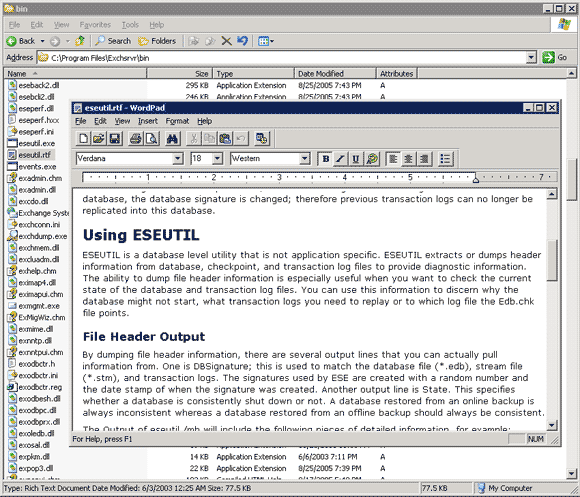
Though eseutil can take a while to execute on badly damaged data stores, in the case of the above truck meets pole accident, this sequence of commands quite literally saved a business:
eseutil.exe /r E00 /l "C:\Program Files\Exchsrvr\MDBDATA" eseutil.exe /p "C:\Program Files\Exchsrvr\MDBDATA\priv1.edb" eseutil.exe /d "C:\Program Files\Exchsrvr\MDBDATA\priv1.edb" eseutil.exe /p "C:\Program Files\Exchsrvr\MDBDATA\pub1.edb" eseutil.exe /d "C:\Program Files\Exchsrvr\MDBDATA\pub1.edb" eseutil.exe /r E00 /l "C:\Program Files\Exchsrvr\MDBDATA" eseutil.exe /r E00 /l "C:\Program Files\Exchsrvr\MDBDATA" /i
Eseutil does not rely on the cached copies of the mailboxes being up to date. Instead, it works to restore the original Exchange data store.
This allows recovery of public folders as well as the mailboxes of users working with cacheless clients such as Outlook Web Access. Best of all, you don’t have to fiddle about creating a new data store and moving around user mailboxes.
If you are ever caught with your pants down without a backup, keep eseutil in mind. It could save you a lot of time, effort and money. ®
 Biting the hand that feeds IT

