


This article is more than 1 year old
Dolphin Browser HD
The Dan Marino of mobile web browsers

Android App of the Week There’s not much wrong with the stock Android web browser but if you fancy something a bit more capable you might want to consider Dolphin HD as an alternative.
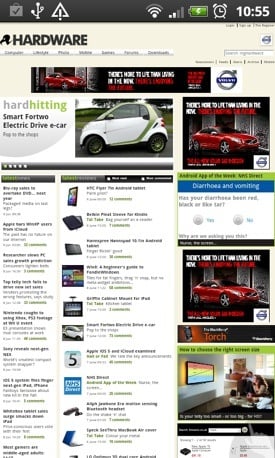
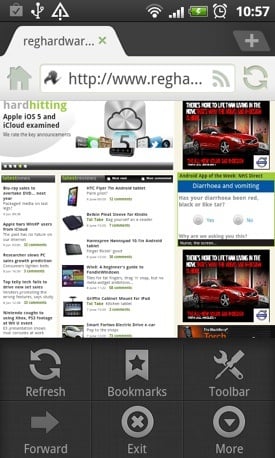
Dolphin HD: browse with tabs
Now before I go on, this recommendation is not about page rendering speed. If you want to download Dolphin, Opera, Firefox or any of the alternatives and then try to gauge which one loads pages a quarter of a second faster then the others, well, be my guest.
No, the appeal of Dolphin HD - which has just hit the big 5.0 - lies in its features set. Firstly, you get good ol' tabbed browsing so you can open up to eight pages and flip between them just like you can on a PC.
Next there is the clever UI. Swipe a page to the right and all your bookmarks appear, swipe to the left and you can access all your tools and extensions, and there are some handy ones available, including the screen grab and save-page-as-a-PDF extensions I use almost daily.
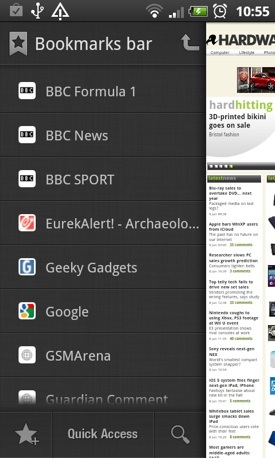
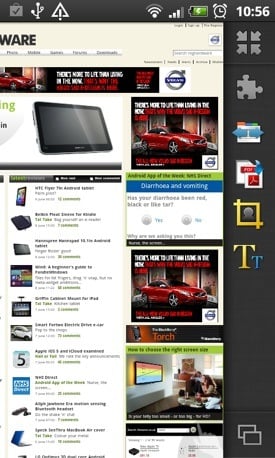
Swipe one way for bookmarks, the other for tools and extensions
For anyone with oodles of bookmarks, the facility to create nested folders for them is almost reason enough to start using Dolphin.
 Biting the hand that feeds IT

