
Google Docs
Documents on the go
Agentless Backup is Not a Myth
Android App of the Week Three years after Android first stuck its head over the parapet, Google has at long last graced its smartphone OS with an official app for Documents, the third leg of the Google Trinity after Gmail and Maps.
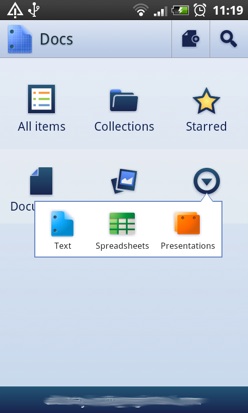
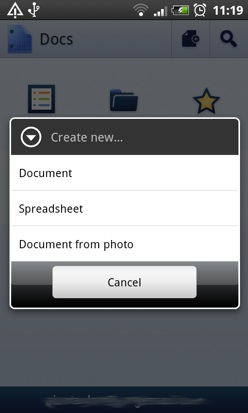
The UI (left) is twit-proof, but you can only create documents online (right)
The front end consists of a simple set of icons to read or create documents, spreadsheets and presentations. Different view options let you see all the files in your account, or just the documents, starred items or folders. You can also view uploaded images, though you can’t add new ones.
A bar at the bottom of the main page lets you swap instantly between as many Google accounts as your phone is signed into and there is a very handy search function to help pull up documents with a specific word in the title or body.
The most interesting feature is the 'Document from photo' function, which extracts the text from any page you photograph and then uploads both the image and the copy.
It's a cracking idea though in practice the system's ability to interpret copy is just a little clumsy as you can see from this grab from Martin Windrow’s The Last Valley:
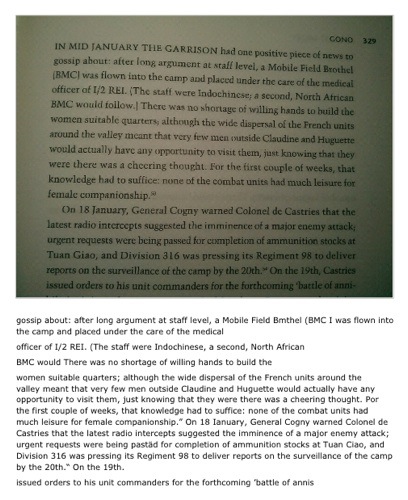
Most of the copy is present, but some words vanish and indented text is imported without any justification. So, better than a slap in the face with a dead fish, but not perfect.
Next page: Work in Progress
COMMENTS
Offline functionality
I know google are big into online cloud services but they have to recognize that people do need to disconnect their devices from time to time, when they're out of coverage, abroad, on a plane or whatever.
Therefore I wish they would think a bit more about that aspect when they produce these apps. An example which irks me is the Google Maps driving directions functionality. I want to be able to program a route before I leave and for the app to cache the route and major side roads in case I get a bit lost but not have to stay online the whole time. Docs should also let someone work away offline and sync up later.
Re: App Of The Week?
All App of the Week winners are Recommended, because we think they are good and/or show potential, and are worth trying.
The score shows how close to being just right the app is, but a low(ish) score doesn't mean it's not worthy of your attention.
@DrXym (Google Maps)
"An example which irks me is the Google Maps driving directions functionality. I want to be able to program a route before I leave and for the app to cache the route and major side roads in case I get a bit lost but not have to stay online the whole time"
To be fair to them it will cache the route for you and, should you need a detour, you could go online for just that bit of information - no need to have your device on permanently just in case you get lost or need to reroute. You'd probably have to stop (or have a helper) to do so safely but, given the price of the application, it's not too onerous a demand for those (hopefully) few occasions you need it surely ?
I agree about the offline document editing though - at least for non-shared documents.

IT infrastructure monitoring strategies
Agentless Backup is Not a Myth
Top 10 SIEM implementer’s checklist
Steps to Take Before Choosing a Business Continuity Partner
Enabling efficient data center monitoring