


This article is more than 1 year old
JVC Everio GS-TD1 3D camcorder
Purpose-built stereo shooter for Avatar aficionados

Review Let’s cut to the chase: JVC’s £1,600 GS-TD1 is the most sophisticated 3D camcorder you can buy. While Panasonic may have pioneered DIY 3D moviemaking with its bolt-on 3D accessory lens, this is the first stereoscopic shooter aimed squarely at the pro-sumer. It’s been unabashedly built for 3D from the ground up.
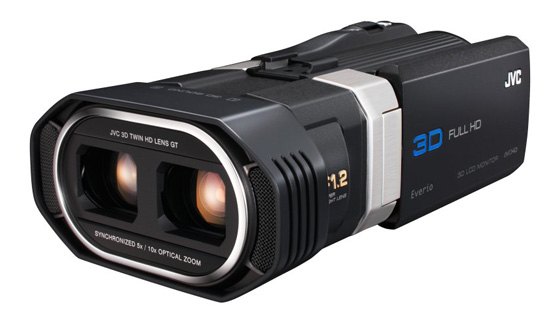
Visual feast: JVC's Everio GS-TD1 3D camcorder
The GS-TD1 uses a pair of f1.2 lenses, each linked to a 3.32MP 1CMOS sensor. A proprietary imaging system, called Falconbrid, then processes the paired streams to produce 3D video. You have a choice of shooting your footage in a Side-by-Side AVCHD format, or in 1920 x 1080/50i Full HD MP4 MVC, a relation of the MultiView codec used by 3D Blu-ray.
Unlike Panasonic’s 3D camcorders, there are no restrictions on zooming and 3D effectiveness. The GS-TD1 can dimensionalise across a much wider zone (typically 5-50m in telephoto), it can also shoot 3D still images.
This high-end Everio is well built, but its unusual shape takes some getting used to. The rectangular body has a slightly awkward balance. Familiarising yourself with the operating logic of the rear-placed buttons and onscreen menus also takes time. This is not an intuitive camcorder to use straight from the box.
With 920K pixel resolution, the 3.5in touchscreen monitor is sharp enough to comfortably display a host of info while recording: 2D/2D mode, shutter speed, image size, media, battery etc. You can use the display by either tapping or dragging; you tap the icons or files you want to open, or drag the thumbnails to sort through them.
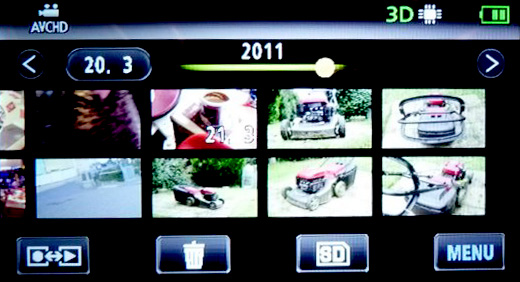
Touchscreen monitor gives a 3D display without glasses
Being an autostereoscopic monitor, courtesy of a parallax barrier display, you can play back or capture in 3D without having to wear 3D glasses. Jumping from the 2D and 3D mode requires you to refocus your eyes (sometimes several times), but it does give a good sense of the depth you’ll achieve on the final footage. The 3D effect is very similar to the parallax barrier screen on the Nintendo 3DS.
 Biting the hand that feeds IT

