The Register® — Biting the hand that feeds IT

Feeds

Video and Power

Before I cracked the Osborne 1's case, I had hoped to fire it up and show you some of its bundled software in all of it green-on-black, 52-character-by-24-line glory – earlier versions had white-on-black CRTs. To ameliorate the 52-character limitation, by the way, Mr. Osborne thoughtfully let you use the keyboard's cursor (arrow) keys to side-scroll up to a limit of 128 characters per line.

Unfortunately for my desire to run some ancient software, when I powered up my Osborne 1, here's what appeared onscreen:
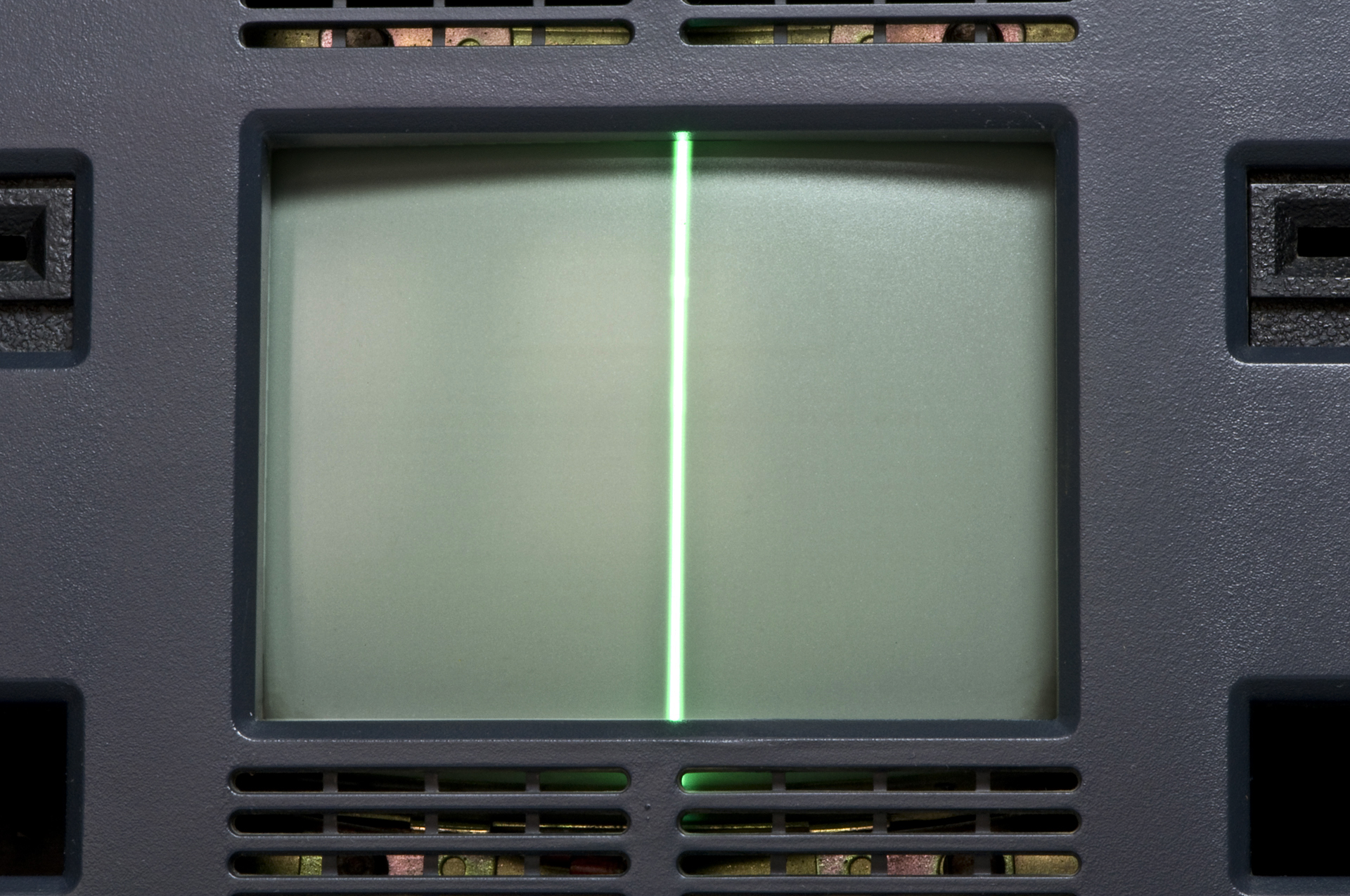
Osborne 1, second version - malfunctioning display

Sorry, but no coding in MBASIC today – the %$#@!ing machine is kaput (click to enlarge)

That's a shame, because it would have been a fine waltz down memory lane for any Reg reader whose had to memorize all the command key codes for MicroPro's WordStar and MailMerge. It would have also been a kick to see how many spreadsheet cells I could have fit on that five-inch CRT using Sorcim's SuperCalc.

Also bundled with the Orborne 1 was Digital Research's CP/M operating system, plus CBASIC and MBASIC, Digital Research and Microsoft's CP/M permutations of the then-ubiquitous Beginners All-Purpose Symbolic Instruction Code.
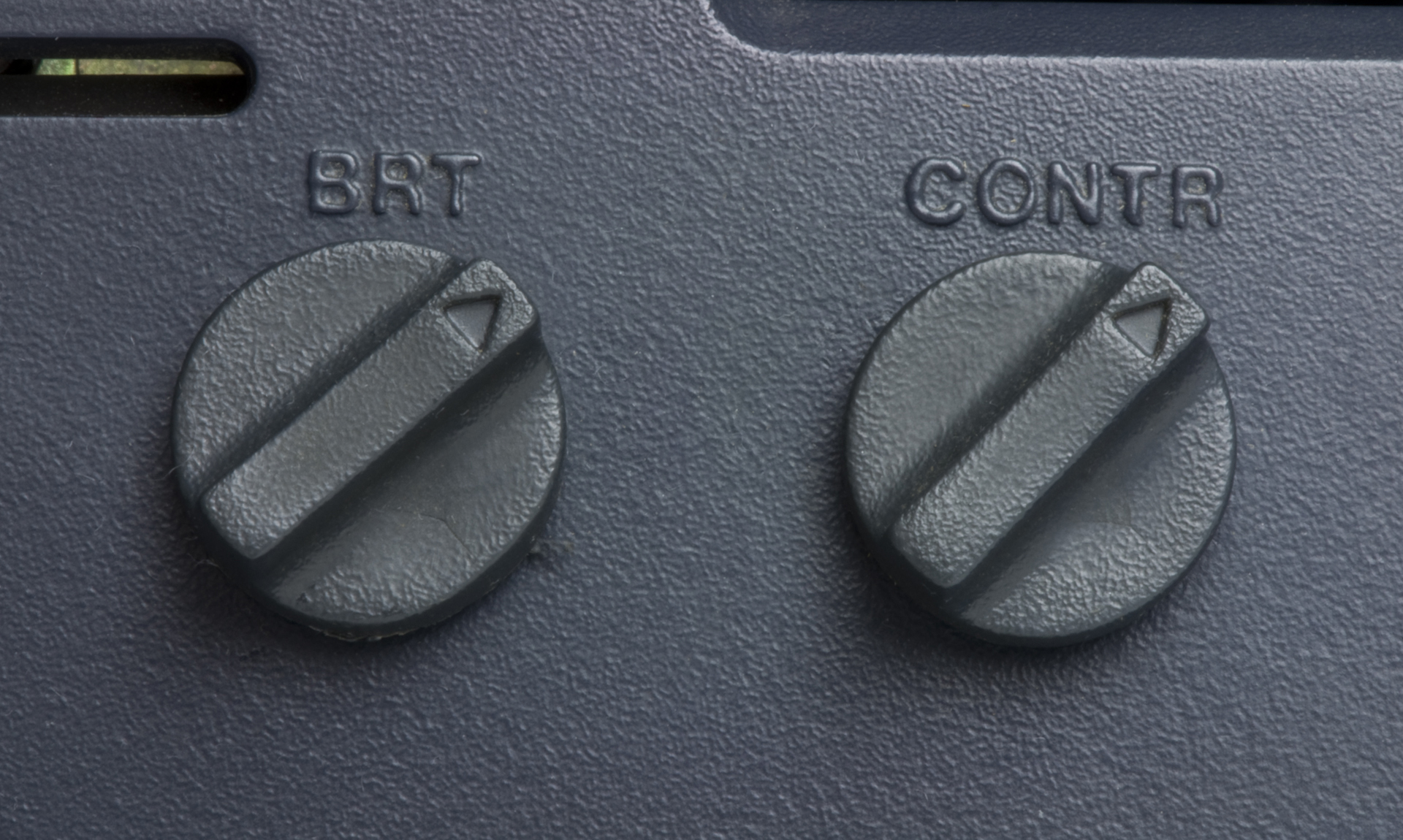
Osborne 1, second version - brightness and contrast knobs

You need to yank off these knobs to open the Osborne 1's case (click to enlarge)

Had the display on my Osborne 1 worked, I could have adjusted its brightness and contrast with two potentiometer knobs. As it was however, all I could do was change the intensity of that vertical line.

After opening the case and peeling back the metal-foil shielding, I got a good look at...
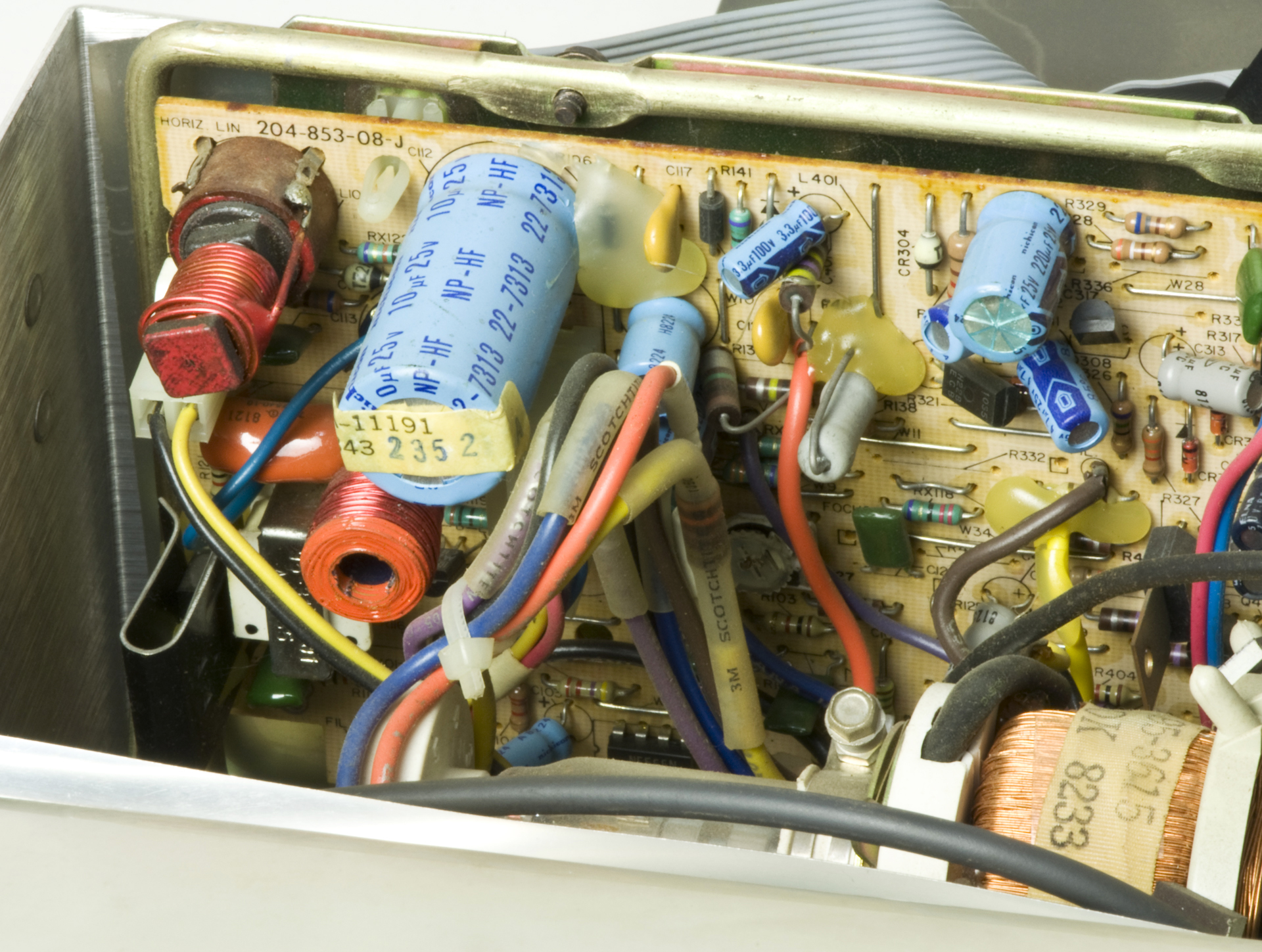
Osborne 1, second version - CRT power supply

... the analog circuitry for that massive 5-inch CRT, and ... (click to enlarge)
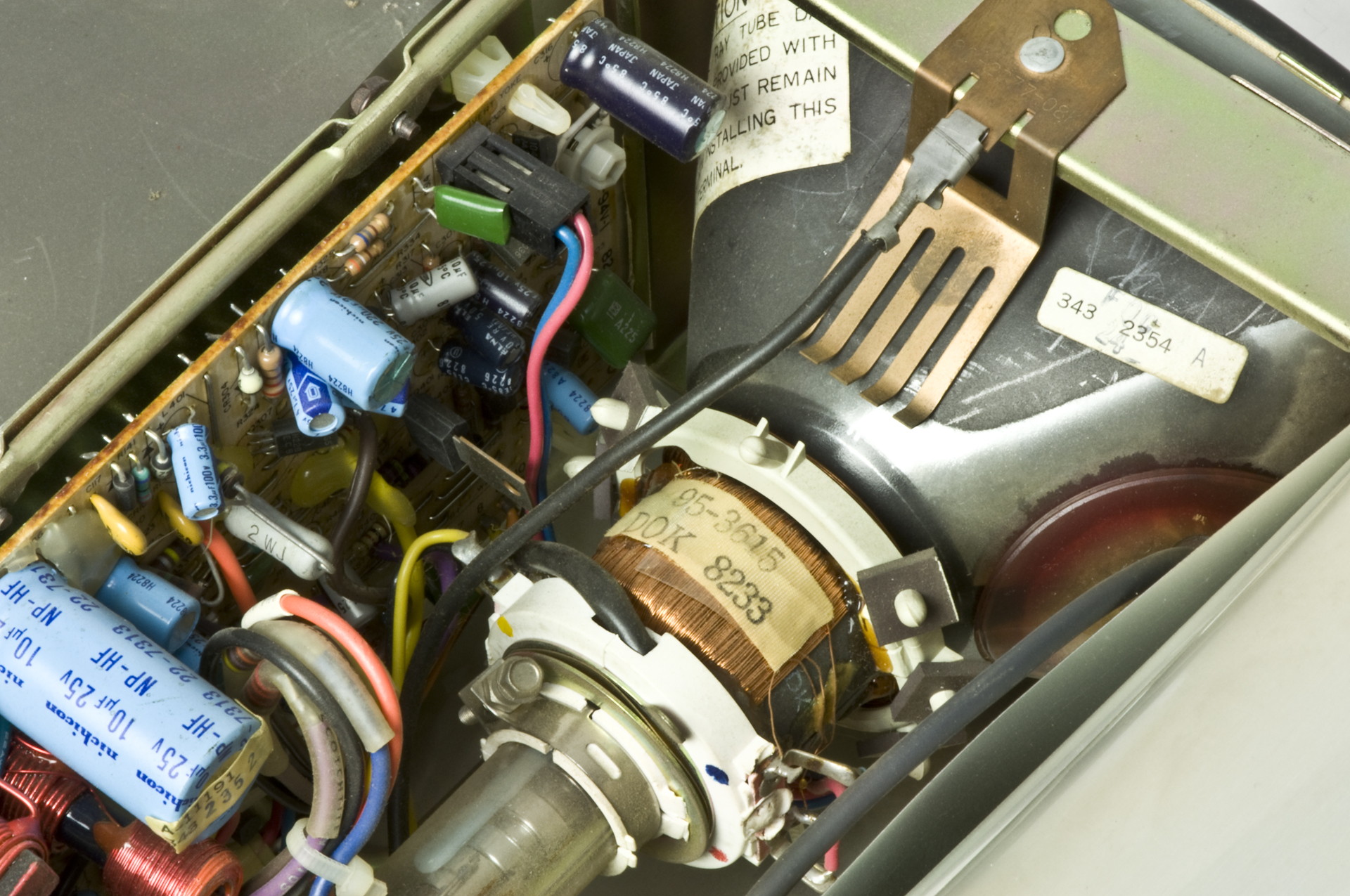
Osborne 1, second version - CRT yoke

... the copper coil–wound yoke on the CRT's electron gun and the back of the CRT itself. (click to enlarge)

We'll end our exploration inside the world's first mass-market portable luggable back-breaker with a peek at its power supply, replete with can capacitors, a trio of heat sinks, a "Danger" heads-up notice on the beefy transformer, and a warning to not use too hefty of a fuse.
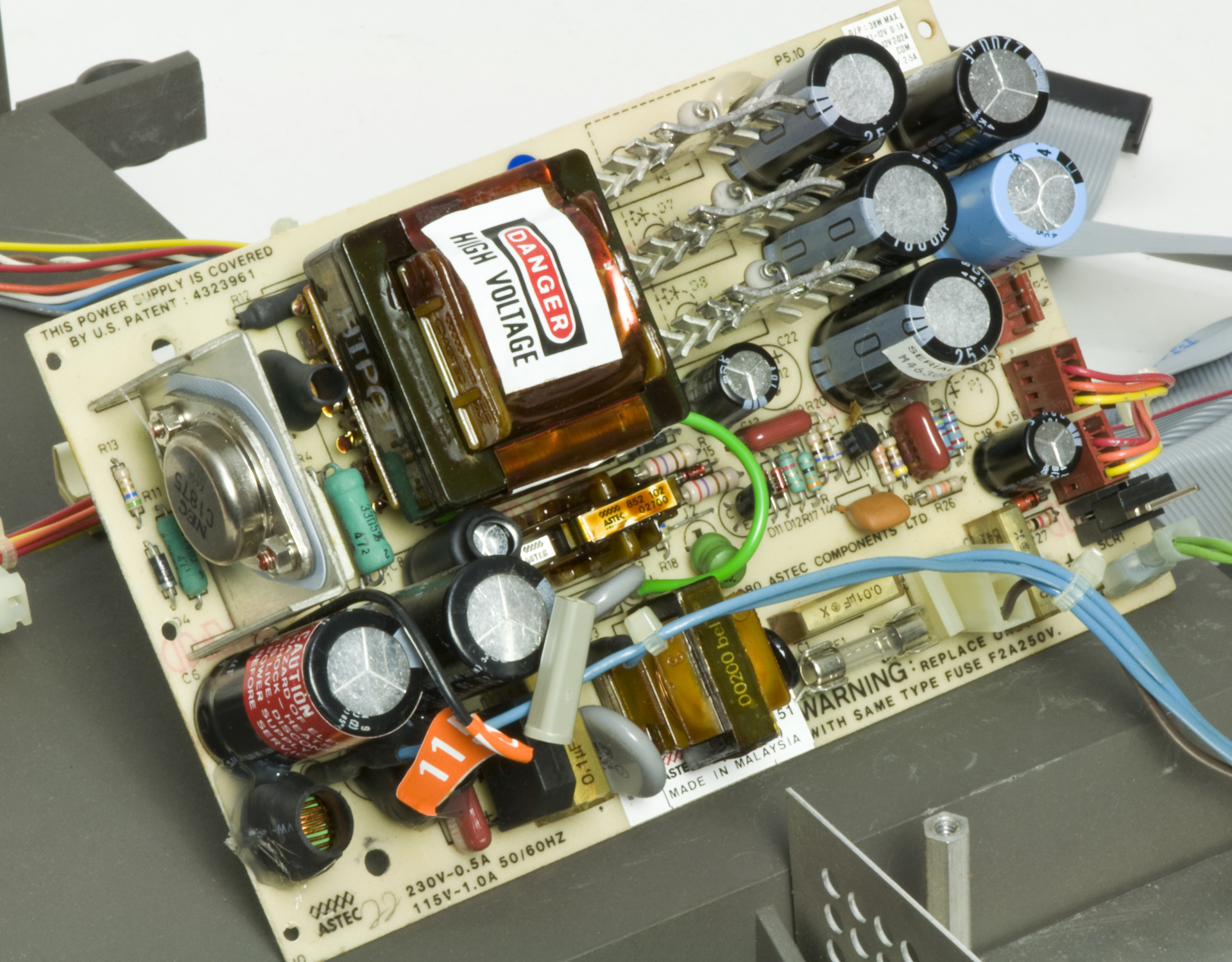
Osborne 1, second version - power supply

All these components, and still no fan needed (click to enlarge)

In 1981, I first met the Osborne 1 in the computer section of Macy's department store in San Francisco – yes, even department stores sold computers in the early days of what were sometimes called "TV typewriters".

Although I lusted after this classy piece of ur-tech, I never owned one. However, the museum for which I worked at the time did score a somewhat comparable luggable from a company called Janus – it was sort of a cross between an Osborne 1 and a KayPro II.

I've never been able to turn up any info on that Janus. If you have one lying around that you no longer want, let me know. I'd love to take it apart. ®

Naked at 30: Osborne 1 stripped to its chips

caps

I made that mistake twice myself but it was on the same day. I was examining a power supply with a really big al-elec 200V cap. It discharged on me. After I picked myself up I made the stupid assumption that now that it had kicked my ass it must be fully discharged. It wasn't.

14
0

The really amazing fact was....

...that the OS fitted on a single density 5.25 inch disk! What happened? Oh ya M$ happened, now you need >1Tb disk just to get started.

5
0

Fond memories

Owned the Rev A myself. And did have the external monitor as well as the 300 baud Osborne pulse dialing modem that fit into the floppy holder slot by the port. The Rev A had double density single sided drives where the original had single density. So everyone cut the notch in their floppies so we could turn them over and use the backside. My Osborne I ran: Turbo Pascal, COBOL, LISP, C, Z80 Macro Assembler in addition to the normal package and the plethora of add ons through the many BBS CP/M sites. At school, armed with a 300 baud modem, I did my mainframe work via Wordstar and uploaded it to save valuable "dollar" allotments on the school's mainframe. I was the envy of my dorm since 128 scrollable display is good enough to display the majority of mainframe output which was formatted for a maximum 132 character line printer. I made my own modifications to OSWYLBUR to handle the strange Osborne I modem... and many of us replace the CP/M shell with ZCPR, a command replacement with more features. I even hacked in a pulse dialing modem routine in place of the built in DIR command, since most people used a directory listing program from disk instead. I also programmed a game using the Software Toolworks C compiler where you flew around the screen and turned asterisks into boxes. The asterisks would kill you if you ran into them and the boxes were like walls, so as you played your ability to move about the screen decreased. What fun! I also wrote a mainframe 370 assembler in macro Z80 assembler. This allowed me to do a lot of my labs without using valuable compute time... just had to upload the final product. In high school, I developed a text adventure game (ala Infocom) where you had to solve chemistry problems to get through obstacles. In my junior year of college I wrote a small BBS in assembler for my Technical Writing class.

Great machine... I wish I had never given it away. It was very useful. It was fun keeping my dorm mates up all night as they listen to my TTX 1014 daisy wheel printer typing away....

5
0

It's Easy To Fix

Because, as you have a vertical line, you must have EHT for the CRT which comes from the line output transformer. This means the line output stage is working, its just the line scan coils that are disconnected, that will almost certainly be a dry joint on the PCB where the scan yoke leads connect or possibly at the scan coupling capacitor or line linearity coil. It can't really be much else other than an o/c scan coupling capacitor.

How do I know this? well, the college I worked for had lots of Osbornes and I used to repair them when they broke down. Most common fault was the extension card for the double density floppies working loose (these things were carried between rooms regularly which probably explains that), next was the display which could fail to work due to dry joints at the line output transistor connections or by the vertical line due to joints as described earlier.

Once I had to make a new system rom for one (by copying a good one from another machine) as the suspect one was partly corrupt (would boot to the Osborne startup screen but would intermittantly fail to load the o/s from disk) -- that took a while to diagnose.

One other task I had to do was calibrate all the floppy drives so that disks were interchangeable between all machines -- there were quite a few that would not reliably read disks from other machines until this was done.

Most of our Osbornes worked with external monitors (to ease eyestrain on the students).

When carrying machines between rooms I always carried two at a time, that way both arms stretched by the same amount :-) happy days indeed.

4
0

Yeah, interesting, but ...

... will it blend?

5
1

More from The Register

Is the next-gen console war already One?
Microsoft’s new Xbox - and more
 breaking news
Apple cored: Samsung sells 10 million Galaxy S4 in a month
Beware of South Koreans bearing Android
US boffin builds 32-way Raspberry Pi cluster
Beowulf cluster built for the price of a single PC
STROKE this mouse to make apps POP, says Microsoft
Windows 8 Start button comes to Redmond's rodents
Nintendo throws flaming legal barrel at YouTubing fans
All your walk-through vid revenue are belong to us
Fairphone goes on sale to all
The Android handset that's PC can be yours

Hands on with Hyper-V 3.0 and virtual machine movement

Our award-winning Regcasts have teamed up with training provider QA for the deepest of deep dives into Hyper-V, including a live demo.

Understand VM movement - just click to play, or go here for a bigger version.