Kingston SSDNow V+ 100 128GB

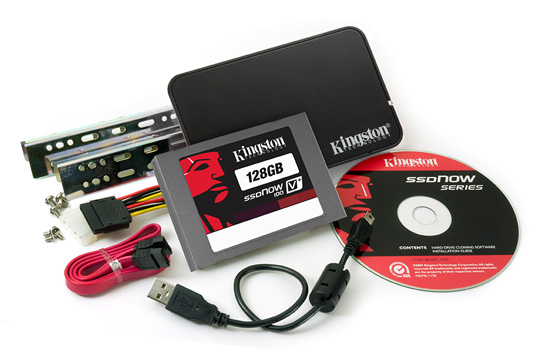
Kingston’s drives come supplied with a desktop upgrade package, which, along with the SSD, includes a Molex-to-SATA power adapter, SATA cable, 3.5in bay adapter rails and a USB 2.0 enclosure. Also to ease the upgrade process, you’ll find a licensed copy of Acronis True Image HD. In a previous review of the last generation of V+ Series drives, I was impressed with pretty much every aspect. Using a new Toshiba T6UG1XBG controller Kingston claims the same 230MB/s read and 180MB/s write performance as the previous generation. In tests, Kingston outdoes itself on the read speeds, however it has set the bar quite low with sub-200MB/s writes, although the V+ 100 does beat the Samsung drives in the 512KB and 4KB random reads. Although a bit pricier, these are still an excellent choice for the Sata 2 user and come with all the kit to make a drive transplant as painless as possible.
Reg Rating 85%
Price £127 (64GB), £147 (96GB), £217 (128GB), £468 (256GB), £1012 (512GB). Conversion kit versions approximately £10 extra.
More Info Kingston
OCZ Vertex 2 120GB

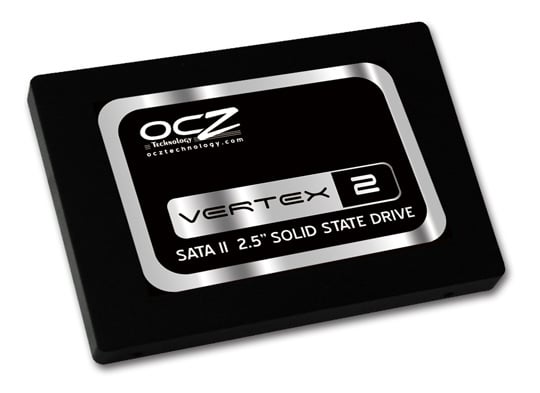
Like the Corsair there’s just the usual 3.5in bay adapter plate and screws with no software or accessories in the box. Indeed, it shares Corsair’s SF-1200 implementation and as such, the benchmarks are almost identical. While Sandforce’s controllers were the cream of the crop last year, they don’t seem to be up to par with everything else seen here. However, its still puts in a great performance with smaller routines, trumping some its peers.
Reg Rating 75%
Price £99 (60GB), £170 (120GB), £250 (160GB)
More Info OCZ
Next page: Plextor M2S 128GB
COMMENTS
Drive size is important
Drive size is important whilst benchmarking as the lower capacity drives have less chips rather than smaller ones. This means you can have fewer active data paths and so the smaller drives are slower. 3 of the 7 drives in this test used larger drives and so they will show greater performance than you would have seen with all 128GB drives. So its not exactly a fair comparison.
Flippin yanks
UK site, prices qoted in GBP so why are the links to amazon.com not .co.uk?
Couple of tips...
I bought a 40GB SSDNow about 18 months ago, best/biggest I could afford without various TRIM and stuttering issues. Promptly installed Windows 7 on it and it really will transform your computer!
Bear in mind, by default, Windows will create a swap file and a hibernate file the same size as the RAM in your PC, in my case, it created 2x 8GB files, that is instantly 16GB of the 37GB available plus Windows itself. Add in Apple and Chrome creating all their data files on the C partition without asking and you will run out of space very, very fast!
I've made my swap file 512MB, switched off hibernate and system restore and used 'mklink' to create junction points to move things like Apples backups to the spinning disks. Happy enough at the moment but currently looking at drives around the 120GB mark. It's also worth noting that many controllers perform much worse with smaller drives so if you are comparing performance figures, it must be on the size of the drive you are considering.
As above
Using these drives for backup is ridiculous. Use 2TB drives in RAID-1 instead.
These drives are performance enhancers, not volume storage.
At normal usage levels (ie not hammering them with 100GB of backup data per night) this current generation of SSDs should last about 10 years according to most recent studies on the subject.
Remember, mechanical drives fail too. Often well before 10 years if they are in regular use. The difference with an SSD is that the moment of failure is (usually) predictable and measurable.
In terms of power, SSDs generally use a little less than mechanical drives.
AFAIK
All current generation should have TRIM support, with some of the newer/newest ones not really even needing it as the controllers have started running their own garbage collection.
I think Tom's or Anand has much more info on the topic - and apologies in advance if I'm not exactly accurate with my comments above.
