
BT Home Hub 3 ADSL Wi-Fi router
End of the line for signal box failure?
Regcast training : Hyper-V 3.0, VM high availability and disaster recovery
Review Everything is wireless these days, it seems. It’s convenient, effective and liberating not to be tied down to a laptop or whatever with wires. But if you find your Wi-Fi behaves erratically, dropping connections or stuttering to a stop when you’re streaming video, say, you’ll know it’s not always plain sailing. And then when you’re on the phone complaining to customer services it all seems to be working just fine again.
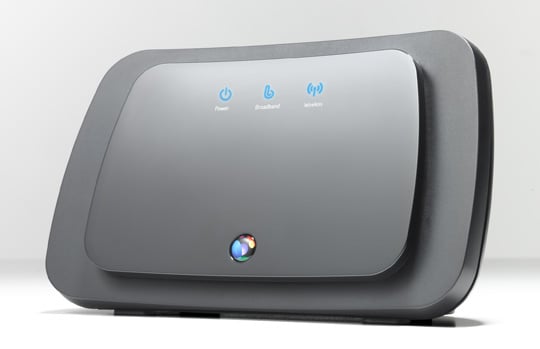
BT's Home Hub 3: turn on, tune in... no drop out
BT’s latest router has Smart Wireless which aims to take the stuttering and guesswork away. When you set up any router it automatically picks the clearest frequency. Trouble is, it’s stuck with it. So if something else pops up that isn’t Wi-Fi friendly, it can cause problems.
Video senders, those little doohickeys that transfer Strictly... from the living room TV to the bedroom set, so Gran can listen with the sound at maximum, can easily get in the way of Wi-Fi. Smart Wireless means the Home Hub 3 can dynamically change what frequency it’s on if it spots trouble. Other routers don’t do this automatically.
That’s one of the stand-out features of the BT machine which, like earlier Home Hubs, is painfully simple to set up. It has a neat detail when it comes to passwords, too.
You know when a friend comes round and wants to use your Wi-Fi? Searching for the password means remembering where you put that Post-It note you scribbled it on last time or crawling round the back of the router to see where it’s printed.
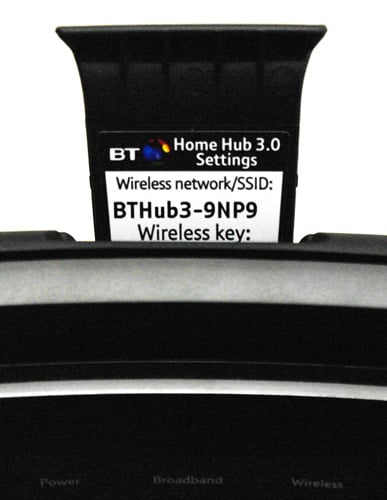
Password key fob
The Home Hub 3 has a plastic fob with the password on that slides out under your thumb easily and is so curiously shaped that you’ll remember it must pop back into the machine when you’ve reacquainted yourself with the code.
Next page: Balance of power
COMMENTS
MAC filtering isnt secure
I can configure any MAC I choose on my Linux laptop when this is running Aircrack-NG.
So I for one don't configure MAC filtering on my network gear as it takes time to setup and gives me no extra security. My understanding is that the MAC addresses of clients are transmitted unencrypted when establishing a connection with the access point.
Who cares about pretty.
I had 3 phone calls from some BT call centre trying to flog me one of these, I called them back to ask them to stop and talked to a sales guy who couldn't answer my questions, I was put through to an Asian tech centre who didn't understand the simple facts when he failed to help me he tried to put me back to the sales guy.
I was helpfully told that I pay for 8 and get 4.5
Infinity which offers upto 40 could get me 23.5 (I live a mile from the exchange)
However he didn't understand the following :-
I wanted to change the password for the encryption key and not have it printed on the router
I wanted to change the broadcast name of the SSID
I use linux NOT fricking Windows (it is a requirement to use a windows machine or a Mac as the software needs to be installed, apparently) they don't support linux. (one woman said "oh, you a geek then?")
Couldn't tell me if I can port forward, setup my firewall rules which are a requirement for cod4 MW2 etc. etc.
I also don't want to completely rehash my internal network of fixed and floating IP addresses to suit some new router.
He didn't understand why anyone would NOT want to use a BT home hub.
Your review should include things like this. Then at least I might get answers because BT tech centres really need to sort their understanding out.
Needless to say I didn't take them up on their offer.
Have you actually used it?
Ok, the hub looks pretty, it has a wireless key stored in the hub (not much use for me, when I hid the hub in a cupboard) but seriously.. What features does this hub have?
What settings can I change? what settings are forced upon me?. Does it still giveaway a bit of my broadband for bt Fon / free Wireless? What control do I have over these feature?. Can I port forward? Can I block ports? Is there a DMZ?
I feel this review is lacking in important details, still it looks pretty and appears to work for normal basic users.

IT infrastructure monitoring strategies
Requirements Checklist for Choosing a Cloud Backup and Recovery Service Provider
Data control in the cloud
Cloud based data management
Agentless Backup is Not a Myth