


This article is more than 1 year old
Ten... wireless keyboards
Finger clicking good

Product Round-up I feel sorry for keyboards. Despite tapping away constantly at one, I can't say I give mine any regard. Fairly rapidly, so it seems, they get covered in reminders of our lifestyle excesses and tacky habits. And when our computers are to blame for something, its usually the keyboard that soaks up the frustration.
Well, I'm going give them my attention for a change. Here's a collection of ten keyboards to consider when the inevitable coffee splurt happens over yours should you linger on these hallowed pages long enough.
Apple Wireless Keyboard


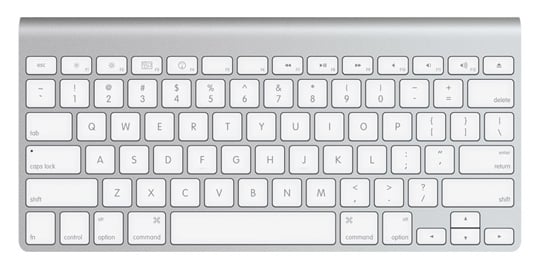
Say what you will about Apple products, but the company certainly makes a formidable keyboard. The Bluetooth connectivity is a welcome bonus for starters and the aluminium body gives Apple's wireless keyboard a sense of durability. Its chiclet style presents an executive feel and typing is reasonably quiet. Nothing feels cheap or tacky and OS X function keys double up as F keys, rather than the other way round - which seems more logical, on a Mac at least.
As with most Apple products, it's on the expensive side of things, but not too much of a price to pay for the quality, especially when compared to some of the other models in this round-up. Two AA batteries fit nicely in the shallow rake of the body, which gives the keyboard its angle, and there's a slick power button on the opposite side to where they slot in. The Apple Keyboard really is the king of the chiclet and for me, nothing compares. Oh and before you start up about the absent forward delete button, function-backspace does it. Not ideal, but still there if you need it.
Reg Rating 95%
Price £57
More info Apple
Cherry eVolution Marlin Smart

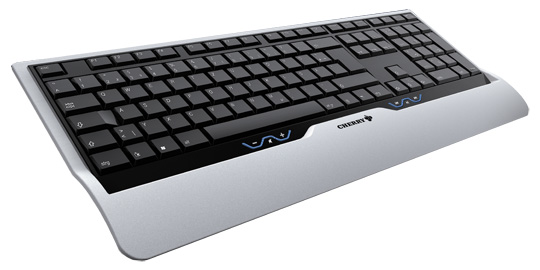
German company Cherry claims "perfection down to the smallest detail". I disagree when it comes to its eVolution Marlin Smart, which was fugly to say the least. There are ten dedicated hotkeys, four above the number pad and a further six below the regular keys. These six volume/play controls are some of the most unappealing buttons I've ever seen and feel completely out of place.
The keys are flat and very basic, which is a plus point, however, the "ultra silent" claim appearing on the box are wide of the mark. Typing is far from quiet and made more noise than I'd have expected given this selling point. What's more, you can't type without the keyboard legs down, because it doesn't sit flat at all. It does come with a wireless mouse, but the price is shockingly high for what you get and should have at least included a battery indicator for that money. The eVolution Marlin Smart has security protection, but there's no mention what type it is or how it functions which isn't exactly reassuring.
Reg Rating 55%
Price £64
More info Cherry
 Biting the hand that feeds IT

