


This article is more than 1 year old
The year's best... TV media players
What's top for set-tops?

2010: it's a wrap

Networkable media players aren’t new, but in 2010 the addition of BBC iPlayer and similar services to set-top boxes and TVs made more consumers aware of the possibilities of online entertainment pumped straight into the living room, while Windows 7 made it simpler to stream content from your PC’s hard drive.
For those who are dipping their toe in the water with media streaming, the latest version of the Apple TV is one of the more eye-catching devices. Priced at the magic £99 mark, its compact size and the ease of use for which Apple is renowned will put it high on the list for many people wanting to take their first steps. But just how well does it compare to the alternatives?
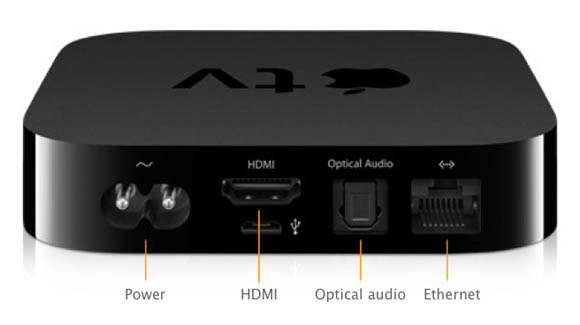
Apple TV
It certainly boasts a slick and straightforward interface which puts the offerings of many other boxes to shame, though the remote is perhaps a little too pared down for some tastes, and paid-for HD content is only 720p, though it will output 1080p material if you have it.
With both wired and wireless networking built in, the Apple TV should be at home on any network – as long as you have computers running iTunes, from which content is streamed, or you're willing to rent films and TV shows from Apple's online store. And unless you’re happy to convert files to the few formats supported by Apple and iTunes, or jailbreak the device, you’re limited by the content available. There’s a reasonable selection online in iTunes, but UK services like LoveFilm and BBC iPlayer are absent.
Another media player that got plenty of publicity this year, the Boxee Box. Unlike the Apple TV, it does provide access to BBC iPlayer and other UK catch-up services, together with good support for network media playback. But at £200, and with much of its other online content not actually available in the UK, it’s perhaps not one to buy just yet.
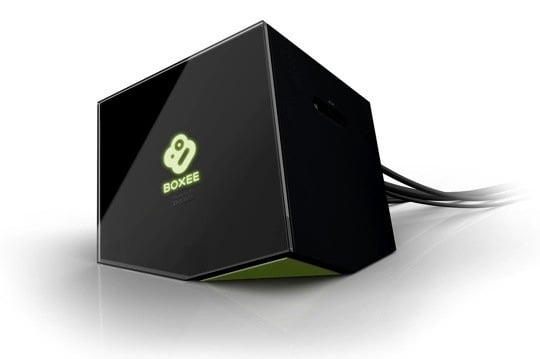
The Boxee Box
One of the media players that we’ve rated highly in the past is Western Digital's WD TV Live, and this year’s update added an internal hard drive to make it the WD TV Live Hub. With a clean interface, good format support and 1TB of storage for those who don’t have a Nas media server or want a computer on while watching TV, it’s great for playing your own content but, so far, has only a limited range of online content available for UK viewers, and again no BBC iPlayer support.
 Biting the hand that feeds IT

