
Sony Bravia KDL-46EX403 46in LCD TV
Big name, big screen, budget price?
Review Freeview HD TVs are fairly common these days, and Sony has put the necessary DVB-T2 tuners in most of the models in its range. The Bravia KDL-46EX403 is, as far as these things go, one of its budget models – it lacks the LED backlighting of the higher end units, which in turn makes it bulkier and less sexy, though from the front, it still looks quite sleek.
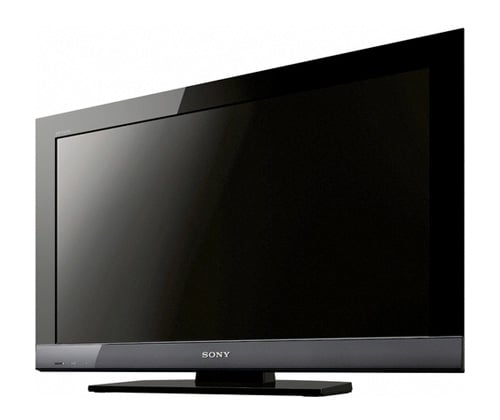
Sony's Bravia KDL-46EX403: Freeview HD, but no DLNA support
By way of compensation, there’s a whopping 46in screen for a list price of £999, or just £100 more than the LED-backlit 32in KDL-32EX703. While I’m generally of the view that such a large screen is an incredibly vulgar thing to put on the sideboard, after a couple of weeks, the extra inches certainly grew on me, and it can definitely make viewing a more immersive experience.
Aside from the case styling, and the backlighting, there’s actually not a massive difference between this and the more expensive Sony set. You still get four HDMI ports – two on the rear and two on the side – along with two Scarts, component, composite and PC inputs, with a mini-jack allowing separate audio for the PC and HDMI ports – handy if you’re using a DVI adaptor.
There’s a USB port that can be used for media playback or for an optional wireless LAN adaptor, as well as Ethernet, and the remote control is the same as on the more expensive models too. That’s a mixed blessing – I found that the buttons around the four-way navigator are too easy to hit by mistake, leading you to end up on the wrong screen.
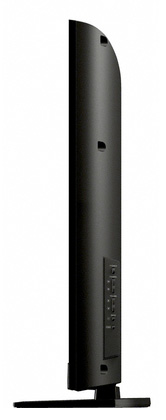
Big screen, big box
In terms of interface, the EX403 is blessed or cursed, depending on your view, with Sony’s Cross Media Bar effort, which means a lot of scrolling in different directions to find the things that you want. Personally I hate it, and it’s a good thing that there are options you can call up with a quick button press, rather than having to delve into it.
COMMENTS
AVCHD
I totally agree with you on the state of DLNA certification. With regards to AVCHD, I have had success only since I read that Bravia TVs only seem to like H264 at level 4.1, which I achieved with a quick use of TS-Muxer.
I've recently been trying out my hand at saving streams from BBCHD via my DVB-S2 card. A capture via mencoder in a console produced a .ts file that my TVs were perfectly happy with with no fiddling (via miniDLNA at least).
MP3, DLNA and grisly incompatibilities
I think there's (mea culpa) an error regarding to MP3; I meant to say it's the same as the other Bravias - ie music only works when transcoded to MP3. Sometimes my brain works faster than my typing fingers.
Regarding AVC HD what I mean there is the format as produced directly from an AVCHD camcorder, eg the MTS files that they spew out. And it was certainly reluctant to do anything with those, whereas other sets I've tested to manage quite happily to play them back. Perhaps some more judicious fiddling with MIME types would solve that.
DLNA configuration is perhaps worth an article on its own; the certification essentially specifies only a couple of mandatory types (like MPEG2 video) and anything above and beyond that is pretty much optional. So, yes, it's far too easy to pass, and the result is that a lot of people who imagine that it means something about compatibility are going to end up finding that things don't play, or that they have to spend ages tinkering about with their media server configuring additional MIME types.
And that, of course, completely goes against the whole idea of DLNA being a simple (for the end user) means of sharing information around the home - it's hardly plug and play if you have to carefully compare brands of servers and TVs to get the result you want, without resorting to manual configuration of MIME types. Unless the DLNA people get their heads round this, many ordinary punters will come to the conclusion that their logo doesn't mean anything useful at all.
I have a feeling that some of this is going to become even more confusing too; with some Freeview HD PVRs planning on offering streaming, and the need to respect the Freeview HD content controls when they do, you'll have a whole extra layer of complexity added on top of the basic question of whether or not your TV will cope with the format that's being streamed to it. A cynic might suggest that, ultimately, the big brands making the TVs would be happiest if you forgot about DLNA and just decided "Sony TV needs Sony streaming server" and so forth.
As mentioned, I have a wide selection of files that I test with; in the time available to test out a TV, it's not entirely practical to also spend hours tweaking the configuration of the server for each one, to see if the attached TVs can be prodded into being more receptive.
Hmm, it works for me - after a lot of faff
I have the 37 inch version in my bedroom, and use miniDLNA on my linux server - which does not transcode. I agree that its bonkers to support formats via USB but not via DLNA.
I'm not sure why you state that MP3 does not work, as this would be a major problem if it were the case (it isn't - at least for me). You also seem to state that AVCHD is supported via USB, but not via DLNA which I can definitively state is also not the case. I have quite a few AVCHD films working via DLNA, along with several hundred films and TV episodes in MPEG2-PS (all ripped in native format from my own physical DVD/Blu-ray media). I did have some problems with this initially - but I think that the dev for the server specifically coded a MIME type for AVCHD on Bravias.
The problem that you are having would seem to me to be the result of the easy to pass DLNA certification system. It doesn't work properly and the little people who make the servers need catch-up time to get them to work with new renderers and controllers, which often being from the big boys have incorrectly defined profiles with unique MIME types.
Yes, actually
Yes, I tested it. With a Synology NAS; and a large selection of files in Xvid, DivX, AVI, MOV, assorted transport stream formats, MKV, MTS, VOB and a few others - files that I keep specifically for this sort of purpose.
As noted, it will not play many of those formats natively; video support via DLNA is extremely limited, unless you have a transcoding server. Likewise audio.
And, frankly, while you might hgave a PS3 Media Server, many readers will not. Given that a large number of sets do play a wide variety of media using DLNA, without the need for a transcoding server, and the Sony does not, I think that's entirely fair to point out.
There is a world of difference between playing a format directly, and being able to play it only with a small selection of DLNA servers that can transcode on the fly. Many readers would rightly be annoyed with we said "it'll play all your video via DLNA" only to find out that they had to replace their streaming server.
The evidence is in the review; short of filming myself browsing my media server for the benefit of anonymous snipers, I'm not sure what other evidence would suffice.
For example...
The Sharp Quattron that was included in the Freeview HD roundup a little while back didn't appear to suffer quite as badly on SD material.
However, if you're determined to watch lots of SD, rather than HD, in my view you would be better off going for a smaller set anyway - and there are plenty of contenders there. You could always look a the reviews section of the site for more.
