


This article is more than 1 year old
Sony Vaio L13 touchscreen PC
A touch of class?

Review The Sony Vaio L series of all-in-one touchscreen PCs launched last year, now has some new additions. The Vaio L13, L11 and L12 models share the same basic features including a 24in 1920 x 1080 multi-touch glossy screen, 4GB RAM and 64-bit Windows 7 Home Premium.
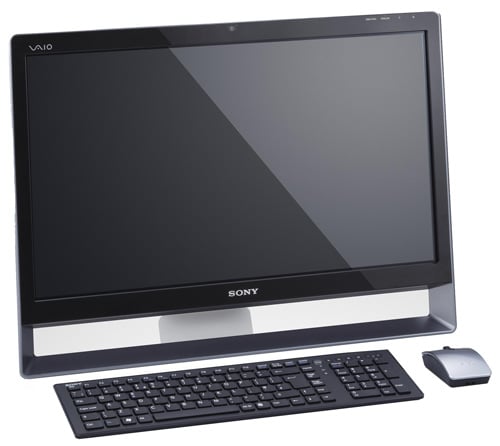
Touch and go: Sony's Vaio L13
The L11 model costs £1019 and employs an Intel Core 2 Duo E7500CPU and a 500GB hard drive. The more basic of the two L12 models (the L12M) is slightly more expensive at £1099 and has a 1TB hard drive, which doesn’t sound like much of an upgrade for £80. The L12S costs £1399 and comes with an Intel Core 2 Duo E8400 CPU, Blu-ray drive, DVB-T tuner and 1GB memory for the Nvidia GeForce G210M graphics.
The new L13 model sounds as though it should sit at the top of the Vaio L tree, however, the specification of my review sample was almost identical to the L12M and the only change that I could spot was a move to Nvidia’s GeForce G330M graphics. This chip is listed by Nvidia as a performance part and has 48 Shaders, 1GB memory and a 128-bit memory controller compared to the 16 Shaders, 512MB memory and 64-bit controller that lie within the mainstream G210M.
I would have liked to run 3D Mark Vantage but the Vaio's screen doesn’t support the required 1280 x 1024 test resolution. So I tried a bit of gaming with Far Cry 2 at maximum quality that delivered an average of 17fps. It seems to me that a more powerful GeForce GTS Mobile part might have been more appropriate for such a large screen.
This raises a fundamental question about the purpose of the Vaio L13. The VPC-L13 M1E (to give its full name) has a Core 2 Duo E7500, 4GB RAM, 1TB hard drive but no Blu-ray drive or TV tuner, so it has no obvious place on the HD movie and TV side of things, unless the files have been stored digitally.
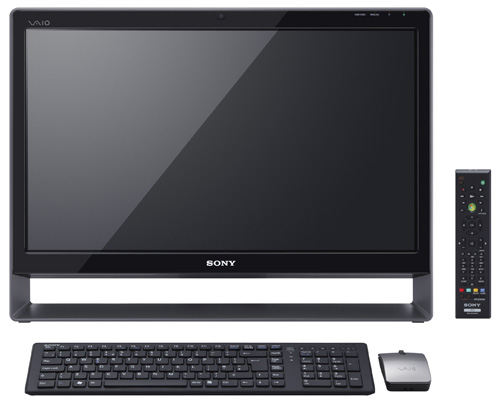
Handy remote for DVD playback, alas there's no Blu-ray player
As the Vaio L13 comes without dedicated DVD playback software I used Windows Media Player to watch some regular DVD movies. Playback was flawless and the image quality of the display was superb. Alas, the 5.5W stereo speakers let the side down, as they are too quiet for DVD duties. On the plus side they don’t distort even at maximum volume.
 Biting the hand that feeds IT

