


This article is more than 1 year old
Nokia C5
Compact candybar for avid texters

Review Nokia’s lower end and mid range handsets might not offer the bells and whistles of the leading edge phones, but they can be solid workhorses. The C5 is a case in point. Just be aware when eyeing up the specs that its small screen means it can’t do some things nearly as well as bigger screened alternatives.
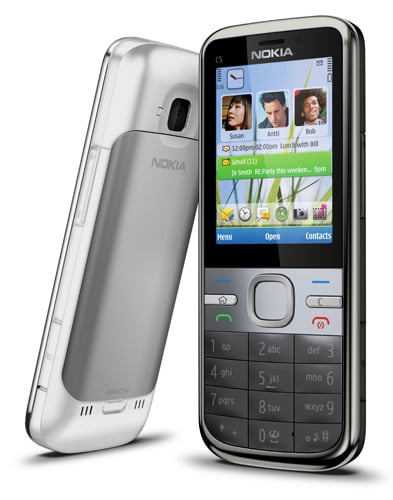
Slimline satnav: Nokia's C5 includes Ovi Maps
This standard candybar handset weighs 89.3g and at 112 x 46 x 12.3mm, it is almost unnoticeable in a pocket. The metal backplate is a nice touch, while on the front silver highlights joined a two-tone grey and black colour scheme in my review sample. There is also a white version. Neither colour scheme is innovative, but pleasant enough.
The number pad is relatively large, each key is slightly domed and I was able to tap out texts at my maximum speed for a handset of this general design. Above the number pad are large Call, End and soft menu keys, while Home and Clear keys are tiny but raised from their surroundings and easy to hit.
The navpad is large enough, with a big central select button. Indeed, Nokia really does have the main ergonomics down to a fine art and while there’s nothing new here, the keys and overall layout work very well indeed.
None of this matters a jot if the specs and value for money points don’t add up, though. And at £169 you can’t expect leading edge stuff. This is a 3G handset with A-GPS but not Wi-Fi. Bluetooth is here, and there is a 3.5mm headset connector on the top of the chassis. Hence, the phone can sit perfectly in the pocket with no chance of snagging and ripping at connectors.
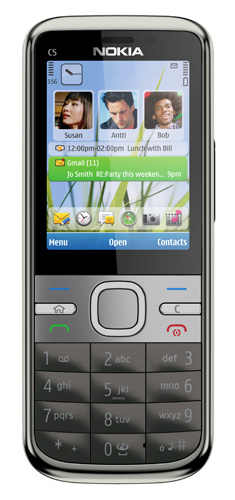
The slot is on the right edge of the chassis
Nokia’s provided headset is satisfactory, although the flat in-ear buds refused to stay in my ears and a higher quality alternative set improved sound output considerably. The equaliser had practically no effect on sound output, as far as I could see. The FM radio has a generous 50 presets. With only 23 slots filled by downloading station data for the South East and London area, there’s plenty of room for expansion.
 Biting the hand that feeds IT

