


This article is more than 1 year old
Acer Easystore H340 2TB Nas box
For the heavyweight home user

Review Sporting four 3.5in drive bays, 2GB of DDR2 RAM and a 1.6GHz Intel Atom 230, all governed by Windows Home Server, the latest edition of the Acer Aspire Easystore H340 series certainly piles on the features in a bid to replace any other storage/streaming/server type device you have ever bought. Sold in three configurations from 1.28TB, to 3TB, the 2TB review sample came equipped with two 1TB Hitachi Deskstar 7K1000.B hard disks.
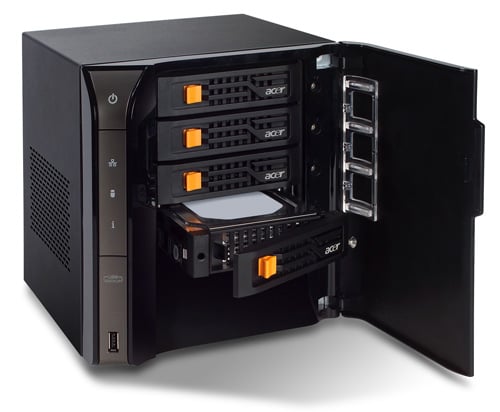
Home service: Acer's Easystore H340
Initial impressions indicate that we do indeed have a high quality product here, as the H340 is built like a small safe, the only thing missing is the combination lock. Stylish multi-function LEDs adorn the front panel and drive bay door, providing instant feedback on individual disk activity, LAN activity and overall drive status.
Although there are four HDD bays for allowing for capacities up to 4TB, the Easystore H340 has additional interfacing that includes one front and four rear USB ports, and an eSata port to connect up even more storage. Gigabit Ethernet is, of course, included as the standard network interface.
Acer certainly intends for the H340 to be an all-in-one server solution for the modern home user, offering features ranging from your standard DLNA compliant streaming system to remote web access and automated backups. However, these features seem to be the de facto standard resulting from the implementation of Windows Home Server (WHS)and not unique to Acer’s Easystore line.
So, does Windows Home Server do decent hardware justice? In terms of features, yes. WHS does indeed support all common and many proprietary streaming protocols, giving flawless results with DAAP music sharing with iTunes, along with streaming to an Xbox 360 and various other DLNA compliant devices.
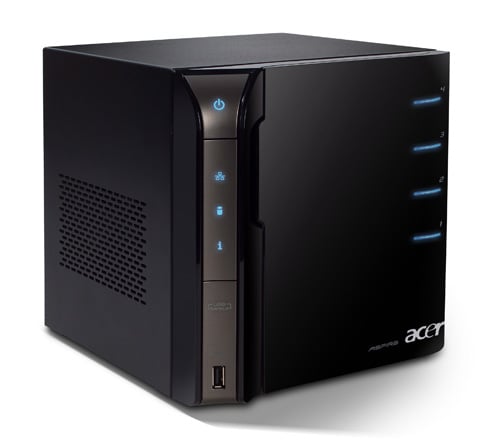
Five USB ports in all, one on the front and four at the rear
Configuration is simple using the Windows Home Server Console, but for those who wish to delve deeper, remote desktop connection is possible. Using Remote Desktop Connection it is entirely possible to use the H340 as a remote computing platform. However, with the netbook-sourced Atom 230 at its heart, this is unlikely to be of much use and certainly is no powerhouse.
 Biting the hand that feeds IT

