


This article is more than 1 year old
Visual Studio 2010 - chunky but has a great personality
Microsoft packs it in

Review Like Clerks director Kevin Smith, Visual Studio is a lot to get your arms around.
There's a new editor and shell built with the graphics-rich Windows Presentation Foundation (WPF), version 4.0 of the .NET Framework that itself is packed with new features. Plus, there are some big changes in the target project types, from C++ to SharePoint, Office, and - of course - the cloud with Windows Azure.
Meanwhile, the Application Lifecycle Management (ALM) Team System tools have been thoroughly revamped, and - as is usual for Microsoft - a new Visual Studio means yet another go at visual modeling tools.
All of which means this is a big release. Microsoft has primed the familiarization process with the recent release of the Visual Studio 2010 Release Candidate - the last public preview before release. The RC, which I looked at, also comes with a go-live license so brave developers can start to use it in production.
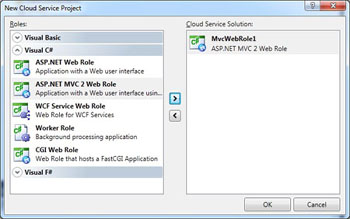
Cloud service projects target Microsoft's Azure cloud
So how does it stack up? The WPF rebuild was necessary but risky, and performance problems in earlier betas raised concerns about how well it would work. As it turns out, the combination of having NET performance guru Rico Mariani as chief architect, and having the Visual Studio folk twist arms in the WPF team seems to have fixed these issues. Mariani has apparently now moved on to other things, but the RC is noticeably snappier than the previous beta.
Some long-standing annoyances in Visual Studio 2008 are fixed, and usability in general is improved. The .NET Add Reference dialog, for example, now populates in a background thread, whereas it used to freeze the IDE for several seconds on first use in a session. The ability to float windows, including editor windows, out of the IDE enables sensible use of a secondary display.
Incremental search in the toolbox is handy, and another nice touch is the ability to zoom the editor with Control + scroll wheel. IntelliTrace debugging lets you instrument code and step back as well as forward from a breakpoint, a remarkable improvement.
 Biting the hand that feeds IT

