


This article is more than 1 year old
Toshiba Camileo S20
HD video on a budget

Review Toshiba’s Camileo S20 is aimed at a very demanding consumer. The type of consumer who wants a highly portable pocket camcorder with HD recording, and yet, has a budget of just £120. So, the Camileo S20 seems to offer it all – price, performance and portability. But can it really deliver so much for so little?
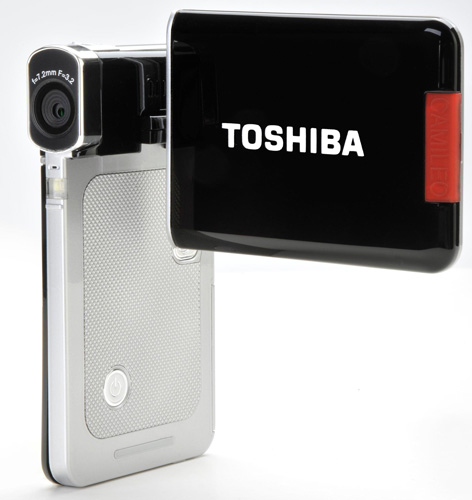
Light in the hand and on the wallet: Toshiba's Camileo S20
The Camileo S20 looks stylish and comes in a choice of four colours – pink, red, silver and black. It’s a super-slim model measuring 59 x 106 x 17mm and weighing around 120g with battery and card. Within its compact body is a 5Mp 1/2.5in CMOS chip, f/3.2 fixed focus lens, 4x digital zoom, video light and the ability to record Full HD (1920 x 1080/30p) video, as well as 720/30p HD, WVGA and VGA video.
It also offers still photo shooting at a standard 5Mp, with a '16Mp' high quality option, which uses interpolation. Video is shot in the H.264/MPEG-4 AVC format, and stills are in JPEG format. You also get a 3-inch flip-out LCD screen (230,400 dots resolution) and 96MB of internal memory for recording – it takes SD/SDHC cards too, inserted from a slot hidden behind a plastic cover on the top of the S20. The unit is powered by a lithium-ion battery and has an internal charger.
Round the back is another plastic cover conceals AV, HDMI and mini USB ports. In both the video and photo modes, you can select from seven scene options. The video mode also has several effects: time lapse, slow motion, digital stabilisation and motion detection. There are also four white balance settings for photo and video modes, plus two selectable ISO speeds (800 and 1600) for still photo shooting.
Considering the price, the Camileo S20 comes with a superb set of accessories. As well as the usual battery, charger, AV and USB cables, you also get an HDMI cable, mini tripod, UK and Euro plug adapters, cleaning cloth and pouch. There are also CD-ROMs containing Arcsoft software and a trial version of Magix Movie Edit Pro 15. Alas, both are for PC only. Indeed, the only major disappointment is the lack of support for platforms other than Windows.
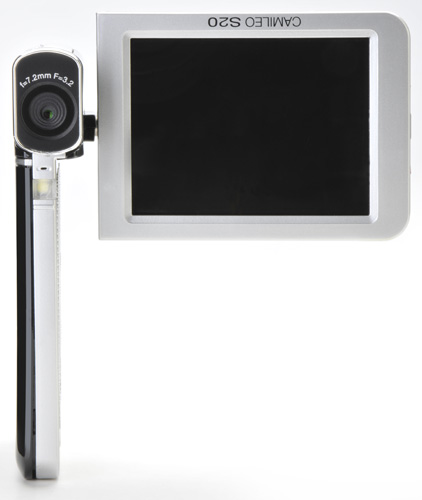
Made with Windows users in mind
While your mileage may vary, recent versions of Apple’s iMovie video editing software do support AVCHD, although no Toshibas appear on the compatibility list. As with many camcorders, you need to be tethered to the device to import this footage – copying off an AVC file to the desktop to import to iMovie later won’t work. That said, we did use the eternally useful Handbrake to transcode S20 AVI files this way. The application can be tweaked to output more than just iPhone and Apple TV-friendly clips that can be used by other software.
 Biting the hand that feeds IT

