


This article is more than 1 year old
LG GD510 Pop
Missed opportunity

Review Less, they say, is more, and that's certainly a maxim LG believes in if the Pop - aka the GD510 - is anything to go by. This is one small phone, yet it presents a full touch-based user interface and simple, clear styling that will make some wonder if it's one answer to the long hoped for iPhone Nano.
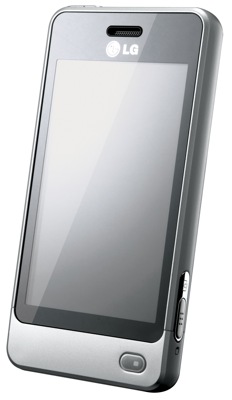
LG's Pop: nice and small
Should Jobs and co worry? Alas no, because as impressive as the Pop looks, it's let down by its key component: the touchscreen.
The phone we use every day has a capacitive screen, but we've been testing phones with resistive touchscreens for years - HTC offerings, mostly. After all that stabbing away with fingers and stylii, not triggering a tap unless we pushed really hard, here, thanks to capacitive touchscreen tech was a display that was never less than totally responsive.
Capacitive is, without question, the way all of today's touchscreens should be.
And LG's gone and put one of the old-style ones on the Pop. Right from the off, it makes using the phone more of a chore than it ought to be, simply because it slows you down. If a tap or a swipe of your fingertip doesn't work first time, you have to try again. And sometimes one or two times more. The Pop's display will respond eventually, but how much time will you have wasted?
It's not just the lack of response. More often than not the Pop's display does detect that you've touched the screen. But not what you're trying to do. Too often, we found our swipes - to scroll down a list, to flip from one of the three home screen panels to the next, to move a slider to answer or reject an incoming call - were picked up as simple taps with the result that the phone acted on the wrong instruction.
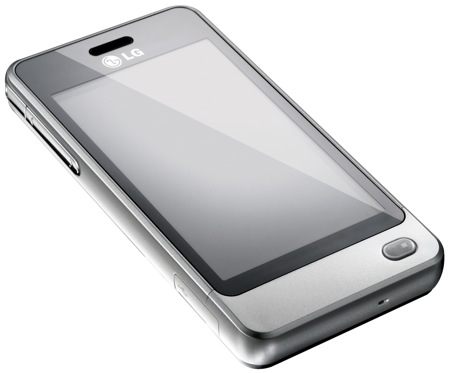
Begging for a decent, capacitive touchscreen...
You can probably get away with this if your phone's UI is simply about pressing buttons - like pre-6.5 Windows Mobile, for instance - but LG's S-class user interface requires swipes and other gestures too. The main UI comprises three screens and you switch from one to the other by swiping your finger across the display in either direction. This rarely worked first time for us, which isn't so bad when you're sitting at a desk, but is a pain when you're outside steering through crowds.
 Biting the hand that feeds IT

