


This article is more than 1 year old
WD Caviar Black 2TB
Two terabytes of performance HDD

Review The 2TB Caviar Black is the second hard drive we have seen with a capacity of two terabytes. Glance back to our 2008 round-up of 1TB drives, which used three or four platters, and you can see that this is pretty much a doubling of areal density.
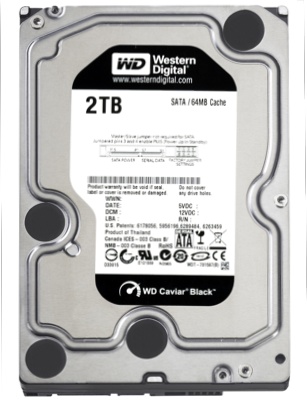
Western Digital's Caviar Black 2TB: covered up...
The first 2TB drive we saw was a member of WD’s Caviar Green line-up with an emphasis on environmentally friendly performance. The key here is power draw so the Green drive uses a lowly spin speed of 5400rpm despite the inevitable performance hit.
It’s a different story with the 2TB Caviar Black which has a spin speed of 7200rpm along with a host of other features.
The guts of the Black are similar to the 2TB Green as both models use four 500GB platters with eight read/write heads. However, the extra spin speed has made some changes necessary. For starters, the cache has doubled in size to 64MB. Every drive in the Caviar Black family is described as having "up to 64MB", but to date the only drive we have seen with that much memory is the 2TB - smaller drives have 32MB.
The most dramatic new technology is the twin actuator, and it's currently unique to the 2TB Black. Actually, that’s not quite true as the 2TB Black shares all of its features with the WD RE4, which is an enterprise drive.
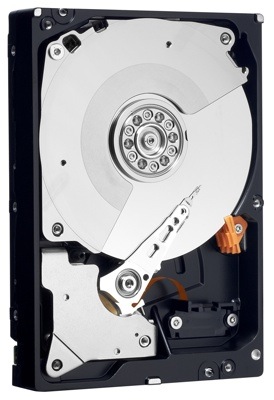
...and nekkid
The specification of the RE4 is very similar to the Caviar Black in every respect except that it has an MTBF rating of 1.2 million hours while there is no mention made about the expected life of the Black. Both drives have a five-year warranty. The other difference is that the RE4 is intended for use in Raid and as a result the TLER (Time Limited Error Recovery) is much lower. A desktop drive will typically attempt to recover bad sectors for 15 seconds while we understand that the RE4 will quit after seven seconds.
 Biting the hand that feeds IT

