


This article is more than 1 year old
Philips Cinema 21:9 56in LCD TV
The film buffs' widescreen TV

Review Think of a widescreen TV. The widest one you’ve seen, you know, one with big, garish speakers stuck on the side. Well, whatever it is, it’ll be nowhere near as wide as this new, premium-priced LCD TV from Philips.
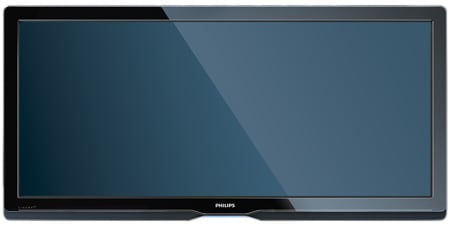
Philips' Cinema 21:9 56PFL9954H
Current widescreens have an aspect ratio of 16:9, so when viewing a movie on them, there are black bars along the top and bottom of the screen. Why? Because movies aren’t actually produced in the 16:9 format. Most DVDs have movie aspect ratios of 2.35:1, or 21.15:9. Even this isn’t the full picture, which is 2.39:1 (or 21.51:9) and viewable from the latest Blu-ray discs. It’s this measurement which is matched perfectly by the Philips Cinema 21:9 56PFL9954H TV. Purists please note, it’s the product name, not the shape of this 2560 x 1080 screen, that has been approximated to 21:9, for simplicity.
The idea behind this strange-looking television is to provide a screen that can present a film in near-perfect proportions. It’s quite a stretch, but leads to further questions, namely, what do you do with standard 16:9 or 4:3 TV broadcasts? And if you’re going for cinema purity, why add Ambilight to the back of the screen? It’s the Philips system where changing coloured lights – which match the dominant onscreen colours – are thrown on to the wall behind. It’s certainly strikingly different to the cinema experience.
Let’s start with taking the TV out of the box. Boy, is it heavy! Although it has the height of a 42in telly, the width is much greater, with a diagonal screen measurement of 56 inches. It comes with a wall bracket, though our review sample had the optional extra of the glass stand. Expect to pay around £180 for the stand.
Turn on the TV and the screen leaps into life faster than most flatscreens, displaying a huge Philips logo, which so dominates the room it reminds you again that you’re looking at a very wide picture. Set-up is straightforward, not least thanks to the new Philips remote. We’ve taken issue with remote controls from Philips in the past, mostly because of a navigation ring round the OK button that has been temperamental and hard to use precisely. There’s no such problem with this new model, which is simple and very effective.
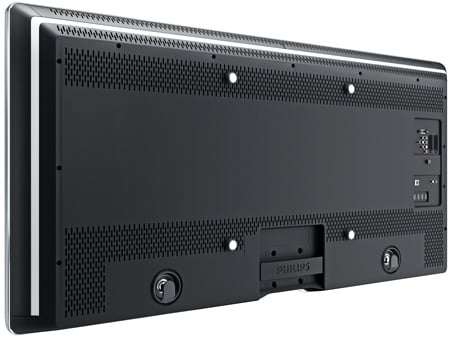
The inclusion of five HDMI sockets should satisfy most users
There are an impressive number of HDMI sockets: four on the back, plus a fifth on the side, so you shouldn’t run out in a hurry. As you tune them in, the set prompts you to find out if the socket is for a Blu-ray player, HD recorder, games console and so on. Each socket has its own preset too, so peripherals can make the most of them.
 Biting the hand that feeds IT

