


This article is more than 1 year old
Ricoh Aficio GX 3000S
Quick dry ink, the fast print solution?

Review The main problem with shoehorning inkjet printers and all-in-ones into the office environment is the time it takes for the ink to dry. Faster drying ink means higher print speeds, so Ricoh’s Gelsprinter technology that utilises gel-based inks, is designed to offer high-speed documents, with the benefits of the large colour gamut of liquid ink.
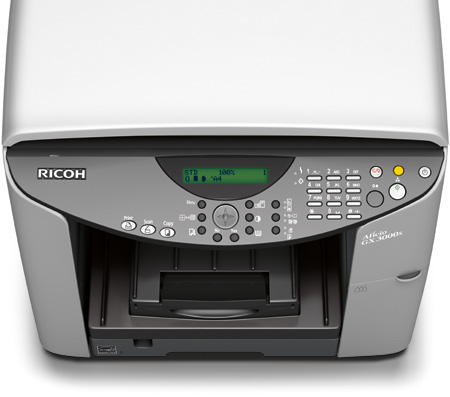
High and dry: Ricoh's Aficio GX 3000S
Ricoh’s Gelsprinters made a rather stuttering launch onto the inkjet printer scene, as they required a firmware update soon after launch, which held back the first production samples. Now more established, Ricoh is still not the first company you think of when considering an inkjet all-in-one. The Aficio GX 3000S is a full multi-function printer, offering scanning and copying, as well as print, but without fax or photo print functions.
You could be forgiven for thinking this is a laser-based machine, since it has a large footprint and is much higher off the desk than even other office-oriented inkjets. Although it has with a substantial inkjet printhead to move across the platen, it still seems unnecessarily tall.
The simple, A4 flatbed scanner has a colour resolution of just 300dpi, or 600dpi when scanning monochrome. There’s no Automatic Document Feeder (ADF), which is a shame, given the machine is aimed at office use, but this feature does appear on the GX 3000SF and the GX 3050SFN.
More of a shame is the fact that there’s no fax, even though the control panel includes a number pad for dialling. However, if the on-line PDF brochure, rather than the UK website is to be believed, the GX 3000SF and the GX 3050SFN are equipped with fax functions.
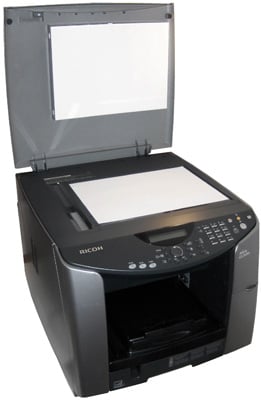
Taller than most, for no good reason that we can see
The pad does enable you to e-mail scanned images across a network to any of 120 different stored addresses, but only if you add the optional Ethernet adapter. The Aficio GX 3000S comes as standard with just USB.
 Biting the hand that feeds IT

