The best memory config for a Core i7 CPU
All the options tested
When Intel launched Core i7, the integration of the memory controller in the CPU core marked a major change from the Core 2 architecture. Intel was relatively slow off the mark in this regard: AMD moved the memory controller from the chipset to the CPU die in 2003 when it launched the Opteron.
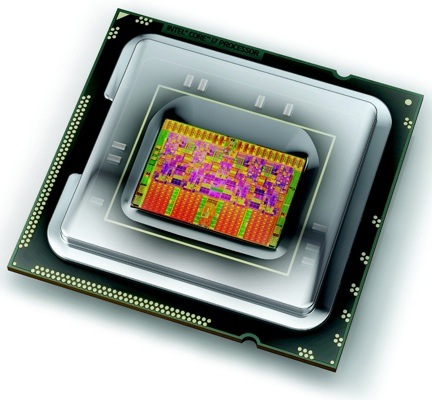
Intel's Core i7: the first Core with an on-board memory controller
Since then we've seen a dual-channel 1066MHz DDR 2 memory controller in AMD’s Opteron, Athlon 64 and Phenom processors, and this has been updated in the latest models of Phenom II and Opteron with the addition of a dual-channel 1333MHz DDR 3 controller.
Intel took a different approach with Core i7 and used a triple-channel DDR 3 controller to increase the memory bandwidth without requiring high memory clock speeds.
The chip giant stipulated a surprisingly low default memory voltage of 1.5V. Although the Jedec standard for DDR 3 includes an operating voltage of 1.5V, it's common to find that a higher voltage of 1.7V or 1.8V is necessary for the sort of clock speeds that we're used to seeing with Core 2 and Phenom II.
Motherboard manufacturers felt it was necessary to warn customers that raising the memory voltage above 1.65V could damage a Core i7 processor, although we see that they continue to offer overclocking options that would take the memory way beyond 2.4V.
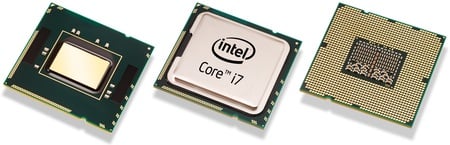
It took a few months for low-voltage Core i7 DDR 3 memory to start rolling in from the manufacturers and naturally those kits contain three modules of memory rather than the traditional pack of two.
Next page: Memory Control: AMD vs Intel
COMMENTS
@Dustin... be sure you comprehend before accusing someone of being ignorant
Ian didn't say Windows "couldn't do PAE - period". He said it couldn't do PAE because too many drivers couldn't handle it, having not been written with PAE in mind.
@ AMD
Yes, I find it truly surprising that an 8-DIMM dual-opteron setup was not tested in this article for Core i7 memory configs!!
AMD
This is very worthwhile reporting!
It is little known that the only fully performant memory configuration for dual processor AMD Opterons has been exactly 8 DIMMS of identical density, 4 on each socket, at least according to my tests. Other configurations give poorer measured performance, which may or may not be reported by the BIOS.
I have only tested with an in house tool, Opteron versions up to Barcelona. Anybody concerned about memory performance should repeat the tests on more modern hardware.
I find it amazing that such basic information is not clearly documented and is also rarely tested and reported-...
@jolyon - Yes, it's mainly a driver issue
Here is what Microsoft say on the issue -
http://www.microsoft.com/whdc/system/platform/server/pae/paedrv.mspx
And the wikipedia page on Physical Address Extension says -
"However, desktop versions of Windows (Windows XP, Windows Vista) limit physical address space to 4 GB for driver compatibility reasons."
Microsoft themselves confirm that >4GB is a no-go with 32-bit XP and Vista.
http://tinyurl.com/n279v6
So, very limited PAE with Windows on the desktop and deeply scary compatibility issues with PAE on both servers and desktop. We've tried PAE on desktop and server Windows and it quickly became clear that the pain of moving to 64-bit was less than the pain of trying to get PAE stable and effective.
With Linux, we installed a PAE kernels, rebooted, and the servers all worked exactly as before but with much more memory. We are now moving to 64-bit (with virtualisation where required) but it has bought us a few years.
Ian
It matches my rule of thumb ...
... which says that more bog-standard memory trumps less but faster memory every time.
Slightly surprised that 3-channel offers no noticeable advantage. Perhaps it's time will come with future iterations and speed steps of Intel's new architecture. Anyway, there's a financial advantage: 12Gb without needing to buy expensive 4Gb DIMMS.
PAE and multicore CPUs means that 8Gb or even 12Gb may be sensible with 32-bit Linux: 2Gb or 3Gb per process, each running flat out in its own core. But if you aren't constrained by some sort of historical relic, 64-bit Linux should be today's default. I doubt I'll be doing many new 32-bit installs in the future.
