


This article is more than 1 year old
DataViz Documents To Go 1.0
Palm OS veteran comes to the iPhone

iPhone App Review DataViz's Documents To Go, born out of the file-translation tools the company made for the Mac nearly two decades ago, has been a mainstay of Palm OS devices for almost as long. That mix of Mac heritage and mobility made it seem inevitable that DTG would come to the iPhone.
And now, at last, it has. Well, sort of. What DataViz has released is a feature-incomplete version of DTG that's really more public beta than finished product. True, the company is offering the app for a reduced price - until 30 June - and has pledged to provide buyers with a free update when the app's complete - ditto - but we're not sure we like this notion of charging for unfinished work, whoever does it.
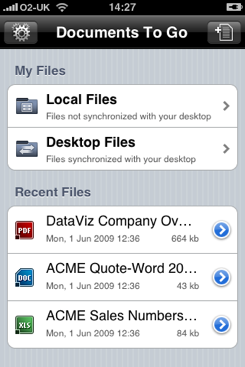
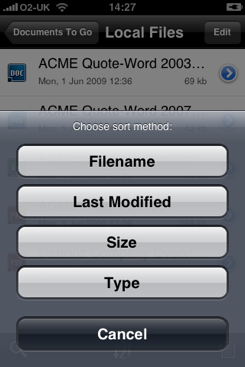
Dataviz' Docs To Go: makes the most of the iPhone UI
DTG 1.0 will let you view Word, Excel and PowerPoint files. You can also create and edit Word documents, but doing the same with Excel and PowerPoint won't be possible until DTG 1.1 is released. The current version will also let you view PDFs. You can view Apple iWork documents too, but only from last year's version - iWork 09, which has been out for months now, is not supported.
Even with the iPhone's reasonably large display, editing Office documents isn't easy. DataViz has implemented its own cut'n'paste mechanism that's fiddly to use. It works using the iPhone's text lens - you keep it held down until it vibrates and you can select the zoomed characters. But it's easy to move your thumb a wee bit too far, trigger a scroll and select the wrong text or too much. It's not a patch on iPhone OS 3.0's own pasteboard system, and we hope DataViz swaps over soon, if only to allow text copied in DTG to be used in other apps - here you can't do that.
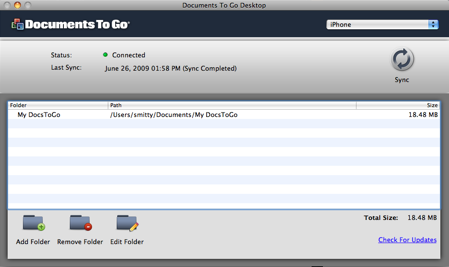
The free desktop sync app works well
Still, DataViz has implemented a full selection of Word-style text formatting tools, conveniently located in a scrollable toolbar at the bottom of the screen. The company has done a good job at cramming DTG's tools into the limited space on offer.
You can access files kept solely on the iPhone and, separately, those that live on both the handset and your computer. The two devices are kept in sync with free Mac OS X and Windows apps that DataViz lets you download when you've registered DTG. Files - folders too - are transferred over Wi-Fi after you've paired desktop app and iPhone.
 Biting the hand that feeds IT

