


This article is more than 1 year old
Toshiba Qosmio X300
Eye candy? Snazzy styling and GPU grunt for gamers

Review Toshiba laptops have always been safe and reliable, and we’ll confess to being the satisfied owners of an old Qosmio F20. However, they’ve never been terribly exciting – as our recent review of the Tecra M10 pointed out in great detail. So when Toshiba showed off its latest models to the press just recently, the lurid colouring of the X300 stood out like a sore thumb.
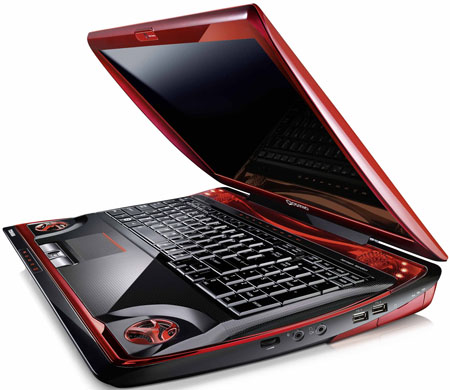
Toshiba's Qosmio X300-13W, equipped with go-faster stripes
The bright red ‘sharkfin’ design makes an obvious statement – Toshiba is leaving behind its sensible, business-like laptops and entering Alienware gaming territory. They’ve got the look right – the flame motif, gratuitous glowing red lights, and the tapering fin-like edges give the X300 a powerful but streamlined look that will appeal to the gaming fraternity.
The 17in widescreen display provides very good image quality, although its 1680 x 1050 resolution isn’t quite Full HD. There’s also a built-in 1.3Mp webcam and a fingerprint sensor tucked between the trackpad buttons, as an added security option. The only unsightly element is the mains adaptor, which is about the size of a couple of netbooks bolted together, but at least you can hide that out of the way on the floor.
Audio quality is also very good, thanks to the five-channel Harman Kardon speaker system. This includes a pair of stereo tweeters on the back edge of the keyboard, as well as two bass speakers on the front corners, and a separate sub-woofer on the underside of the unit – which can be quite interesting at times if you have the machine sitting on your lap.
The X300 has a good selection of ports and interfaces scattered around the case. On the right-hand edge are two USB 2.0 ports, memory card slot, volume control, audio line-in and a line-out, that also functions as a headphone socket and SP/DIF digital audio output. You’ll find another USB 2.0 port over on the left-hand edge, as well as a ‘combo’ port that can also be used as an eSATA interface for high-speed connectivity with an external drive.
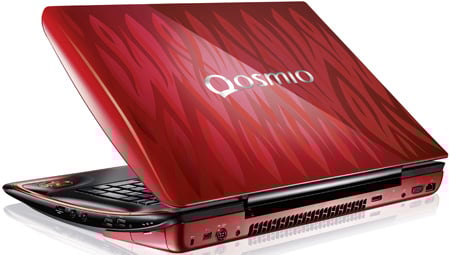
Lap dancing: the subwoofer can be a bit of a knee trembler
Tucked around the back of the unit are Gigabit Ethernet and iLink/Firewire interfaces, as well as VGA, HDMI and Displayport connectors for hooking the laptop up to an external computer monitor or HD television. There’s also 802.11n wireless networking.
 Biting the hand that feeds IT

