


This article is more than 1 year old
HTC Touch Diamond 2
The best iPhone-botherer yet?

Review It's been less than a year since the original HTC Touch Diamond impressed us all with its diminutive size, usability and impressive features list, all of which put it firmly in iPhone bothering territory.
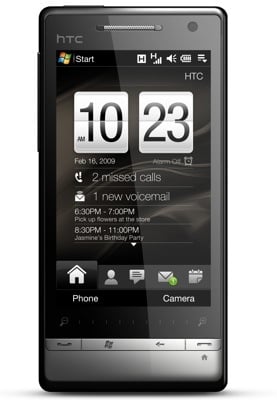
HTC's Touch Diamond 2: uses Windows Mobile, but it's well hidden
But with a 5Mp camera, improved touchscreen and build quality, longer battery life, larger memory, updated TouchFlo 3D interface and a host of other minor improvements, the new Touch Diamond 2 is superior in just about every way.
This isn't a subtly tweaked update of the Diamond, but a root and branch re-imagining. The most obvious difference is the casing, the front of which is now taken up almost entirely by the 67 x 43mm touchscreen - that's 3.2in diagonal, for all you imperial fans, as opposed to the Diamond's 2.8in.
The circular navpad has been replaced by four sliver-shaped buttons for call start and stop, Windows menu and back button. The buttons are metal, as is the edging, which adds a few grams to the weight, but overall it feels much sturdier than its predecessor, which suffered from feeling a tad cheap and plasticky, despite its relatively hi-tech spec.
The sides are fairly spartan, with just a volume rocker and stylus slot - yes, they haven't ditched it yet - with a micro USB port for charging/headphones on the bottom and a power button on top. Around the back, the Diamond 2 has lost the triangular patterning of its predecessor, replaced, apparently by popular demand, by a plain black plastic back, which feels stronger than the squeaky, bendy original.
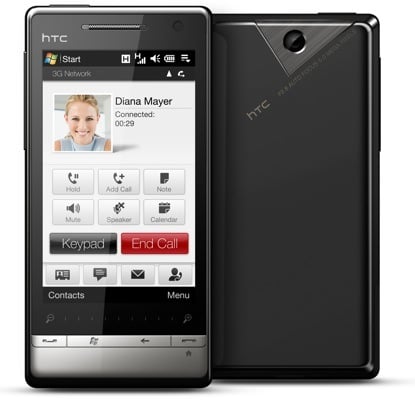
A very stylish handset
The Diamond 2's 480 x 800 screen is a definite highlight – bright, clear, with oodles of detail that makes viewing videos or pictures a joy. It's sensitivity to touch for accessing on-screen buttons, and brushing through pages and menus is just right. Usefully, the Diamond 2 comes with a thin leather-look case to protect its best asset, though this doesn't have a belt clip.
 Biting the hand that feeds IT

