


This article is more than 1 year old
Elgato Turbo.264 HD hi-def H.264 encoder
120f/s iPod video encoding, anyone?

Review We love Elgato's original Turbo.264 dongle for its ability to speed up the conversion of video from a variety of sources into the H.264 format favoured by the iPhone we use as a PMP.
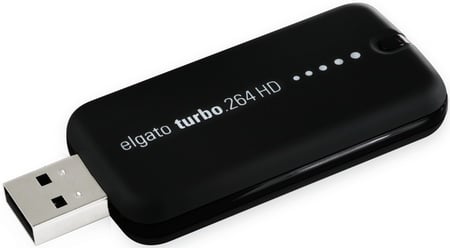
Elgato's Turbo.264 HD: now with a red LED for visual feedback
The first Turbo.264 was focused entirely on standard-definition content. It would handle HD material, but only to reduce it to SD or less in the understanding you'd watch the transcoded footage on a portable player and not your 50in plasma.
Yet, Elgato always included a setting for the Apple TV, a device designed to be hooked up to an HD TV but unto which the Turbo.264 would only render up SD video. Nearly two years on from the Turbo.264's release comes a new version that truly works in the hi-def world.
Unsurprisingly dubbed the Turbo.264 HD, the new dongle's slightly smaller than its predecessor, is less angular and sports a red LED at one end that lights up when it's doing its stuff. Elgato undoubtedly felt it had to get the hardware to do something visual for folk who couldn't tell if it was working or not, though you can see the results clearly enough in the control application that's the hardware's only user interface.
This software too has undergone some aesthetic improvements, but the process is the same: drag the files you want to transcode onto the app, select how you're going to view the results, then click Start. Simple and straightforward.
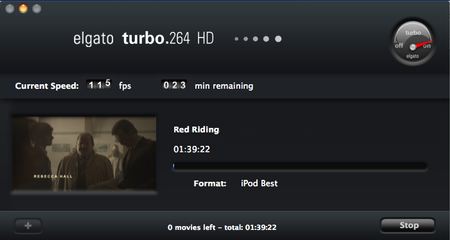
Accelerated H.264 transcoding rates
Once again, the Turbo.264 app provides pre-defined settings for the iPhone and iPod Touch, the Sony PSP, the Apple TV, and two iPod-oriented settings, one at 320 x 240, the other 640 x 480. If the source video's resolution is lower than the pre-set's, it's not scaled up, but it will be scaled down if it's of a higher resolution.
 Biting the hand that feeds IT

