


This article is more than 1 year old
OCZ Apex 120GB SSD
Quirky performer

Review From the outside, the 120GB OCZ Apex solid-state drive looks very similar to every other 2.5in SSD on the market, including the 80GB Intel X25-M that we reviewed last year.
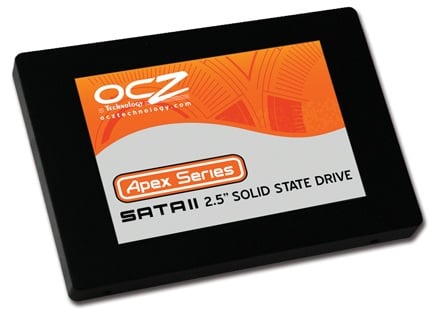
OCZ's Apex: good price-per-gigabyte score
Internally, it’s a different story as the Apex uses two JMicron JMF602 Flash controller chips in conjunction with a JMB390 RAID chip so the Apex is effectively a pair of 60GB SSDs in RAID 0 configuration. If you check the specification, you’ll see that the RAID setup means that the 60GB model has a write speed of "up to 110MB/s", while the 120GB and 250GB models have a speed of "up to 160MB/s".
Our reference point for the OCZ Apex is the Intel X25-M, which launched at a price of £399 - £4.99 per gigabyte - and which has subsequently dropped to £315 - £3.94 per gig. Intel has announced a 160GB X25-M that costs £615 - £3.84 per gigabyte - so you pay a smidge less than £4 per gig if you shop with Intel and £2.67-3.25 per gig when you buy an OCZ Apex drive.
That’s a substantial saving provided the performance of the Apex is up to snuff. We tested both the Intel and OCZ drives along with a 1TB WD Caviar Black HDD on an EVGA X58 SLI motherboard with a Core i7 965 processor and 3GB of 1066MHz DDR 3 memory running Windows Vista Ultimate Edition.
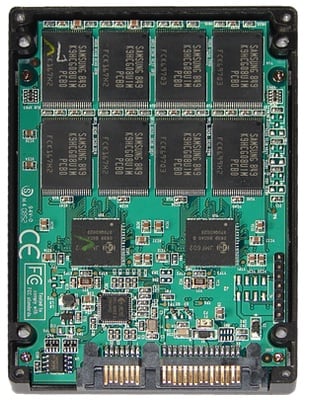
Inside the Apex
OCZ Apex 120GB SSD Specs
- Available in 60GB, 120GB, 250GB capacities
- Read up to 230 MB/s
- Write (120-250GB) up to 160MB/s
- Write (60GB) up to 110MB/s
- Seek <.2-.3ms
- Slim 2.5in Design
- Dimensions 99.88 x 69.63 x 9.3mm
- Weight 77g
- Operating Temp -10°C ~ +70°C
- Storage Temp -55°C ~ +140°C
- Low Power Consumption
- Shock Resistant 1500G
- Internal RAID 0 Support
- MTBF 1.5 million hours
- Warranty Two years
 Biting the hand that feeds IT

