


This article is more than 1 year old
Clickfree Backup external hard drive
A driver's airbag for your data

Review Anything that can make backing up your files a simpler task has got to be good. Spending time recreating important information after accidents is no fun, but like belting up before driving, not everybody does the sensible thing. Clickfree is like an airbag to back-up tools' seat belts.
Now, a spot check. Are your important files backed up? Is the back-up up to date? If you can’t answer ‘yes’ to both of those questions, your data isn’t truly secure and you should do something about it. Clickfree, from Canada's Storage Appliance Corporation (SAC), is designed for folk who don’t have an IT department to help them and may not even have a detailed knowledge of their PCs, but do care about the data they use every day.
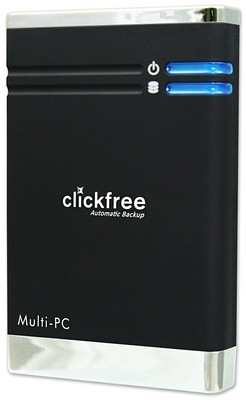
SAC's Clickfree HDD: auto back-up embedded in the drive...
If the air bag was invented to protect those who won’t wear seat-belts, Clickfree is designed for those who can’t - or won’t - set up a backup regime. The concept is simple enough: buy the product, plug it or drop it into the appropriate receptacle on a PC and the back-up is done.
There are two varieties of Clickfree, with others on the way. There’s an external USB hard drive, available in capacities of 120GB, 160GB and 250GB, and a range of DVD+R sets. In both cases, the key difference between Clickfree and other back-up products is that here the back-up software is on the device that stores the data and runs automatically as soon as the medium is detected.
The hard drive is in a 2.5in device in a fairly standard black or coloured case, with blue LEDs for power and data access, and a mini USB socket and 5V DC input - AC adaptor not included - on one end. The USB cable has two plugs on the PC end, in case a single port doesn’t provide enough juice to power the device. We didn’t need to use the second plug.
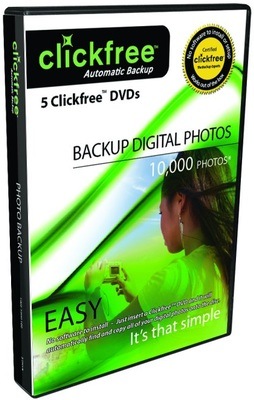
...and on discs too
The only fly in the ointment is that Windows, particularly Vista, may not be set with the appropriate permissions to autorun ‘external’ software. There are instructions for getting over this in the Clickfree packaging and on the company’s Web site, but it does make it less than click-free.
 Biting the hand that feeds IT

