


This article is more than 1 year old
Epson Stylus Photo PX800FW all-in-one wireless printer
Epson tries to keep up with the competition

Review Epson is well regarded as a maker of the semi-pro and professional inkjet photo printers and some of its large-format printers are mainstays of High Street photography shops.
But at the consumer end of the market, it's offerings have often looked a bit basic and sounded rather loud and clunky. The company is clearly trying to address these issues, and the Stylus Photo PX800FW is a sleek, low-profile black box that, frankly, doesn't look much like a traditional Epson printer.
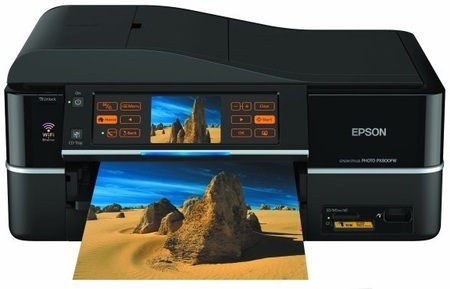
Epson's Stylus Photo PX800FW: radical new look
In several ways, the PX800FW is an odd cross between a photo inkjet printer and a business all-in-one. It's a six-colour machine, with extra inks to improve the lighter tones in photo prints, but it includes a 30-sheet automatic document feeder (ADF), more commonly found in office machines.
Even the ADF is a little unusual. When it’s closed, the end of its feed tray folds in and forces the ADF output tray to rise and complete a smooth S-curve across the printer’s top. The plastic creaks a bit when you open and close the mechanism, but clearly some thought's gone into it and it does look neat.
There's a central, 9mm-wide colour image area, on both sides of which are a total of 13 touch-sensitive buttons. Some or all of these illuminate whenever their functions are available. They include + and - buttons for controlling the number of paper copies or photo prints, and arrow keys for browsing through images on a memory card and for menu navigation. The control panel folds out to any convenient angle and a press of one of its two physical keys lets it fold back down with a nicely damped motion.

The control panel
The second physical button brings the CD/DVD print unit into play. Unlike previous Epson disc labelling systems - and those from Canon - the disc tray is integrated into the printer and pops out under the control panel. The tray is a little bit flimsy, but it does the job.
 Biting the hand that feeds IT

