


This article is more than 1 year old
The netbook newbie's guide to Linux
'We're the Fukarwi'

Episode One Thanks to their design as appliances, you can get down to useful work straight away with any of the new breed of Linux-based netbooks. But sooner or later, a fair few folk come up against the unfamiliarity of Linux. And, like the legendary tribe of pygmies, you may find yourself jumping up and down in the head-high long grass shouting out the incantation that gave the tribe its name: "We're the Fukarwi."
This series is designed to address that cri de coeur.
Let's plunge straight into the practicalities by taking a look at Acer's Aspire One - the AA1, as its fans call it. This is a typical Small, Cheap Computer (SCC), in that it runs a simplified version of Linux - unattractively called Linpus - that has been locked down to turn the machine into an appliance. Even a seasoned Linux hacker - and I've been writing about and using Linux since 1995 - has to scratch his head and do some serious Web research before finding the way in. The two chief problems are: a completely unfamiliar simplified appliance-style interface; and the lack of any password to get into the root.
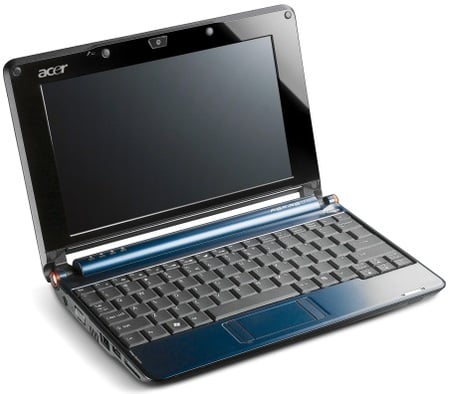
Acer's Aspire One: the appliance of Linux
These two hurdles turn out to be largely illusory. The interface is an old Linux standby called XFCE, tailored to Acer's requirements. And although Acer doesn't tell you the root password, it's left a perhaps deliberate security hole that allows you to change it to the password of your own choice. More about that next time.
The first thing any Linux aficionado would want to do is open a command-line terminal. You can do this easily enough from the official Acer interface: go to the Files area, open My Documents and select Terminal from the File menu. From the command line, we can use the simple but sophisticated 'package manager' - Linux buffs call application downloads 'packages' - provided with the system to produce an inventory of our software assets. It's called yum, an acronym that will become no clearer when I tell you it stands for Yellow Dog Updater, Modified. If you want to know more about yum you can look it up on Wikipedia.
Dave the FingersWe called him "Dave the Fingers" because the first thing he'd do with any operating system on any hardware was dive down into a terminal window and start investigating the innards at command-line level, his fingers flying across the keyboard with lightning speed. Dave Williams of IBM UK has been my friend, colleague and an indispensible font of Unix wisdom since I first got started with Linux in the mid-1990s, and was always the first person I'd turn to for sanity checks on anything I write about the subject. I was saddened this week to learn of his death, and I miss him terribly - particularly in the context of putting this series together. So let me dedicate it to him, and when you e-mail me about any howlers I may have perpetrated here I can blame them on his untimely absence. |
|
Forums
The user base for netbooks is growing fast. The following forums deal with the netbooks we've been discussing here: The Asus Eee PC series: forum.eeeuser.com The Acer Aspire One: www.aspireoneuser.com/forum/ The MSI Wind: forums.msiwind.net |
 Biting the hand that feeds IT

