


This article is more than 1 year old
Build a Silverlight media player
Going for gold

Hands on Microsoft's deal with US media giant NBC Universal to stream this summer's Olympic Games online using Silverlight represents a major demonstration of the potential of Microsoft's emerging browser-based runtime and streaming service.
In keeping with the news, and following on from my earlier introduction to Silverlight, I wanted to go one step further in building a Silverlight rich-media application and service. Here, I plan to show a more realistic application that demonstrates how designers and developers can work together using Silverlight.
Let's assume you work for a media company that has just signed a new artist. You're working with designers and marketing people to come up with new ways of promoting bands online. How can Silverlight help with this?
Design
Rather than work with Adobe's Photoshop, let's encourage the designer to use the new Microsoft Expression. All the Expression tools are available on a trial basis from the Microsoft Expression web site.
First we can preview and select from the available photos and artwork using Expression Media.
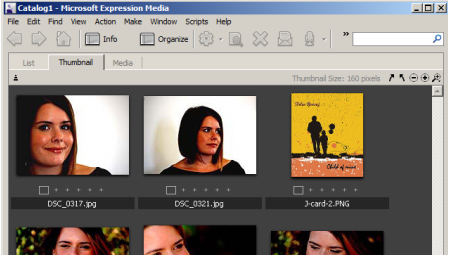
Browse and select artwork in Expression Blend
Expression Design can be used to build any additional graphic assets. If we need to edit the audio, change its format or crop it, we can use Expression Encoder. To create the application, we'll use Expression Blend 2 December Preview and choose File > New > Create a new Silverlight 1.0 Site project. The new site includes a holding page, some XAML, JavaScript and the all-important Silverlight.js file.
Now we can add all the images that we want to use, along with the audio file (in WMA format) to the project. Images and media can be dragged onto the design surface and arranged to create the design.

Combined images and cover in Expression Blend
The basic design is nearly done, but we need to name the buttons playButton, stopButton and pauseButton to allow the developer to attach functionality.
Develop
Now, open the site from Visual Studio - I'm using Visual Studio 2008, but Visual Studio 2005 works as well - Just select File > Open Web Site.
 Biting the hand that feeds IT

