


This article is more than 1 year old
Eee PC: better with Windows?
Eking out the power with XP

I have now installed Windows XP Pro on my Eee PC and while the unit's power consumption characteristics are slightly better than they were under the standard Linux installation, it's not as much of a gain as I'd hoped for.
Installing XP is straightforward. The Eee PC's manufacturer, Asus, provides the drivers you need on the DVD that comes with the micro-laptop, or you can download them from its website. That's what I did because my review unit didn't come with said DVD. It did come with the manual, however, and that has a comprehensive set of instructions to guide you through the process.
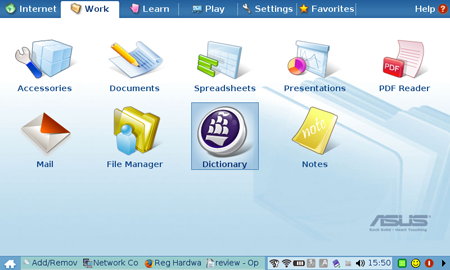
Asus' Eee PC: ships with Linux, but better with Windows XP?
A trip to Maplin later and I had a 40 quid external USB DVD writer to connect to the Eee PC. You have to adjust the laptop's BIOS to tell it you're installing an operating system and to start up from the DVD drive, but that's easy enough to do if you follow Asus' instructions. Then it's just a matter of letting Windows' set-up do its thing.
With XP in place, you can install the drivers from the DVD. I tripped up on one gotcha: fresh from the install, the Eee PC's Wi-Fi adaptor is turned off, so the Atheros software kept complaining that I didn't have a wireless adaptor installed. Just tap Fn+F2 to turn the radio on, and the software works exactly as it should.
Asus' instructions assume you'll be plugging a USB Flash drive or HDD into your Eee PC, but I chose instead to slot in a 4GB SanDisk SDHC memory card and use that. OK, you can't remove it afterwards - at least not while the machine's up and running - but I'd say it's a more convenient approach than having to carry Flash drive around too.
A basic 4GB SanDisk cards costs around £32/$55, but SanDisk has faster and/or more capacious options too, as do many other SDHC card makers.
Why use one at all? Firstly, a standard Windows install will fill up a good portion of the Eee PC's 4GB solid-state drive. With a little pruning, you can get XP into 2.5GB - there's a way to reduce it even further, which I'll talk about later - leaving 1.5GB for apps and data.

Move My Documents to your SD card
Click for full-size image
Secondly, Windows writes many more files to the drive than Linux apparently does, and a lot of Eee PC users are understandably worried that that will significantly reduce the longevity of the SSD. Yes, Flash memory cells can only be written to a limited (but large) number of times, but modern Flash controllers are able to work around this by juggling writes to minimise the number of times a given cell is written to. The upshot is that the SSD should last as long as the laptop does.
Still, why risk it when you can make use of removable storage that, unlike the SSD, is easy to replace? To make the most of the SDHC, you have to tell Windows to keep your My Documents folder, its own Temporary Internet Items space and the virtual memory file on the card. Asus' instructions show you how to do this, but EeeUser.com has a clearer guide here.
Incidentally, for folk keen to keep the Linux distro, EeeUser.com has a wealth of useful hints on improving its user experience, particularly handy if you have no Linux experience.
 Biting the hand that feeds IT

