


This article is more than 1 year old
Apple Macs
Getting to the core of the line-up

Top Five If you’re considering buying an Apple machine this Christmas but you're not sure which, Register Hardware’s got you covered. We’ve spoken to Apple expert Warren D’Souza, retail manager with independent Mac specialist the Square Group, to help unwrap what’s hot and what’s not in Apple’s current line-up.

 Warren’s been in working with Macs for about ten years and uses a MacBook Pro on a daily basis as his lifeline to the IT world. His laptop is used not only for internet access and email, but also for editing videos and keeping his vast music collection up to date. Of course, running a Mac shop also helps keep him up to date on the latest hardware, software and accessories.
Despite there only being five types of Mac in the range, each is offered in a number of variations, and Warren’s lined them up so you can decide which model meets your needs.
2.0GHz MacBook
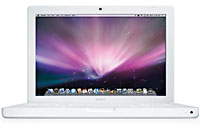 “The MacBook is very popular because it’s cheap, small and fast. Most customers buying from this range only want something for accessing the Internet, checking their emails and word processing. However, it’s capable of a little more, such as photo editing. The 2.0GHz and 2.2GHZ white models are very popular while the black 2.2GHz model’s the least popular - most people buying a MacBook buy on their preference to colour. Each model’s technical features are very similar, but not identical.”
More Info Apple's MacBook website
Price: £699
Best online prices: From £649.00 - 7 sellers
2.4GHz 24in iMac
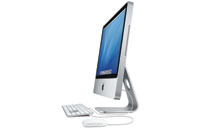 “You get more for your money here, such as a larger screen size and bigger hard drive - up to 500GB. The iMac’s more of a family PC, but it’s also popular with movie fans because of the screens options: 20in and 24in. The 24in model with the 2.4GHz CPU is probably the most popular overall, though. Customers realise that an iMac doesn’t take up a lot of desk space, but some still ask where the actual computer is because they don’t always realise it’s built into the display.”
More Info Apple's iMac website
Price: £1149
Best online prices: From £1145.63 - 3 sellers
2.2GHz 15in MacBook Pro
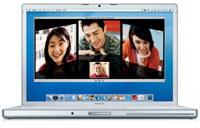 “A lot of professional users and those wanting to do a bit more than simply surf and send emails opt for the MacBook Pro. The choice of faster processors and more memory mean it’s better at supporting the likes of Quark, Photoshop and video editing software. We sell more of both 2.2GHz and 2.4GHz 15in models than the single, 2.4GHz 17in model, possibly because people want something a bit more portable and are put off by the latter’s size and weight. All three models have graphics chips that’ll be suitable for users needs as their requirements grow.”
More Info Apple's MacBook Pro website
Price: £1299
Best online prices: From £1256.08 - 6 sellers
1.83GHz Mac Mini
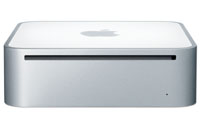 “Windows users often buy these as a way of cheaply learning about Macs, or to use them in a sitting room as a media server/DVD storage unit. Both models in the Mac Mini range are popular. Some opt for the 2.0GHz model because it has a DVD burning option, but most go for the cheaper 1.83GHz version. Customers do have to buy a display, mouse and keyboard if they don’t have spare ones already though.”
More Info Apple's Mac mini website
Price: £399
Best online prices: From £430.12 - 1 seller
2.66GHz dual-processor Mac Pro
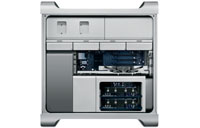 “The Mac Pro is for high-end use - it's for film editors and small businesses. Although it doesn’t ship with a screen, customers love the sheer power of the Pro and the 2.66GHz model tends to be the most popular, though it'll go up to 3GHz. The unit can take almost anything you throw at it, although it’s not for first time Mac users.”
More Info Apple's Mac Pro website
Price: £1699
Best online prices: From £1690.83 - 2 sellers
 Warren’s Top Tips for buying a Mac Warren’s Top Tips for buying a Mac
"When you’re thinking of buying a Mac, the best question to ask yourself is 'what do I want to use it for?' and then 'do I need it to be portable?' Macs do crash less than Windows-based PCs and are less prone to viruses, while some find the OS more intuitive than Windows. However, remember that all five of these models are capable of running Windows, if you can’t face the swap." |
Thanks to Warren at the Square Group in New Oxford Street, London
More Reg Hardware Top Five...
• MP3 players
• HD TVs
• Digital Compact Cameras
• Digital SLRs
• Sat navs
 Biting the hand that feeds IT

