


This article is more than 1 year old
Elgato EyeTV 250 Plus TV tuner with MPEG 2 encoder
The ideal DVR kit for low-horsepower Macs?

Review When we reviewed Elgato's EyeTV Hybrid almost a year ago, we found it a darn fine analogue and digital TV tuner. With its analogue input port, it's a pretty good way to digitise your old VHS tapes and feeds from set-top boxes. The company has now released the EyeTV 250 Plus, which replicates the Hybrid's feature set. Did it need to bother?
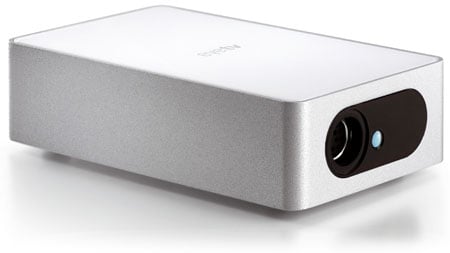
Elgato's EyeTV 250 Plus: MPEG 2 encoding built in
We'll answer that question at the end of this review. Before then, let's see if there are any differences between the two products. Form-factor first: the Hybrid's a USB stick, while the 250 Plus is an external unit with an shiny white plastic and aluminium-look metal casing that's at home next to any modern Mac. Unlike the Hybrid, the 250 Plus isn't bus powered but needs its own AC adaptor.
The unit's front is home to an infrared receiver for the bundled remote control. It also has a port for the multi-format video input cable, which terminates in a pair of RCA stereo jacks, a yellow composite-video connector and an s-video plug. Turn the 250 Plus through 180° and you'll see a co-axial antenna socket and the unit's power feed.
The 250 Plus has its own power supply because - and here's the key difference between it and the Hybrid - it has on-board MPEG encoding hardware. Connect the Hybrid to your Mac and whenever you use the accompanying EyeTV software to record either an analogue TV broadcast or what's coming in on the analogue video port, it's your Mac that has to handle the encoding work, in real time.
Not so the 250 Plus. Converting the analogue signal into digital data is the job of the add-on, not the host. The upshot: your Mac doesn't have to work so hard, so its processing resources are freed for other tasks. And if you have a lesser CPU that might not be up to the challenge of encoding video at a given resolution, with the 250 Plus taking the strain, it might now be.
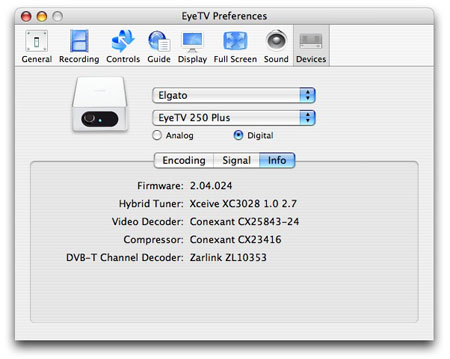
Elgato's EyeTV 250 Plus: the details
Fancy turning that old, unused last-but-two generations Mac to use? Want to use it as a DVR? The EyeTV 250 Plus might just be able to help.
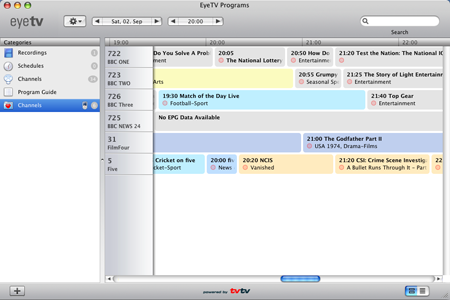 Elgato's EyeTV 2 software is, for now, the Mac-based DVR application to beat - and one that's rather better looking than a fair few Windows-only apps out there too. We looked at EyeTV 2 in detail when we reviewed the EyeTV Hybrid tuner, and we'd suggest you take a look at that review - here - if you want to know more.
For now, though, it's enough to say that EyeTV provides the full range of DVR features, from tuning through to setting up favourite channels lists, scheduling recordings based on electronic programme gudie - it comes with a year's subscription to a number of online EPGs - and the ability to pause live tv.
It also comes with handy export pre-sets for Apple's iPod and AppleTV devices, automatically adding video files to your iTunes library.
The version of EyeTV that comes with the 250 Plus is accomanied by a copy of Toast Basic, a cut-down version of the popular Mac DVD and CD burning tool, so it's ready for archiving content to disc.
 Biting the hand that feeds IT

