


This article is more than 1 year old
An embedded XML Database: Oracle Berkeley DB XML
There is more to life than RDBMS

Tutorial Storing an XML document in a relational database has its limitations. XML’s hierarchical structures do not map well to relational database structures. That’s where an embeddable (non-relational) XML database has advantages over a relational database.
Oracle database (since Oracle 9i database R2) provides the Oracle XML DB feature to store and query XML documents in an XMLType data type column, but you still need a DBA to manage the Oracle database.
Oracle Berkeley DB XML, however, is an embeddable XML database specifically designed for storing and retrieving XML documents. Berkeley DB (BDB) was developed at U.C Berkeley and acquired by Oracle in February 2006; Oracle Berkeley DB XML provides efficient querying of XML documents using Xquery and does not require much administration. XQuery is an SQL-like query language for XML and is based on XPath. BDB XML supports XQuery 1.0 and XPath 2.0 specifications. Oracle Berkeley DB XML is built on top of the embeddable Oracle Berkeley DB database and inherits all the features of the database.
Installing Oracle Berkeley DB XML
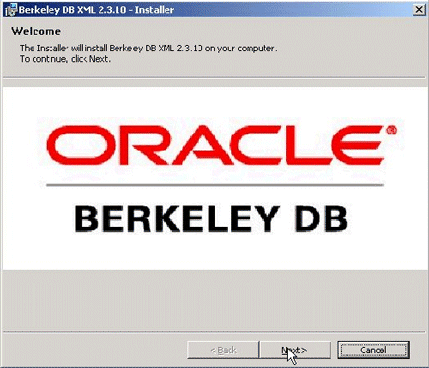
We need to download Oracle Berkeley DB XML 2.3.10 Windows Installer. To install Oracle BDB XML, double-click on the dbxml-2.3.10.msi file. The Installer gets started. Click on Next.
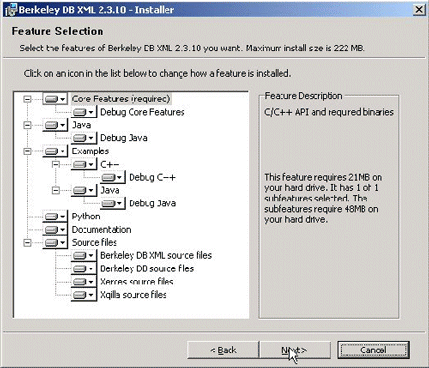
Accept the Open Source License and click on Next. Select the default installation folder, C:\Program Files\Oracle\Berkeley DB XML 2.3.10, and click on Next. Select the default Berkeley DB XML features and click on Next.
Berkeley DB XML requires some environment variables (CLASSPATH and PATH) to be modified. Select the “Set the values in the environment variables” checkbox and click on Next. Click on the Install button to install Berkeley DB XML. Click on the Finish button. Berkeley DB XML may be accessed from either the command line shell or with a Java API.
 Biting the hand that feeds IT

