


This article is more than 1 year old
Sharp Aquos LC32RD2E 32in LCD TV
Exemplary?

Review Sharp is perhaps the keenest supporter of LCD TV technology. It was the first really big name to switch to producing only LCD TVs and thus has had more practice than most. This longevity of experience has allowed Sharp to filter down some of its top-line technologies to its smaller sets and this unit is a good example of that process.
The 32in LC32RD2E is the smallest member of Sharp's new RD2E family, which is part of the Aquos range. Its bigger brothers come in 37in and 43in versions. The TV has analogue and digital tuners, has a 1366 x 768 screen resolution, a viewing angle of 176° and comes equipped with a 100Hz refresh speed, which gives the set a response time of 4ms.
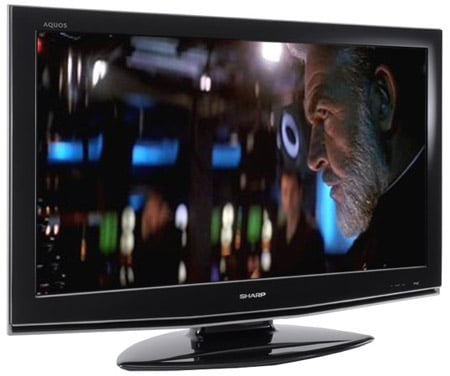
Looks-wise, the Aquos range has always been easy on the eye and this TV is no different, with its sleek lines and piano black-lacquer finish. Setting up the TV could be a little easier. There are eight screws to go in that hold the screen and stand together. However, the work feels worth it as the stand allows the screen to rotate from left to right to get the best viewing position. Not too much of this should be necessary as the 176° viewing angle means that poor viewing angles, so long an Achilles' heel for LCD, is not a serious issue here.
Channel set-up is straightforward, but not the fastest I've ever seen. Still, the EPG (Electronic Programming Guide) and menu systems more than make up for this as they offer a wide array of intuitive features to deliver a good level of navigation and adjustability. The eight-day EPG is simple and fast way to navigate around. And when the set's in analogue mode, the viewer can call up a simple on-screen menu to skip quickly from channel to channel.
Another nice feature of the menus is, rather like on a Mac, a channel or function often only has to be highlighted to be selected. Menu options allow adjustment of the level of backlighting, contrast ratio, brightness, colour tint and sharpness of the picture. A few years ago, we'd have questioned the need for this kind of level of adjustment on a TV. However, these days, with the advent of many more channels and especially satellite's mixed levels of picture quality, these adjustments do come in handy. If you really want to get clever you can even mess around with the colour temperature or black level expansion setting.
 Biting the hand that feeds IT

