


This article is more than 1 year old
How to get your Wi-Fi working again
Out with the old, in with the new

Plenty of people who link computers and other devices to the internet over a wireless network are finding they can no longer connect quite as easily as they once could. That's certainly my experience and, if the many, many emails I received after grumbling about it in public are anything to go by, it's a problem many Register Hardware readers face too.
Here are the symptoms: connections made between a notebook and a well-placed base-station suddenly drop. In places where the notebook used to be able to connect to a wireless router, a link can no longer be established. It usually happens in dense urban environments, and is usually presaged by the appearance of many more WLANs in your immediate neighbourhood.
There was always an issue with 802.11g: the noisy nature of the 2.4GHz band it operates in. The impact of noise from microwave ovens, cordless phones and Bluetooth devices is well known, but plenty of users operate with these machines making noise and don't experience problems. As the estate agents say, it all boils down to location, location, location. How is your house constructed? What noise sources are present? Are there any atmospheric effects? All these factors and more play a part in determining how good your connection is.
Of course, these are largely constants - what can change suddenly is the number of nearby networks. It's here than we quickly run into the limits of 802.11g. Centred on the narrow 2.4GHz band, it provides 11 operational channels - 13 in Europe, though not all Wi-Fi kit shows them. However, only three - channels 1, 6 and 11 - don't overlap with each other. Well, sort of. The transmission characteristics mean that there can be enough signal to spread out into the other channels.
They're not really channels at all, just mid-point frequencies 5MHz apart. Channel 1 is 2412MHz, channel 2 2417MHz, and so on. Either side of the mid-point, the signal strength should fall from 0dB to -30dB once you get 22MHz away, but there's still energy flowing out on frequencies beyond °22MHz. The result: channels 1 and 6 do overlap, albeit to a much lesser extent than channels 1 and 4 might, but the potential for interference is there, growing as more routers fight for the airwaves.
Plenty of users out there are sufficiently savvy to switch their WLANs from the default channel - usually 1 - but not necessarily to check they're not moving on to an already well-occupied channel. Using a network sniffing app like NetStumber/iStumbler is the only way to make sure your access point isn't transmitting on the same channel as everyone else.
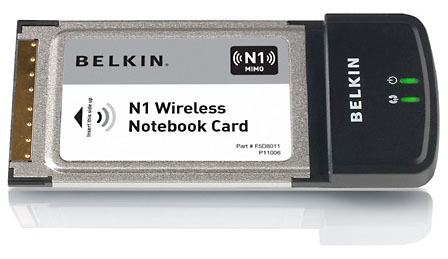
So what's the solution to these network traffic jams?
The obvious answer might be a shift to the 5GHz band utilised by 802.11a. The problem here is that because of the higher operational frequency, 802.11a has a reduced range - it's harder for the signal to penetrate walls. The upshot is that line-of-sight is essential, forcing users to install multiple access points.
That's particularly a problem because 802.11a kit is expensive, especially in the UK. When the technology first appeared, products operating in the 5GHz band required certification, which was costly and drove up the price of the hardware. By the time the certification requirement had been eased, 802.11g had arrived as the natural upgrade from 802.11b. But for big business who'd already chosen to use the technology, 802.11a would probably have died the death by now.
Even in the US, where the 5GHz band was always more readily accessible, 802.11a became limited to large companies because of the success of increasingly-cheaper, compatible-with-802.11b 802.11g units.
Homebrew
There is another option open to the more technology savvy: replace your router's firmware with an alternative, more flexible version. DD-WRT, for example, is an open source firmware replacement for a range of routers, including quite a few now past their prime and therefore readily available on eBay for not much money. It adds some interesting features, including the ability to create a wireless distribution system (WDS) - a collection of access points connected wirelessly to form a single WLAN - and to up the power of the access point's radio, albeit in violation of the spectrum regulations.
We'll be looking at DD-WRT in more detail in the near future.
 Biting the hand that feeds IT

