


This article is more than 1 year old
Xploder PlayStation 2 HD TV up-scaler
Play your PS2 games in HD

Review Packaged in a very nice, neat, little tin box – which could no doubt find a dozen different uses around the home after the contents are removed – the Xploder PS 2 HDTV Player certainly looks like it means business. You may remember we previewed it back in August 2006, well now we've got our hands on one...
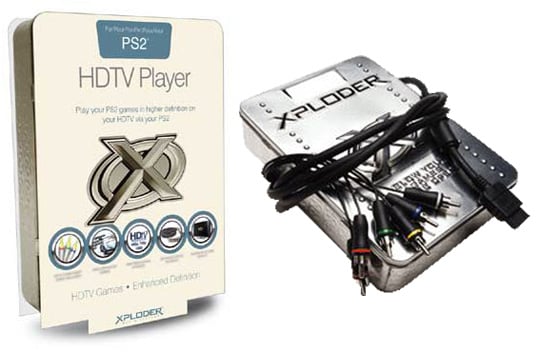
Said box's contents comprise solely of a single RGB component-video cable and a CD to install the software on your Sony console. Setting everything up is reasonably straightforward - although a little limbering up first could be beneficial as you’ll have pull your HD TV out from its corner and contort yourself to match each of the video cable plugs to the respective ports.
Once this is done, follow the instructions given and insert the CD onto the PS2: the settings are saved on a memory card that will need to be re-inserted at the right time. We had to restart the PS2 a couple of times for it to read the CD - although it should be noted that our test machine rarely has problems reading discs - but ultimately this proved to be of little inconvenience. Navigating through the straightforward Xploder menu, reset the PS2 input to the desired HD resolution - select from Enhanced Definition, High Definition or VGA modes, although the VGA adaptor is sadly sold separately - pick a good game, restart and away one goes. The manufacturer recommends the 576p mode for the best PAL results, but we suggest you experiment to see what best suits your HD TV. It is sometimes even worth further experimenting with different settings on different games.
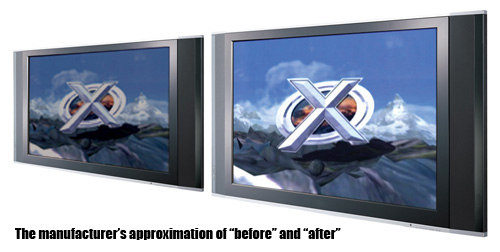
The games work perfectly well - we tried a few, including Metal Gear Solid 3, Resident Evil 4 and Area 51 - and on our test HD TV, an Evesham ALQEMI32SX 32in LCD, most games did look a little sharper. However, some screens in some games suffered from looking like they'd been blown up in Photoshop, but this is bound to happen. Be sure to run the Check HD Compatibility function on the Xploder menu as the very last thing you do, as this seemed to affect whether the new HD image could fill the entire screen. Once this was done, the higher resolution image looked quite impressive across the full 32in screen.
The Xploder website provides a list of compatible games. This concerned us at first and begged the question, why wouldn't any game be compatible since this device runs from the console to the TV and in essence has nothing to do with the game itself? But since more or less most games for the PS2 are in fact listed here, the worry quickly subsided. However, some small print on the back of the packaging does state “compatible with over 95 per cent of all PS2 games. Check website for more details". In short, check first if your fave game's off the list.
Verdict
When you're buying a product that does nothing more than manipulate the screen image, true HD quality is never going to be achieved. This adaptor does pretty much what it says on the (again, lovely) tin, but you will inevitably face a few problems with different games and TVs. It's really a snip at £20, so if you can handle a little checking and resetting, then you will see some improvement.
Or you could of course throw away the cable and CD, and just keep the nice tin. And wait for the fully HD compatible Sony PlayStation 3 in March... and all the HD games that will follow.
 Biting the hand that feeds IT

