
Belkin Easy Transfer Cable for Windows Vista
Does exactly what it says on the box
Review As the name implies, Belkin's Easy Transfer Cable for Windows Vista allows you to transfer your files to Windows Vista, easily. It'll help you to copy over all your files and settings from your shattered old XP PC to your shiny new Vista box.
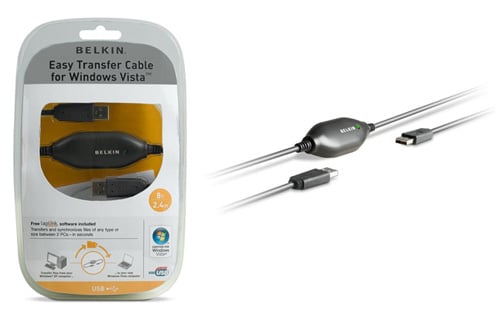
In the pack you get a two-headed USB cable with a soap-on-a-rope bulge in the middle housing the clever parts. You also get a CD containing the Windows Easy Transfer software for XP - you don't need anything additional for Vista, as it's included as standard.
First thing you have to do is load up the application on your XP machine - it's also best to check your computer is up to date as the Easy Transfer application will only work on machines running Service Pack 2.
Once you've got everything installed, then switch over to your new machine and start up Windows Easy Transfer - you'll find it in Start>Accessories>System Tools or just type 'transfer' into the Start menu's search box.
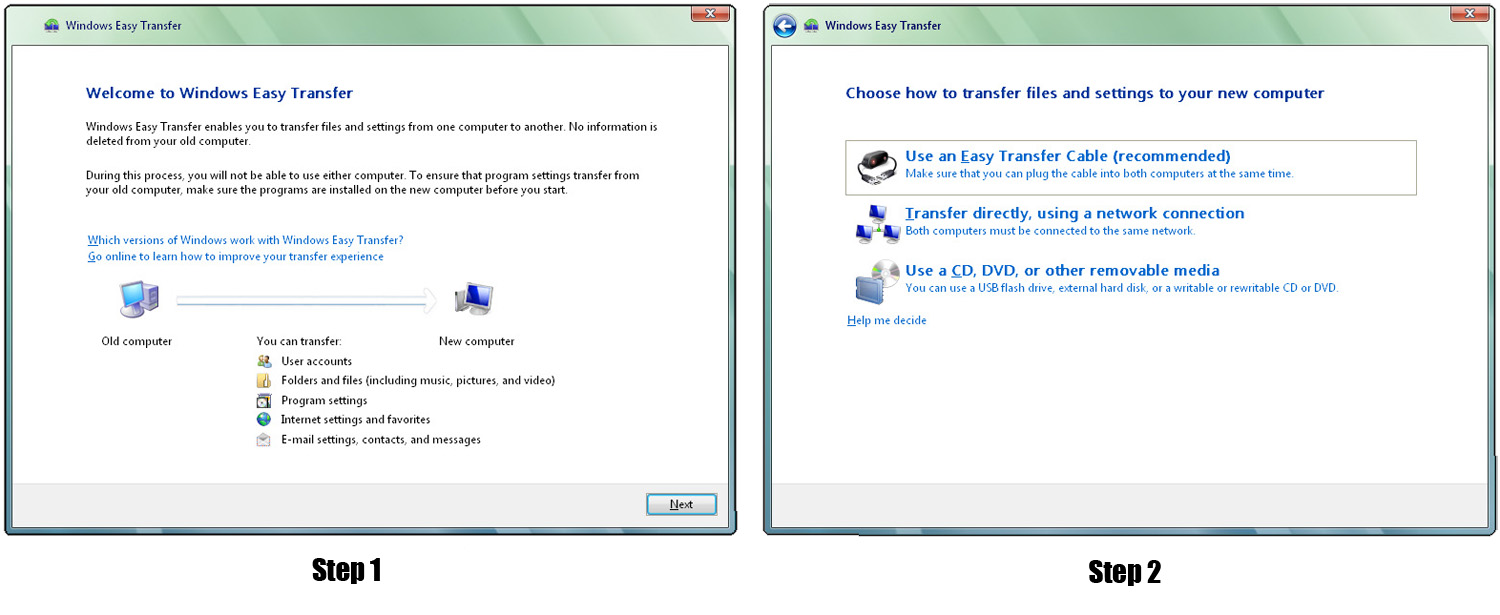
Click images for full-size screengrabs
The program will prompt you to close any open applications that might get in the way of the transfer, then ask you if this is your old PC or you new PC - choose new. You then just need to tell it you're using an Easy Transfer Cable and then sit back and wait for a connection from the other computer.
COMMENTS
Gigabit ethernet needs stuffing with to be useful
Gigabit ethernet won't actually help much, although GbE does have the nice property of allowing a standard patch cable to be used to interlink the two interfaces (in fact a typical 10Base-T/100Base-TX crossover cable won't work for 1000Base-T).
The reason GbE isn't as useful as you'd hope is that the TCP buffers in Windows Xp are pitifully small at 12KB, which is adequate for dialup or a 10Base-T LAN but nothing faster or further away. When Xp came out they wanted to make it use as little kernel memory as possible, and they certainly wouldn't have been happy about the 4MB or more needed to keep a then-exotic GbE network interface card supplied with TCP data.
Pittsburgh Supercomputing Center have a good guide to tuning operating systems for network throughput. See http://www.psc.edu/networking/projects/tcptune/
Naturally the change on Microsoft operating systems varies by service pack and requires registry devilry and a reboot.
Why not just use firewire?
like Mac users have been doing for years. Standard cable and supererior transfer rate to USBs "480 Mb/s" which is actually unachievable.
Ethernet faster?
100Mb/s or 480Mb/s.. I'm thinking ethernet isn't faster unless you're on gigabit. And a bridged USB cable ought to be native to XP or Vista.. don't see how MS could 'license' or 'drm' this. Sounds FUD to me.
ethernet seems much faster
great idea, but in practice an ethernet seems much faster and for simplicity, a cross-over cable works well. granted that required more of an knowledge of an inner workings. however, I'd still use a cross-over cable. it's just simpler, and I've got one at home
Personally, I'm with the BOFH
How splendid! Does it also painlessly transfer all your old spamming & DDOSing viruses and trojans from your shagged-out old PC to your soon-to-be not-so-shiny new Vista box?
Personally, I'm with the BOFH when it comes to Vista: "Nah, I just turned on all the flashy crap in XP, changed the background image, took some memory out of my box and clocked down the CPU. Then broke Media player. Works like a charm."
Ralph B.
